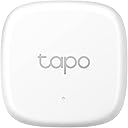
🌡️ Stay ahead of comfort — monitor smarter, live better!
The TP-Link Tapo T310 is a compact, Swiss-made smart temperature and humidity sensor requiring the Tapo Hub. It delivers highly accurate real-time environmental data every 2 seconds, supports over a year of battery life on a single CR2450 cell, and offers free 2-year cloud data storage with export capabilities. Designed for seamless integration with Tapo smart home devices, it enables automated climate control and instant alerts, making it an essential tool for proactive home environment management.


| ASIN | B0C7FHR68M |
| Batteries | 1 Lithium Metal batteries required. (included) |
| Battery Description | CR2450 |
| Best Sellers Rank | #6,290 in Industrial & Scientific ( See Top 100 in Industrial & Scientific ) #5 in Temperature Probes & Sensors |
| Brand | Tapo |
| Color | White |
| Date First Available | July 26, 2023 |
| Item Weight | 1.41 ounces |
| Item model number | Tapo T310 |
| Lower Temperature Rating | 60 Degrees Celsius |
| Manufacturer | TP-Link |
| Mounting Type | Wall Mount |
| Product Dimensions | 1.88 x 1.88 x 0.5 inches |
| Temperature Accuracy | 0.3 |
| Temperature Reading Accuracy | plus_minus_0_point_5_degrees_celsius |
| UPC | 840030707315 |
| Upper Temperature Rating | 140 Degrees Fahrenheit |
E**N
Reasonable Price, Extremely easy Setup, Highly Accurate
I've tested a number of temperature / humidity sensors, they all had failed miserably. The TP-link Tapo sensor is awesome, extremely easy to set up (you do need a Tapo hub). I connected it with Alexa and set up a routine to control ventilation fans to the built in refrigerator. It works seamlessly and controls temperature great. I read some negative reviews regarding accuracy, so I tested it against the temperature control inside the refrig, it varied by only .1 degree F. Over the past 7 years I've converted the house to total automation (garage door control via vehicle and phone, smart irrigation of lawn and plants, motion sensing light control, smart HVAC systems, smart outlets, smart light bulbs, smart switches), trying a multitude of brands and throwing away a number of devices that just didn't have the quality or features required. I have refined my system down to Tp-Link / Tapo / Kasa, Tailwind and B-hyve for my home automation.
L**T
Better for Temperature Regulation Than Your Appliances
Got window air conditioners? Ever notice that even new window air conditioners with digital controls have ridiculously inaccurate thermostats? Well, with the Tapo Smart Temperature and Humidity Sensor T310, TP-Link provides a better way to regulate your room temperature! Now, before you go poring over photographs of the T310 sensor looking for where you plug your air conditioner in, stop. It doesn't work that way. The sensor is about 2 inches square and half an inch thick, is powered by a long-lasting coin cell battery and doesn't plug into anything. To regulate your room temperature with it, you need several additional pieces. I'm using a Tapo H100 Smart Hub, a Tapo P125M Smart Plug (multiple smart plugs, actually, to control multiple air conditioners) and the Tapo App. I started by pairing my T310 Temperature and Humidity Sensor to my H100 Smart Hub. That, by itself, doesn't automate anything. It just allows me to monitor the temperature (and humidity) of the room. The H100 Smart Hub, which I had purchased previously to use with a Tapo water sensor, connects to Tapo's cloud via my wi-fi network, making the telemetry from the sensors available to the Tapo App via the Internet. Placement of the temperature sensors is very important. If you place a sensor right near the air conditioner, the accuracy isn't going to be much better than the air conditioner's built-in thermostat. What I'm really interested in is the temperature in the part of the room where people spend most of their time, so I found places to put the sensors that were near where people sit. That's not hard to do. You can use the included strap to hang them, or just place them on furniture. I do recommend that you label your sensors (I used my Brother PT-1950 p-touch labeler to do this) so that people know what they're there for and so that I can tell them apart. Next, I set up my P125M Smart Plug on my wi-fi network, using the Tapo app, and plugged a window air conditioner into it. This allows me to turn the air conditioner on and off using the button on the Smart Plug or, more importantly, with the Tapo App. Finally, I turn my attention to the Tapo app. First, I added all my new Tapo devices (I actually had bought several sensors and smart plugs). Then, to regulate room temperature, tap the Smart pad along the bottom of the app. On the Smart screen, tap Automation along the top. This is where the magic happens. Add an automation item with the circled + sign in the upper right corner. From here, I set up items to turn my windows air conditioner on and off based on a combination of schedules and room temperature. Since the smart plug actually simulates plugging in and unplugging the air conditioner, and power-cycling an air conditioner in less than 3 minutes on a regular basis can damage it, I set my On and Off temperatures 5 degrees apart. You don't have to play it as safe as I did, but I would recommend that your On and Off temperatures should be at least 3 degrees apart. This system works like a charm! I don't even need to use the thermostat controls on my window air conditioners anymore. I can just have their air conditioners run at maximum when they're on, and let Tapo decide when to turn the units on and off. Contrary to what many people seem to think, turning a window air conditioner's thermostat up and down has no effect whatsoever on the temperature of the air blowing out of its registers. When the air conditioner's compressor is on, air blows cold, typically around 20F colder than whatever the ambient temperature is. When the air conditioner's compressor is off, air blows at whatever the room temperature is. If the air conditioner is a newer model with a "power saving" mode, the fan also shuts off after the compressor has been off for a few minutes. Running a window air conditioner at maximum simply means that when the unit is on, the compressor is on, so the air is always blowing out cold. Note that in order for the system I have described above to work, your window air conditioners must be designed so they power themselves back on automatically when electrical power is restored. Air conditioners with mechanical all do this. You only have to watch out for this feature on air conditioners with electronic controls. The feature goes by a number of names. LG calls it "automatic restart". GE calls it "Power Interruption Restart". My guess is that the verbiage is similar among other manufacturers. I can't comment on the humidity sensing capabilities of the Tapo T310 because I've never used it. But I can tell you that the temperature sensing works exceptionally well, and I'm very happy with my investment.
S**M
Works great
Simple to set up and install. Works great and is accurate. Integrates easily with other Tapo products. I have this talking with the fan switch to come on at set humidity thresholds. Simple. Effective. Small and discrete.
T**E
Must have for four seasons!
Another GREAT Tapo device!!! I was skeptical about its functionality because I’d bought one of those lil $12 doorbell looking like temperature/humidity sensors and found out you gotta use Smart Life or Tuya. Those apps do not integrate with Alexa at all. Maybe to turn lights on and off, but that’s about the extent of their usefulness. But with the Tapo ecosystem, you get full on Alexa functionality and integration!! With this device, I have set it up so that at X° outside my furnace will be the main function controlling the temp in my house. And at X° outside my air conditioning will be the controlling function. This is only really important if you live in the part of the country that has four seasons. Here, it could be 40° in the morning, but 77° in the afternoon. Smart thermostats don’t know the outside temp. So if I set the thermostat to 70° inside temp, I only have the choice to keep it at 70° with either the heat or cool function. It doesn’t know the outside temp, so it doesn’t know whether to run the furnace or the A/C to keep it at 70°. That’s fine when it’s 40° and I need the furnace to run. But once it gets up to 70° outside, I no longer want the furnace to run. Also fine, because it won’t heat past 70°. But when it’s 77° outside, I now need it to stay 70° inside. But the smart thermostat doesn’t know to switch it to cool, so my house would get to 77° inside. But now, with this Tapo temperature/humidity sensor, once it gets to 70° (or whatever you want to set that point at) it tells my smart thermostat to stop heating, and start cooling. I hope this explains how to use this device for this functionality. There are dozens of other uses, this is just one example of it for you. It’s WAY easier to set up with Alexa than that other doorbell looking like device they sell on here. And currently, it’s the same price! This is also WAY better material and feels like it’s solid, so I feel it’s MUCH higher craftsmanship!! It connects super quick and syncs to Alexa by itself. Connecting to your thermostat is done by Alexa. You just need to set the routines to tell Alexa to switch from A/C at/above/below X°, and to heat at/above/below X°. It’s super simple and Alexa walks you thru it!
B**K
Great for a cabin with wifi
These work great and are reliable, I use multiple sensors for controlling the a/c & furnace and heat tape for pipes in the winter. Plus to know exactly what the temp is outside, there's no good weather reports for my area. Easy to setup and connect. Tapo products are awesome.
J**S
son buenos y hacen buena lectura. Al fin de cuentas son marca TP Link/Tapo. solo que, en mi caso, la conectividad con Alexa suele complicarse porque sale el dispositivo enlistado mas de una vez y es engorros tener que estar actualizando la lista constantemente. Yo solo los uso para medir temperatura y humedad, no los tengo para automatizacion
S**P
I’ve been using the TP-Link Tapo T310 for a few weeks now and it’s been a fantastic addition to my smart home setup. Setup was seamless with the Tapo app, and the sensor paired instantly with the Tapo H100 hub. Within minutes, I had real-time temperature and humidity readings and could set custom alerts for thresholds that matter to me. One suggestion for improvement: the temperature graph in the app, especially for monthly and yearly views, could be easier to interpret. A simple line graph would make trends more visible than the current bar format, which feels a bit clunky for long-term tracking.
M**Z
Beware - Does not work with Hub that are EU regions - only compatible with US regions Hubs so make sure the regions match otherwise it will not connect to your Tapo Hub
T**T
Small, accurate, and very convenient. I use this in my bathroom to automatically turn on the bathroom exhaust fan when the humidity reaches 60% and higher, and then shuts off the fan (via the Tapo smart switch) after the humidity drops below 50%.
C**A
funciona perfectamente
Trustpilot
2 weeks ago
3 weeks ago