Desertcart purchases this item on your behalf and handles shipping, customs, and support to Italy.
๐ Elevate your office game with speed, style, and seamless connectivity!
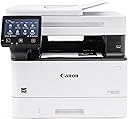
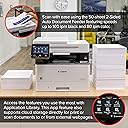
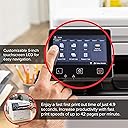
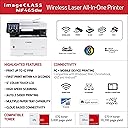
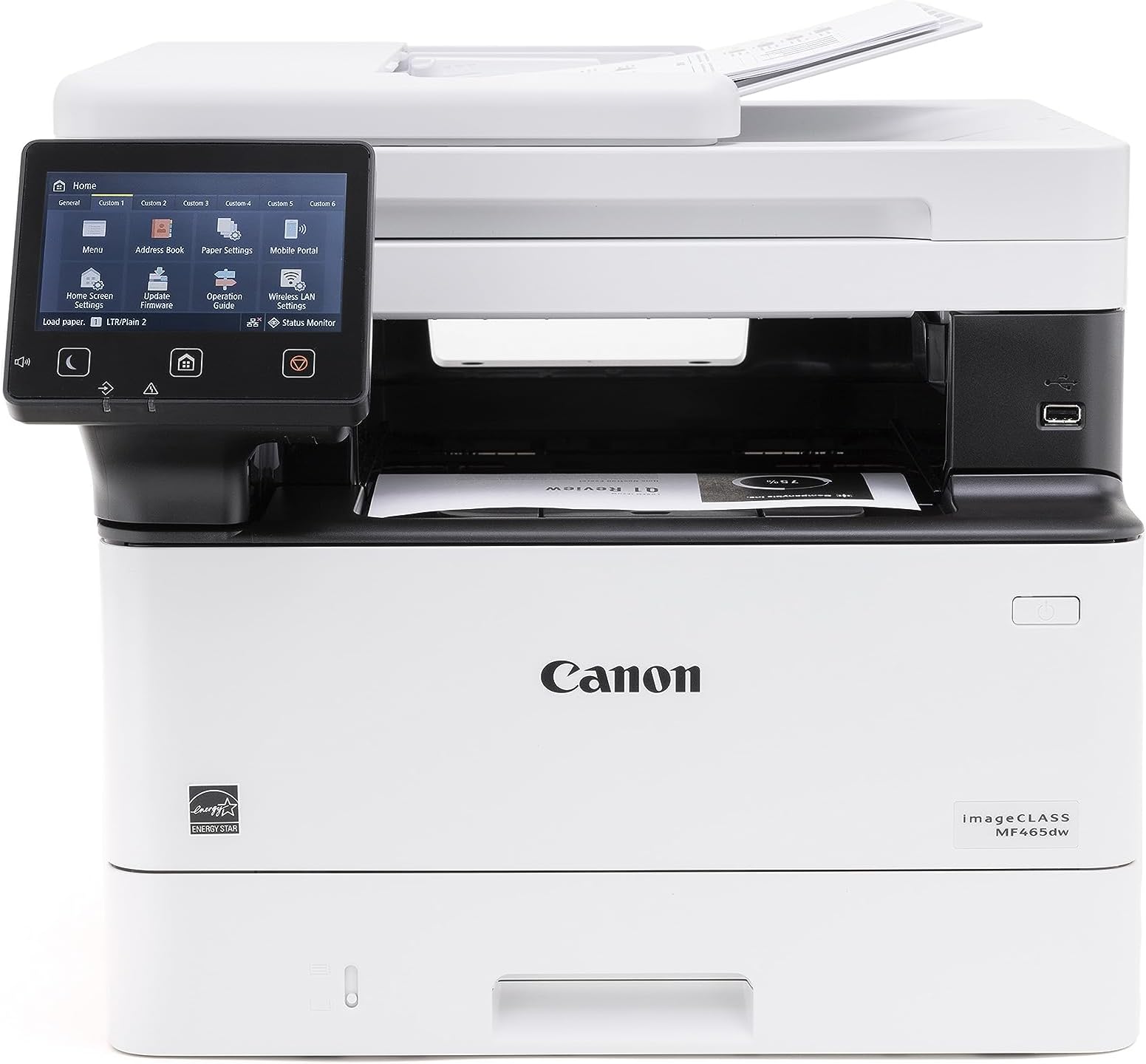
The Canon imageCLASS MF465dw is a monochrome all-in-one laser printer engineered for small to medium businesses. It delivers ultra-fast 42 pages per minute printing, automatic duplexing, and a 50-sheet one-pass duplex document feeder. Featuring a 5-inch color touchscreen and wireless mobile printing compatibility, it streamlines workflows while supporting up to 900 sheets of paper capacity. Backed by a 3-year limited warranty, it combines reliability with high-quality Canon toner for bold, professional output.


| ASIN | B0C87J71B1 |
| Additional Printer Functions | All In One |
| B&W Pages per Minute | 42 pages_per_minute |
| Best Sellers Rank | #14,060 in Office Products ( See Top 100 in Office Products ) #25 in Laser Computer Printers |
| Brand | Canon |
| Built-In Media | Cartridge 070 Black Standard, Approx. 3,000 Page Yield, MF465dw Product, Power Cord, Telephone Cable, User Software DVD-ROM & Documentation |
| Color | White |
| Color Depth | 1 bits_per_pixel |
| Compatible Cartridge | Canon Genuine Toner 070 Black, 070 Black H |
| Compatible Devices | Smartphones |
| Connectivity Technology | 10/100/1000 Base-T Ethernet (Network), USB, Wi-Fi 802.11b/g/n |
| Control Method | App |
| Controller Type | Amazon Alexa |
| Customer Reviews | 4.4 out of 5 stars 454 Reviews |
| Display Type | LCD |
| Duplex | Automatic |
| EU Spare Part Availability Duration | 3 years |
| Global Trade Identification Number | 00013803356885 |
| Hardware Interface | Ethernet, USB |
| Initial Page Print Time | 4.9 seconds |
| Ink Color | Black |
| Item Dimensions D x W x H | 18.1"D x 16.6"W x 14.8"H |
| Item Type Name | Laser Printer |
| Item Weight | 34.4 pounds |
| Manufacturer | Canon |
| Maximum Copy Resolution Black and White | Up to 1200 x 1200 dpi |
| Maximum Copy Resolution Color | Up to 1200 x 1200 dpi |
| Maximum Copy Speed Black and White | 42 pages_per_minute |
| Maximum Media Size | 8.5 x 14 inch |
| Maximum Print Resolution Black and White | Up to 1200 x 1200 dpi dots_per_inch |
| Maximum Sheet Capacity | 250 |
| Model Name | imageCLASS MF465dw |
| Model Number | 5951C005 |
| Model Series | imageCLASS MF |
| Number of Ethernet Ports | 1 |
| Number of Trays | 3 |
| Other Special Features of the Product | Auto-Duplex, Display Screen, ENERGY STAR Qualified, EPEAT Silver |
| Output sheet capacity | 250 |
| Paper Size | Standard / Optional Cassette: 4.1 x 5.8 to 8.5 x 14 Inches / Multipurpose Tray: 3 x 5 Inches to 8.5 x 14 Inches |
| Print media | Envelopes, Labels, Paper (plain), Unknown |
| Printer Connectivity Type | 10/100/1000 Base-T Ethernet (Network), USB, Wi-Fi 802.11b/g/n |
| Printer Output Type | Monochrome |
| Printer Type | Laser |
| Printing Technology | Laser |
| Resolution | 1200 x 1200 |
| Scanner Type | Sheetfed |
| Special Feature | Auto-Duplex , Display Screen, ENERGY STAR Qualified, EPEAT Silver |
| Specific Uses For Product | Office |
| Total USB 2.0 Ports | 1 |
| Total Usb Ports | 1 |
| UPC | 013803356885 |
| Unit Count | 1 Count |
| Warranty Description | 3 Year Limited Warranty |
| Warranty Type | Limited |
T**N
Nice printer/copier; works flawlessly
This unit replaced an over 10 year old Canon printer, whose paper intake finally failed. (No complaints there, that one served well over the years.) We have this unit connected via Ethernet and use it as copier/printer and scanner. So far it has worked flawlessly and - unlike with a recent Brother printer that I purchased for my mom - here the driver installation was smooth and went without a hitch. As with any network device that acts as a "server" (in the broadest sense), it is a good idea to set it to a fixed IP address on your network's DHCP server (usually your router) and you should do that BEFORE installing any drivers. This is how you do that: 1. Connect the device to your network and power it up. 2. Go to your router's management interface and check the IP address and the MAC address of this printer. 3. Add this device via its MAC address as a static IP address and save this new setting. Make sure that IP address is inside your subnet, but outside of the range of dynamic IP addresses. 4. Wait until this printer has picked up the IP address, you assigned it to. This make take a few hours, but you might be able to speed this up by turning off the router and this printer, then turning on the router again and - after a minute or two - turn on this printer. 5. Get the newest drivers and software from the website, don't bother with any included CD and install them in the sequence that the manual suggests. 6. You're ready to print and scan to your heart's content.
P**F
Excellent multifunction printer
Had this for around 2 yrs and no problems. Print quality is fine and scanning works well on the network.
R**W
Nice Laser
Great multi duty printer, clear copies in a jiffy, nice improvement over the over priced liquid jets. Nice interface with the phones, pads around the house. Wakes up quickly and does the job.
A**R
Best Printer/Scanner/Copier (and Fax, whatever that is) Available
I have had my only business for more than 20 years. For as long as I have been open, I have been using ImageClass printers (I think for the entire time). I generally rotate them around ever 3-4 years with a new one. I replaced my MF445dw with this MF465dw because I was getting streaking on my scans that I could not easily remove. I did not expect much difference - they look identical. I will tell you, however, that this new printer is meaningfully faster to start-up and print. It is nearly no time at all between sleeping and a completed print. Amazing for the price - really at any price, it is amazing. Despite the terrible set-up interface (definitely dates back to Windows 3.1), this is the printer you want to have as your everyday workhorse.
L**E
Solid Performer - goes and goes and goes
This is my second Canon printer that I purchased to replace my non-networkable Canon. Pros: - NOT an ink jet - a cartridge lasts me well over a year with moderate printing and I don't have to worry about it drying out - Set up is easy, including printing directly from our Samsung Galaxy phones via wifi. It can also hard-wire into a network. - I love the features such as the tray fed scanner and duplex. I don't use them often, but when I want them, I want them. Cons: - My only con is why it I didn't give it 5 stars; the printer goes into 'sleep' mode to save energy (which is good), but it doesn't always wake up when I print something. I have to turn it off then on to unjam the 0's and 1's and then it prints.
R**N
Easy to set up, great user interface, excellent experience so far.
After about a week, so far this printer has exceeded my expectations. This replaces a Brother multi-function printer that was probably ~15 years old, did a decent job for more all those years, but was never a terribly seamless experiences, especially in terms of it's user interface, scanning and general reliability. This Canon model was super easy to set up, I love having built-in duplex printing, and it took just moments to get multiple laptops and other devices connected to it successfully. Adorama also shipped it quickly.
M**P
Terrible Printer
This printer was a easy to set up but refused to print in color. There are 0 instructions online to help with issues other than very generic instructions that include unhelpful instructions. Ultimately we returned it due to the inability to get it to print color, despite settings being set to color (it took us forever to figure out how to turn off grayscale).
T**A
Great Laser Printer/Scanner
Replaced an ancient Canon Laser printer whose hinge broke. Setup was fine and the printer produces excellent copies. It interacts well with the network. Scanner interface with Acrobat and great and the scanner is incredibly fast with both sides of the sheet feed scanning being scanned at the same time. Have not used the fax. Good value for the money and I have excellent luck with Canon over decades, in contrast with my HP experience.
ุง**ุฏ
ุณุฑูุน ุงูุทุจุงุนู
ู ุงูููู ู ู ุชุงุฒู
A**A
Nice
Printing quality is good for documents but not good for printing picture and the ink consumption is little problem. Still it is good for hd document printing
I**H
anon imageCLASS MF465dw - Monochrome
The product received was faulty & damaged
D**K
Ok ok
Toner capacity is less, and cartridge is also expensive
N**N
Poor working
Poor working
Trustpilot
2 weeks ago
2 weeks ago