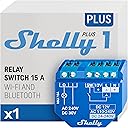
🚀 Upgrade your smart home game with the relay that plays by your rules!
Shelly Plus 1 UL is a UL-certified, compact smart relay switch delivering 15A load control with dry contacts for versatile voltage compatibility. It doubles as a WiFi repeater and Bluetooth gateway, enabling seamless integration with Alexa, Google Home, SmartThings, and Home Assistant—all without requiring a hub or cloud dependency. Designed for easy retrofit installation behind wall switches, it empowers you to automate legacy appliances, garage doors, and irrigation systems with secure, privacy-respecting remote control and customizable automation.


| ASIN | B0BWNFNXQ5 |
| Best Sellers Rank | #181,242 in Tools & Home Improvement ( See Top 100 in Tools & Home Improvement ) #537 in Electrical Light Switches |
| Brand | Shelly |
| Brand Name | Shelly |
| Coil Resistance | 15 |
| Coil Voltage | 12 Volts |
| Connector Type | Screw |
| Contact Current Rating | 15 Amps |
| Contact Type | Normally Open |
| Current Rating | 15 Amps |
| Customer Reviews | 4.6 out of 5 stars 307 Reviews |
| Included Components | 1 x Shelly Plus 1 UL, User manual |
| Item Type Name | Smart relay switch |
| Item Weight | 0.06 Pounds |
| Manufacturer | Allterco Robotics EOOD |
| Maximum Switching Current | 15 Amps |
| Maximum Switching Voltage | 12 Volts |
| Minimum Switching Voltage | 12 Volts |
| Mounting Type | Wall Mount |
| Number of Terminals | 2 |
| Operation Mode | Automatic |
| Specification Met | UL |
| Unit Count | 1.0 Count |
| Wattage | 180 watts |
P**.
Great "dry contact" smart relay, UL listed, integrates perfectly with Home Assistant
Bottom Line Up Front: These are high-quality smart relays made by a reputable company. They provide "dry contacts" (that is, they simply connect or disconnect the wires connected to the switched terminals. They do not connect the relay terminals to line voltage. The switched terminals are fully isolated from the line voltage that powers the relay.) which are useful for switching both low-voltage and line (120V or 240V AC) voltage circuits. They do not require any network access, and can be configured using the device's built-in WiFi access point or Bluetooth connection using the Shelly app or built-in webserver. You can also control the relay with a separate switch, like a regular light switch or pushbutton switch, which allows you to control loads with higher current or voltage than your switch could handle. You optionally can use the free Shelly cloud service and/or integrate it into a variety of smart home systems like Home Assistant. This model is UL listed, which means it has been tested by a third-party testing laboratory for electrical and fire safety and has passed those tests. I recommend them. Background: My house occasionally gets power outages, and also has rooftop solar and Tesla Powerwalls (to provide whole-house backup power). I wanted to ensure that my central air conditioner and electric vehicle charger would switch off when there was an outage and the batteries had been discharged to 50% or less, but neither the AC nor the charger were "smart" devices that could play nicely with my Home Assistant installation at home. Power: The relays can be powered with 120-240V AC mains power, 24-60V unregulated DC (the relay has an internal regulator), or 12V DC from a voltage-regulated power supply. Terminals: The relays have screw-type terminals that can support stranded or solid wire up to 14 AWG size (12 AWG will not fit). The manual recommends solid wire, but I've found that stranded wire with crimped ferrules work extremely well and do not loosen with time. Installation: My AC has "utility curtailment" terminals that are intended for an electric utility-provided device to signal the AC to turn off for short periods of time when the electric grid is overloaded. The AC's terminals required a dry contact relay to signal when the AC should turn off or on, which these Shelly relays have. I simply powered the Shelly using the 240V connectors in the AC unit (I added 1A fuses to the wires powering the Shelly for safety) and connected wires from the relay terminals to the AC's utility curtailment terminals. After connecting the the Shelly relay to my home's WiFi network and adding it to my Home Assistant server, I configured some Home Assistant automations to turn the relay off when the power was out and the Powerwalls were <50% full. For my car charger, I installed a Shelly relay in a similar way, except I connected the charger's "control pilot" wire to the relay terminals. When the Shelly relay is on, the charger works as expected. When the relay is off, the car and charger both detect the loss of the pilot signal and immediately stop charging and the charger opens it's high-current contactor to make the plug connector electrically safe. As far as both car and charger are concerned, the charging plug was simply disconnected. Integration with Home Assistant: Home Assistant supports these relays natively, including a bunch of useful properties like the device's internal temperature, detecting and installing firmware updates, state of the relay and the input switch terminal, and others. Integrating them with Home Assistant is a cinch. Standalone Use: When first connected, the relays operate in a "standalone" mode where each creates its own WiFi access point to which you must connect in order to configure and use them. This access point can be disabled or secured at your option. You can connect to the relay's built-in web interface or use the Shelly app to configure the device, change any communication methods (turning the access point on or off, connecting to a different WiFi network, enabling Bluetooth control, etc.). You can configure the relay with schedules, responses to certain actions, and so on. The web interface and app are both intuitive, easy to understand, and have many useful options and settings one can change. Connectivity: It is possible to use this relay with no WiFi connectivity whatsoever if that is desired. Once configured, it's possible to have the device be completely standalone, be controllable locally using Bluetooth and/or it's standalone WiFI access point, or be connected to a WiFi network with or without internet access. No cloud service is required, nor is there any dependence on any outside service. That said, Shelly does offer a free cloud service to remotely access the relays if one wishes, but it is not required. Put simply: these are great relays that do what they're advertised to do, don't require any external connectivity, and integrate well with Home Assistant.
B**D
The best damn smart home devices out there for technically-inclined people.
Bought this as I wanted a way to control my bathroom's extraction fan remotely. I expected it would be any run-of-the-mill IoT product, like it would only want you to use their app & any support for it is strictly third-party and unofficial... Turns out, this is actually one of the overall best smart home devices out there. I got this for only $20, and got something that: - can make your dumb lightswitches smart - causes no problems with smart lightbulbs when used to make a smart lightswitch - can run on a wide range of voltages, AC and DC even - is small enough to shove inside a wiring box or behind a device in a 1-gang outlet/lightswitch box - needs NO CLOUD SERVICES - hell, doesn't even need a LAN, you can use it by only its WiFi SSID or just BT - works with Home Assistant, but moreso Shelly proudly displays support for it on their product pages + website - can even be a WiFi repeater at the same time - has a variety of alternative models available, if you need one for other more-specific purposes - doesn't need you to EVER install their smartphone app: just connect to the WiFi it broadcasts, then go to 192.168.33.1 & it drops you right into a configuration dashboard, rather than some tedious "first time setup" screen - doesn't need you to make any accounts with anyone whatsoever - forces no updates on you, doesn't change the terms of the sale post-sale, doesn't spy on you, etc... For $20, you get something that can - make your doorbell smart: send an alert when your bell is pressed & trigger your doorbell chime - (my use case) conditionally run a bathroom fan: with an additional humidity sensor of some sort, you can turn it on/off irrespective of the fan's power switch depending on if your bathroom is too humid after a shower - make your lightswitches cooperate with your smart lightbulbs: normal smart switches often cause issues with smart bulbs & regular switches cut power entirely making it impossible to turn them on remotely. When you use this to make a dumb switch smart, you retain the ability to power-cycle your smart lightbulbs with ease, and you maintain the ability to turn your lights on/off with the switch in the wall without hindering the ability to turn them off remotely. - integrate your old analog garage door with your smart home: many garage door openers just connect with a dry-contact button on the wall. Attach this in parallel with the button & you can open/close your door remotely. - make an old lamp, or just about any analog on/off device, remotely-controllable: this thing is TINY. You can shove it into the base of many lamp fixtures, and therefore make your lamp remotely controllable, or just about anything where the control method is a switch. Hell, they even managed to make another model that's somehow smaller than this, just in case this is still too big for what you'd need it for. - probably do even more than this, these are just what came to my mind for what it can be used for Putting it short: although only a technical & handy person can use it for all the use cases it can be for, this is a very versatile device with many use cases, and it doesn't give you any roundabout of investor-approved crap at any point. It does exactly what you want it to do, doesn't do anything you don't want it to do, it's rock solid reliable & just cooperates with you. It's really an incredible value, for $20 you get a incredibly tiny gadget that can do a lot of things for you. No online accounts needed, doesn't spy on you at all, doesn't require installing any app, all you need to set it up after installing it is a computer with a WiFi adapter & any web browser. Need I say it again, when you've powered it up, all you gotta do is use a computer to connect to its WiFi & then direct a web browser to 192.168.33.1 - from there it puts you straight into its dashboard, doesn't even run you through some "first time setup" & doesn't hold your hand at all, it gives you the exact same experience as if it were just set up & expects you to poke around to set everything up manually. There's literally no other IoT devices I know of like this. It's just a cheap, very reliable & versatile, no BS super-tiny smart home device. It perfectly fulfills the use case I bought it for, it isn't privacy-invasive to *any extent* unlike lots of other smart home devices, it respects you as the user & is entirely independent + agnostic of its manufacturer as well as your choice of smart home platform + doesn't need internet access at all. Not to mention in the era of ownership being eroded: you OWN this device, and can do whatever you want with it. All Shelly can do with it after you've bought it is offer completely optional firmware updates to you, which you can either opt to install, or just never update any Shelly devices you have. Or hell, if you don't trust their firmware and/or my review, you can even just replace their firmware with ESPhome (or write your own if you're so inclined) & then it is indeed truly impossible for Shelly to do anything to them after you've bought them. So yeah, if you're thinking of buying this or any Shelly devices, just get them already. They're an excellent value, they're not idiot-proofed let alone jammed with corporate-approved crap, and that's exactly why they're great.
E**L
Confusing instructions, but great once installed
Here’s what I finally figured out. The 120V live (black) wire goes to three places: “L”, “I” and one of your switch terminals. Connect the other switch terminal to “SW”, and connect the 120V neutral (white) wire to “N”. Finally, connect your load’s black wire to “O”. The load’s neutral should be connected to the incoming neutral (same one you connected to “N”). Once it’s installed, the app makes it a breeze to set up and control - kudos to the software engineers! I love the flexibility. I’m using mine to turn on my lights at sunset, and turn them off 8 hours later. I’m thinking of using these in some of my unswitched outlets.
J**M
Amazing little programmable smart device
I never knew about this device and discovered it through ChatGPT when trying to figure out how to control our water recirculating pump more efficiently. I'd imagine the uses for this in-wall programmable smart device are nearly endless. The only caution I'd give is it was harder than expected to fit in a one gang junction box that wasn't extra deep, so I ended up having to switch out the box for a deeper one. Once it was wired properly, it connected immediately through Bluetooth, then I was able to use the app to connect to my WiFi network, and it's easy to program on a timer, with the push of a button on my phone, or even with a physical in-wall moment switch which is what we did with hard wiring it. You will need an electrician or have some experience with basic electrical wiring to install and use this.
W**.
Works great but it takes a while to understand instructions
I have some Feit Electric smart plug in relays that I had been using to turn on my family room lights in my home. They were unreliable (always loosing connection to my home router and I know the wi-fi signal was good) so I decided to try these switches (some times the Feit smart plugs work and some time they don't). I received the first two Shelly relays and had a bit of a learning curve when I started to work out how to use them. I have worked in an industrial plant about 18 years ago as an instrumentation and electrical tech so I am used to working with relays and controls. First of all, so far the Shelly relays are working OK to operate LED light under my kitchen cabinets and LED overhead kitchen lights. The first problem I had was they didn't show a set of dry relay contacts between the I and O on the switch. The second problem was trying setup the relay in the Shelly app on my phone. I am still not sure why the app ask if you want to disable the wi-fi and Blue tooth after you register the relay? The app is not very intuitive so just keep trying different setting until you get it like you want it. The schedule part of the app was also confusing. I wanted my lights to come on one hour before sunset and go off at 11PM. It took a couple of tries to understand that you must schedule each function individually and not all at once. So if you want the lights to come on at 1 hour before sunset you create one schedule for that routine and another one if you want them to go off at 11PM. I have connected the relays to my Google home app using the Google mini and so far that is working great. I can turn the lights on and off with a voice command if I want. These relays are somewhat expensive so the best option is to use one relay to control multiple lights. These worked great for my multiple LED lights under and above my kitchen cabinets. I installed one smart relay inside the wall light switch to control 5 overhead lights. In my den I had three lights that I needed to control so I used a wall box (removed the nails and installed a drop cord plug and wire into the side of the box, then installed outlet and a wall plate cover to cover everything up) and installed the Shelley switch inside to control the outlet. I then ran drop cords to the lights (led bulbs using very little power) behind the couch. It has worked out great. I simply paralleled the relay contact with the wall switch so I can either use the smart switch or the wall switch to turn on the lights. I suppose you could use the SW input on the switch to do the same thing but I felt like it would not make much difference to wire it this way. One thing you need to also remember is the password for the Shelly app. If you forget it, it's not super easy to get it reset. Remember this is a European company so it is not super easy to get things done although it is not that bad. I did get it reset but I had to go to the Shelly website, log in and reset my password.
R**R
Easy setup and high quality product
I've used a number of Shelly products in the past and am super happy with this UL-listed product. While I am not using this particular item to switch a light or otherwise, I am using it to send a message to my phone when a particular even occurs. Super easy to configure with this device and cheaper than many alternatives including some DIY solutions. It works great for this project, the size is perfect as well. I am looking forward to many years of service. Other uses of this product have been for automagically turning on a fan in my 3D printer and opening garage doors. Great products!
J**G
Solid Smart Home Device / Integrates with HA
Have a handful of these where zwave wouldn't reach but had wired wifi APs nearby. Very reliable so far (almost a year). These are also rated to a lower temperature than typical zwave devices so great for places that aren't heated. Super easy integration to Home Assistant.
R**R
Fantastic Garage Opener!
It took a while, but with Reddit and Amazon posts, I figured it out. I used a 12VDC wall wart to power the Shelly. Downloaded the app, used Bluetooth to discover and set up. Configured the device to operate on my WiFi network. Set the Shelly Input/output settings to Button (vs. switch) and momentary. Used the Google Home app to set up an automation which simply turned the Shelly switch on, and another to immediately turn it off. Tested functionality with a multimeter and used the wall plug by the garage opener to power the Shelly. Connected the Shelly switch terminals to my garage door wall button inputs and it worked fabulously. Too easy. Used double-stick tape to mount the Shelly inside the opener next to the terminals. Great purchase. Let's see if it lasts.
Trustpilot
2 months ago
2 weeks ago