Desertcart purchases this item on your behalf and handles shipping, customs, and support to Italy.
⚡ Elevate your game with the ultimate wireless tenkeyless powerhouse!
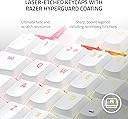
The Razer DeathStalker V2 Pro TKL is a premium wireless gaming keyboard featuring low-profile linear optical switches for rapid response, dual wireless modes (HyperSpeed 2.4GHz and Bluetooth 5.0) for versatile connectivity, and an ultra-long 200-hour battery life. Its compact 87-key tenkeyless layout is housed in a durable aluminum frame with laser-etched, wear-resistant keycaps and customizable Chroma RGB lighting, making it the perfect blend of performance, style, and endurance for serious gamers and professionals alike.
| ASIN | B0BLZXCZSL |
| Additional Features | Chroma RGB, HyperGuard Coated Keycaps, HyperSpeed Wireless & Bluetooth 5.0, Low-Profile Optical Switches - Linear Red, Up to 200 Hrs Battery |
| Antenna Location | Gaming |
| Best Sellers Rank | #4,524 in Video Games ( See Top 100 in Video Games ) #393 in PC Gaming Keyboards |
| Brand | Razer |
| Built-In Media | Keyboard, USB Cable |
| Button Quantity | 87 |
| Color | White |
| Compatible Devices | PC |
| Compatible Operating System Family | Windows |
| Connectivity Technology | Bluetooth, USB-C |
| Customer Reviews | 4.3 out of 5 stars 271 Reviews |
| Enclosure Material | Aluminum |
| Generation | 2 |
| Hand Orientation | Ambidextrous |
| Item Dimensions L x W x H | 14.07"L x 5.48"W x 1.02"H |
| Item Type Name | Gaming Keyboard |
| Item Weight | 2.1 pounds |
| Keyboard Backlighting Color Support | RGB |
| Keyboard Description | Gaming |
| Keyboard Layout | QWERTY |
| Keyboard Plate Material | Aluminum |
| Manufacturer | Razer |
| Mechanical Keyboard Switch Model | razer_optical_linear |
| Mfr Part Number | RZ03-04373500-R3M1 |
| Model Name | DeathStalker V2 Pro TKL |
| Model Number | RZ03-04373500-R3M1 |
| Number of Batteries Required | 1 |
| Number of Items | 1 |
| Number of Keys | 87 |
| Number of Packs | 1 |
| Power Source | Battery Powered |
| Recommended Uses For Product | Gaming |
| Series Number | 3 |
| Special Feature | Chroma RGB, HyperGuard Coated Keycaps, HyperSpeed Wireless & Bluetooth 5.0, Low-Profile Optical Switches - Linear Red, Up to 200 Hrs Battery Special Feature Chroma RGB, HyperGuard Coated Keycaps, HyperSpeed Wireless & Bluetooth 5.0, Low-Profile Optical Switches - Linear Red, Up to 200 Hrs Battery See more |
| Style Name | V2 Pro TKL |
| Switch Type | Linear |
| Theme | Gaming |
| UPC | 840272903254 |
| Unit Count | 1 Count |
| Warranty Description | 2 year manufacturer |
E**E
Even Better than my original!
I got a beast of a gaming PC for Christmas last year, keyboard included. However, I was looking for something smaller to get back some desk space. This delivered everything it promised without complication or painfully awkward finger/hand positioning. Bonuses? It is truly wireless, quiet (I HATE loud, clicky keys) and you CAN use the RGB lighting onboard if desired. (software optional) Pretty intuitive also. I have not yet read the manual. It's that easy.
A**R
Sleek TKL Mech Keyboard + Hot-swap!
Have been using this keyboard as a daily driver at my WFH and gaming hybrid setup. I strayed away from using the RGB backlight in order to keep battery life at its peak and it hasn’t disappointed. For context I play many FPS and ARPGs and haven’t noticed any input lag. Not playing in the 1% but for those who are they aren’t necessarily looking at wireless anyways. The white color is extremely clean and blends well with my minimalist setup. The weight of the keyboard is decent, won’t hold up to the $350+ Group Buy boards but the weight doesn’t seem to have any downside besides a more hollow sound quality. Overall the feel of the keyboard is premium, it seems worth the price especially if you can get it on sale. I swap between the 2.4Ghz and Bluetooth for gaming on my PC and working on my Apple laptop. A quick tip for those who want to change the sound profile - despite not being explicitly stated anywhere this keyboard IS hot swap compatible. The best switches seem to be the Keychron low profile optical switches. I’ve tried out their banana low profiles and helped to eliminate the sensitivity others have found with the stock linears!
J**H
Love it!
Awesome purchase! Big fan of the quality. I used this for various games and for school. Typing papers on it feels super crisp and playing games doesn’t sacrifice performance or response time for the feel. The only issue I had is when using the dongle while I use my Logitech g pro mouse wirelessly simultaneously, the keyboard would interfere with the mouse’s connection and would cause stalls or freezes. When it’s plugged in there are 0 issues. Overall I am satisfied!
C**B
Very cool keyboard.
Small coming from a full size keyboard. Takes a lot of getting used to. Mechanical keyboard is better for gaming and I am constantly hitting caps when wanting to hit shift. The keys are very close together. On a positive note, the keys are very responsive and quiet. Also the rgb is great and it has decent battery life. Also I love it being wireless. So much better for moving it around on my desk when needed. The build quality seems great, but time will tell. The Corsair that this is replacing was ten years old and still fully functional. I just wanted a new wireless keyboard and this fit the bill.
B**Y
Better than Logitech G915 in MOST ways
Just received this keyboard in TKL linear after using the Logitech g915 tkl tactile for a week. Pros: Keycaps/switches are sturdier and more stable without rattle like logitech. Keycaps do not absolutely soak up oil like the logitech g915 model. On logitech, the keycaps would become oily within .1 second of touching them. These feel better and have more of a textured matte feel that don't get as dirty as quickly. Switches have a better feeling than Logitech tactile despite being linear somehow. Scroll wheel for volume had steps and feels more tactile/responsive than logitech's freescrolling wheel. More compact and professional looking. USB-C vs micro USB on Logitech. Connect to up to 3 Bluetooth devices vs just one on Logitech. Cons: Cannot connect to Bluetooth devices while the keyboard is charging. (WHY?) Worse battery life. (Haven't tested the exact length of the battery life for myself but Razer's battery life will be worse because its using optical switches which have light beams that need more power than Logitech's. I have heard that the TKL version has better battery life than the Full-size version just because of having less keys/using less power as a result.) I personally don't care about RGB so I have it off at all times. Will update on my battery-life results in the future. Update: seems to lose about 10-15 percent battery a day even with RGB completely off. But I have my keyboard on for 8 hours a day working. If you are using it plugged in at a desk but want a bluetooth keyboard available for work on an iPad, it will work perfectly, though. That's my use case so its perfect for my needs. Keypoints and possible dealbreakers: Battery life is awful when comparing it to Logitech g915. This makes the selling point of the keyboard confusing. Can Razer be marketing this keyboard as wireless if you have to plug it in so often? Combined with needing to charge the keyboard more often.... YOU CAN'T SWITCH TO BLUETOOTH MODE WHILE CHARGING via your PC. The cable connection will override the connection mode you set it to. Low battery and want to charge it via your desktop while you work on a tablet? You can't use it via bluetooth. It is a bit annoying that the bluetooth setting doesn't override the cable. I will say, you CAN plug it into a wall to charge and bluetooth will still work that way but it is a bit annoying to juggle. Wireless should be hassle free and seamless otherwise you may as well have wires. For me, it's still better than logitech. I just could not stand the feeling of their keycaps, its cheap feeling, the way they soak up oil, and its clunky overall look with RGB that also doesn't fully override some of its buttons. I want to be able to travel constantly with my wireless keyboard and game at the same time without fear of keycaps breaking off or falling off when replacements don't exist so Razer was the choice for me. It'll be up to what you think is more important and your use-case.
A**E
Connection SUCKS
I don't understand why the 2.4 usb can't just hold the signal. EXTREMELY frustrating to be locked into your game and then W stops working mid jump or all connection for that matter... WHEN.. it works.. it's a fantastic keyboard. But because of the issues with connection I CANNOT recommend it. I should have gone with the Huntsman new version... even with that stiff "cushion"... atleast my gaming experience would be what it should be.. I bought a wireless for that.. no wires..... but i need to keep it plugged in for it to work properly 100% of the time.
R**N
Big Fan
Love the way this feels, this is my first "expensive" keyboard purchase over $100 and I'd 100% say its worth it. The keys feel super good and comfortable, good amount of resistance and iver good feel. Only thing I wish it had always a wrist rest for the cost. A lot of Razer products come with one, but I'm using one from an older keyboard that seems to work fine.
J**E
Nice keyboard but issues and NOT Mac friendly
The low profile linear clicks are very nice to type on, not too noisy and good tactile feedback, and I actually prefer the low profile to my older Razer regular profile as the low profile offers a more casual comfortable typing experience. Aesthetically it also looks very clean design, not many all white sleek mechanical keyboards, and this hits the mark well. However, the keyboard and Razer's software has some major flaws where I would not recommend the keyboard for purchase. There's an issue with the bluetooth - It works fine for a few days or so, then will disconnect, grey out in the computer's bluetooth devices and needs to be forgotten and reconnected to each time. Which if you have your laptop connected to a monitor and stored away under the desk, like I do, you need to pull out the laptop and open it each time to unlock and reset the bluetooth. I have 2 headsets, 2 mice and a controller also connected with my bluetooth and the Razer keyboard is the only one that has this issue and it exists for both my Mac and Windows. Now speaking of that, Razer is not transparent about the fact their new software is NOT Mac compatible. Which means if you want to use their Chroma app to customize your RGB light color and theme you need another computer which is compatible. This wouldn't be such a big deal, except even the onboard memory does not work when using on Mac, so you are limited to using 1 preset you have to setup using another computer, with limited animations, and you cannot switch that while on Mac and need to open the software on another computer that is compatible to change your customization. This massively limits the selling point of this keyboard and there is no reason why Razer cannot make software compatible. You can work around it if you have both Mac and Windows, but it is an annoying setup. If they improved these software issues it would be a 5/5 keyboard.
A**L
A bit pricy, but does the job
I got it second hand as the original price is too expensive for me. As my old corsair K70 MKII low profile has broken keys (both N and M double clicks), I need a replacement keyboard. This is the only few lower profile TKL mechanical keyboards on the market. Fro similar price, the keycap is definitely nicer on this keyboard compare to Logitech. Also it accept cherry MX keycaps so I can throw my old keycaps on it easily. The optical switch is also hotswappable, but I think Rezer does not sell them individually. Overall I am happy with it, hope the battery last long, or at least is easy to replace myself.
D**D
Very satisfied.
The battery in the keyboard stopped charging a little after a month of owning the keyboard, I can still use it wired, which is mostly how I use it. I contacted Razer, and they've been very good to deal with, any product can have issues, if the company looks after you all is good. In this case, Razer has given me confidence in buying future products from them.
A**O
Producto de Calidad
Excelente teclado, portatil, responsivo. En resumen un producto de calidad hasta el momento.
S**N
phenomenal
absolutely love this device. had very limited experience with mechanical keyboards some time ago via roccat vulcan aimo but outside of that been using laptop keyboards for a long time and specifically mx keys for the past year. mx keys starting acting up about a month ago so i decided to treat myself to a keyboard upgrade. first, i tried the g915 tkl tactile. what a horrible device at an insane price. the key wobble is horrific and the typing experience was not something i could stand past 1-2 minutes of the initial test. then i got the new steelseries apex pro tkl wireless 2023 edition. a very nice looking device. i liked the typing experience it provided. the key travel and the bump were both very satisfying. but. i could not stand the keycap sizing issue - to me, the combination of the travel depth, keycap size, and keycap spacing was not working out even after a few days of trying. plus, the keycap coating felt like sandpaper to my fingers, and the wrist rest was an absolute joke - stiff dust collector with magnets too weak to keep it attached even with the slightest of keyboard pushes on my desk. final nail in the coffin of that keyboard was its build. for a $300+ board it felt like absolute junk. something you would expect of a 100$ keyboard. then i tried the corsair k70 tkl, thinking i could save a buck and still get a decent board, while compromising on the wireless aspect of it. alas, the board felt incredibly cheaply made. the coating on keycaps though felt better as well as the spacing of the keys, the inconsistency of key feel and travel quickly sent that board back. then i tried the new mx mechanical, which turned out to be just a disappointment. at a considerable price the board looked just bad and the typing felt horrible. after all that trial i was ready to concede and simply get a new mx keys board. though not ideal, the board is cheap, has decent spacing, and i just cant complain about the typing experience given the price. but. i found razer deathstalker v2 pro tkl wireless (holy... the name is a handful) and decided to give it a shot as the last resort. this board is amazing. the typing experience is smooth and quite enough to not annoy me but still create some sound. the response is fast but not too fast so i dont worry about not being able to adjust the actuation distance. the look is great. for being a gamer keyboard it is very low key and it feels very good to have on your desk. the black top metal housing was a great choice. last but not least, the keycaps are wonderful too. they are not pbt doubleshot but razer claims to have applied some special coating to them. as a result, you get nice keycaps with a minimal texture that also react well to natural light and feel great, and unless you are munching on chips while typing the keys dont seem to collect much oil on them. of course the opinion and experience are my own only and your mileage may and most likely will vary but i hope that at least this review helps you select the best keyboard for your needs.

P**N
Gaming and convenient!
I bought a Logitech G413 last year and I knew that it was a good re-introduction to mechanical keyboard. I decided to get this Razer Deathstalker because I found that brown keys were too stiff for my liking to the point that when I was playing CoD I wouldn’t jump as much because it was really hard to hit that space bar. So decided that red swithces were for me, and BELIEVE me this, this keyboard’s RED switches are AWESOME! It is quiet enough for me to bring the it to the office. I LOVE the fact that I can switch between 3 Bluetooth device so I can switch from work laptop to gaming rig and then to iPad without much issues. When I play I love the fact that the 2.4 GHz dongle is CRAZY good! I did not notice any difference between the 2.4 GHz dongle and the wired USB-C. Battery life is great so far have not had to charge it. One thing to note is that I do recommend you to flash the firmware of the keyboard since that made the keyboard behave much more reliably. Also got to LOVE the low profile, this setup makes the keyboard much easier and comfortable to type. I didn’t think I would love it this much since I am a ERGO K860 user but MAN this is such a GREAT form factor that I have since retired the K860 :). LOVE IT LOVE IT LOVE IT. Also for the ergonomic rating I only knocked off a star since technically this keyboard is not completely ergonomically correct since it is not a split form keyboard but nevertheless gave it an overall 5 star rating since it is very comfortable to use. Just make sure you take the proper rest/break time and you are good! (This is an EDIT for grammatical errors and just a bunch of typos).
Trustpilot
1 day ago
2 weeks ago