We remain fully operational. Our teams are working around the clock to ensure your deliveries continue safely.

DOWNLOAD THE APP


Customer Services
Copyright © 2025 Desertcart Holdings Limited
DOWNLOAD THE APP
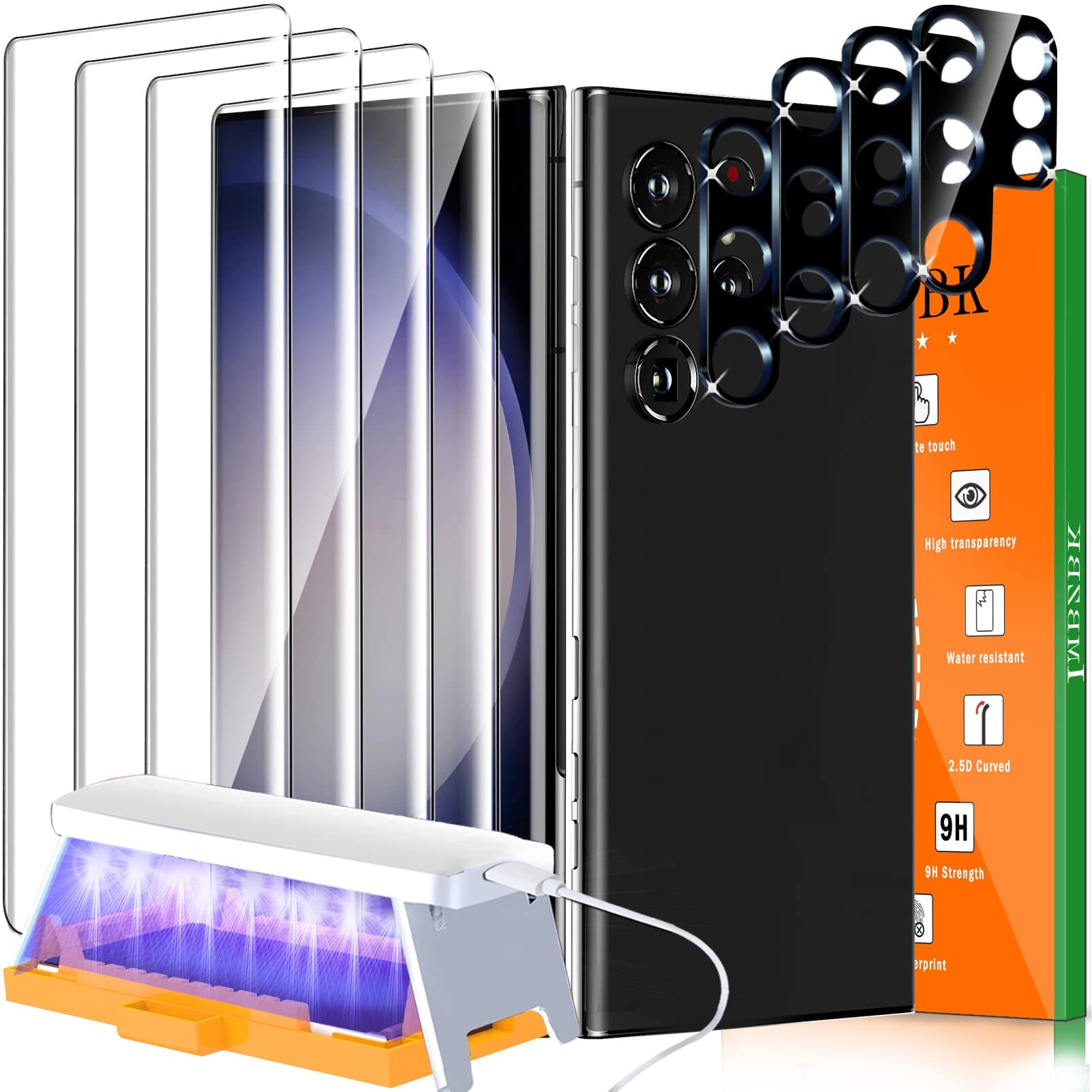

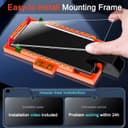
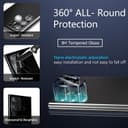
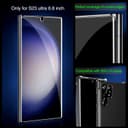
🛡️ Elevate your Galaxy S23 Ultra’s defense with precision-engineered clarity and flawless touch!
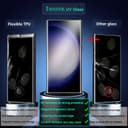
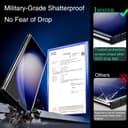
IMBZBK’s Screen Protector Kit for Samsung Galaxy S23 Ultra features military-grade 9H tempered glass with full 3D curved edge coverage, advanced UV glue installation for bubble-free application, and precision German die-cutting to maintain perfect fingerprint and Face ID functionality. The kit includes 4 screen protectors and 4 camera lens protectors, all designed to reduce smudges by 98% and fit 99.99% of cases, delivering premium protection and crystal-clear visuals for the discerning professional.




| ASIN | B0BQFCST5G |
| Best Sellers Rank | #133,806 in Cell Phones & Accessories ( See Top 100 in Cell Phones & Accessories ) #9,098 in Cell Phone Screen Protectors |
| Color | Transparent |
| Customer Reviews | 3.9 3.9 out of 5 stars (2,010) |
| Date First Available | December 17, 2022 |
| Form Factor | Screen Protector |
| Item Weight | 1.01 pounds |
| Item model number | Samsung Galaxy S23 Ultra |
| Manufacturer | IMBZBK |
| Product Dimensions | 1 x 1 x 0.24 inches |
| Special features | Touch Sensitive |
| Whats in the box | 4*UV 9H Tempered Glass, 4*Camera Lens Protector, Full Easy Installation Tools (3*Sponge Strips+6*Small Plug-ins+Hand Hammer+UV Lamp+Charging Cable+Metal Cylinder), 4*Curing Glue, Full Screen cleaning tool |
M**3
Perfect Replacement for a 23 Ultra Failed Purchase
I purchased this screen protector for my new Samsung 23 Ultra after previously purchasing a another tempered glass protector that had absolutely awful fingerprint recognition and next to zero adhesion. *POSITIVES* Works perfectly with my phone case (Crave). While it took me about 20 minutes total to install (watched the video a few times, read the instructions a few times, pulled out everything, & patiently waited to ensure there was full adhesion); however, it was worth it. This protector covers my device perfectly, is extremely clear, is smudge resistant, & worked with the fingerprint scanner *immediately* upon application. Yes, this set is a bit more expensive than some of the others, but the value and quality are worth it! I will never purchase a set with the fingerprint sticker on the underside of the protector again. *NEGATIVES* There are a couple of small downsides: (1) The placement pegs are VERY easy to lose. I have one that fell somewhere, so I can't find it. If I have to replace the protector for any reason, I'll be 1 short, (2) The instructions are a touch confusing to follow because there are a few typos in the manual. Even so, if you read the manual & watch the video, everything will be clarified. (3) The glue spreads MUCH slower than the instructions state. Though it was discouraged, I did lightly press in a couple of areas towards to end to help the glue move along. This worked perfectly for me. (4) The box is bulky, & it does not come with an easy storage option. You can easily find a bin or basket around, I'm sure, but it would be easier if it actually came with a storage option as there are multiple components to the set. *SIGNIFICANT NEGATIVE* While I was taking the product out of the box, one of the screen protectors snapped & broke in my hand. This was before I had even began installation. I had only slide it out of the packaging. So, I'm out 1 screen protector. I still have 2 left, but I feel there should have been greater protection to prevent this sort of thing from happening. I paid for 4 & should have all 4 available to me, but now I only have 2 left after installing one. Be warned to handle the screens tenderly until fully installed to avoid losing your money before you've even been able to install them. Overall, I highly recommend this product. I'll be back with updates if anything changes.
P**H
Mostly nice
This is just some comments on installing the clear glass screen protector, I'll update with durability issues if any come up. The vendor's installation instructions video (in the pictures section of the product's ad) was very helpful, follow its steps rather than the one shown in the customer's video. Things mostly went well but there were a couple of issues. Somehow when I started lowering my glass by slowly pulling out the black wedge the pool of liquid glue moved towards the end with the red spacers, even though the phone was level. This is contrary to how it worked in the two videos in the ad where the glue mostly stay center and spread outward. Even so the entire screen eventually got covered completely with glue after I waited a few minutes. Another issue is I somehow moved the glass slightly towards the end with the black spacers (maybe when I was doing the wipe excess glue step?), so I ended up with much more gap at the top of the screen than the bottom. But the tiny gap at the bottom was just barely enough to clear both of the phone cases I tried so there was no glass lifting issue that some users reported. Be sure your glass is still centered before using the lamp to set the glue. One good thing is somehow my installation shows no trace at all of excess glue after the installation, contrary what some other users reported on their installations. It looks as if the glass was laid down with self-adhesive backing like the flat glass screen protectors used for flat screen phones rather than a manually applied glue coating. I did get a two tine specks of dust right in the middle of the screen, something I've never done when installing flat glass screens for other phones. I'd usually do another install to correct the dust and off-center issues, but this install came out so clean with no excess glue, and looks good otherwise, that I'm going to hold off replacing for now--next install might not come out as clean. And the fingerprint recognition is definitely worse even after rescanning my prints. My phone was pretty bad and inconsistent with this, the screen made it even worse. I'm just going to stop using fingerprint recognition on this phone. It has the worst fingerprint recognition of the five phones (Motorola G4 through Samsung Galaxy S21 FE) that I've used this feature with even though it's by far the most expensive. The camera lens protector this kit came with appears to be nice. Casual testing shows no obvious optical distortion, though I'm sure in some situations it will cause some distortion given that it's probably not high grade optical glass at this price. The bad thing is it doesn't fit the lens opening on two of my cases. I'm going to try cutting my case to fit--cheap case with fake leather so I don't mind a little damage if it doesn't go well. Pictures show the S23 Ultra with screen and lens protectors installed, in a $7.99 NALLOT case that's surprisingly good for the price. UPDATE 8/31/2023: I removed the camera lens protector after seeing it did create a lot of distortion when taking pictures of the Blue Supper Moon last night. And I noticed a tiny area in one corner showing glue separation, but this isn't noticeable with the case on.
Z**H
I bought this after buying two other sets of UV glue screen protectors, one that cost $70 and one that cost $25. This is definitely the best out of all three that I have tried! The primary issues with screen protectors like this are 1) edges coming off easily 2) fingerprint not working properly 3) glass cracks. All of the problems above were solved by this product. The product comes with a lot of pieces in a nice box, and it can take a while to get it all set up and working. It's really important to work in a dust-free environment and to READ THE INSTRUCTIONS/Video carefully! You should keep a bottle of 99% isopropyl alc and 70% on hand, along with tons of paper towel - you will need them! The installation went almost exactly according to the video. However, there was some extra runoff that ended up running onto the side of the phone. Fortunately, it doesn't get into the buttons, but it was rather difficult to remove once cured. It is easiest to remove using 99% isopropyl, but thick sections are still very resistant and may need some careful scratching off with a soft plastic to avoid scratching the phone. The end result was excellent. The fingerprint scanner worked perfectly, better than any other screen protector I have ever tried. The installed protector has been in constant use for about three months now. I'm still on the first. The screen protector fits perfectly in the OEM Samsung silicone case with the handle. There are no visible scratches on the glass, where the last one I tried did manage to collect more (may be due to usage pattern). There is a nick on the bottom edge, but it has not weakened the glass or caused it to crack! The glass is flat, and doesn't have the little raised bumps that other products have which can cause cracks. I wipe the phone down with 70% isopropyl to clean it many times a day - this has not affected the edges of the glue at all unlike other brands. Overall, highly recommended kit. Just wish they provided some extra tubes of glue for it though! It's worth waiting for this product to go on sale. It's a good product and I'd definitely buy again!
V**R
Es un kit muy completo, te incluye un instructivo y un código qr con un video que explica paso a paso como instalar la mica. Mi experiencia fue la siguiente: Seguí todos los pasos del video y me salió muy bien, pero algunos consejos son: antes de realizar todo el proceso de instalación, cubre con cinta todo los orificios del celular (bocinas, microfonos y también los botones de apagado y volumen, ya que la verdad sí se tira algo de líquido en la instalación, y no vas a querer que se meta a esos orificios), después de instalar la cinta en los orificios ahora si, procede con la instalación como en el video. La parte donde debes de ser muy pero muy paciente es a la hora de que el pegamento se reparta por toda la pantalla, espera al menos 5 minutos, no lo muevas, ni lo toques, el pegamento se repartirá solito. En la parte en la que le das con la luz uv recomiendo que repitas al menos 3 veces (es decir dale 3 veces con la luz uv [30 segundos cada vez, es decir presionar el botón 3 veces para un total de 1:30 segundos de luz uv] en cada lado, 3 veces en la izquierda, 3 veces en la derecha, y 3 veces en el centro) y que cuando saques el teléfono de la base naranja, dale otras 3 veces con la luz uv de cada lado (ya que a mi me pasó que cuando lo saqué de la base naranja, a los minutos se le botó poquito líquido de una esquina, indicando que no se "coció" bien el pegamento [probablemente por las almohadillas blancas que impedian que la luz uv entrara en contacto con el mismo pegamento]). Sí después de sacar el celular ves que se salió el pegamento y se quedó en otras partes del celular, solo pásale una toallita con alcohol varias veces hasta que se quite. El último consejo que puedo dar es que en la parte de limpiar la pantalla (al principio) lo hagas MUY bien, en especial asegúrate de que quede limpio el centro, ya que si se queda alguna mota de polvo se notará, especialmente en el centro. Es verdad que la mica es un imán de huellas (se ensucia muy fácil) aunque realmente se ensucia con la misma frecuencia que la pantalla sin mica así que no lo veo como algo malo y solo se nota si teléfono está oscuro o apagado y le refleja luz. Las micas de las cámaras se instalan muy fácil (no olvides limpiar muy bien las cámaras antes de instalar la mica). No noto que la mica de la cámara afecte la calidad de las imágenes, aunque si veo que la mica provoca que a la cámara le cueste enfocar pero no es algo que se note mucho. Por último, tengo la funda de la tienda WEFOR:Funda para Samsung Galaxy S23 Ultra con funda para cámara deslizante, funda protectora delgada a prueba de golpes, funda mejorada para Samsung Galaxy S23 Ultra de 6.8 pulgadas 5G (2023) (verde) y es compatible tanto para las micas de la camara como de la pantalla. Sin más, es muy buen kit, es sólo es cuestión de tener mucha paciencia, seguir los pasos como en el vídeo y tener en cuenta los consejos que dije.
M**G
Great product. Has 4x of everything so you have spares. Video instruction is straightforward and easy to follow. Applied my first screen protector, following the steps, with no issues at all and everything went according to the video. End result is fantastic and don't even notice a screen protector has been applied. Peace of mind as well knowing that I have a separate layer on top of the glass to proctect from daily wear and tear. Fingerprint scanner and S Pen works fine. Just make sure to set the fingerprints AFTER installing the screen protector. (Set two of the same fingerprints just in case and turn on screen sensitivity as well). Won't comment on camera protectors as I personally won't be applying them but great that they're included as well. A few pointers some might find helpful in regards to the video instructions: - Step 5: Video instructs you to place the "plugs" on the bracket. For the big plug that goes towards the charging port, place the base of the plug on table then slide it so that the ramp is over the screen until it stops. You don't need to actually force it in to the supposed slot. It's just meant to hold the screen protector temporarily and applies it when you slide it out slowly. - Step 9: Be extra cautious when placing the weight as it is very easy to move the entire screen protector. - Step 12: Video refers to spillage. Do not wipe the actual phone itself. The glue has not been cured yet so if you wipe the edges of the actual phone you will move the screen protector. (Obvious in hindsight but brain turns off sometimes). Spillage is referring to excess glue that may be on the orange bracket itself.
T**H
After a solid week of using this on my S23 Ultra..and S22 Ultra (yes it fits), this is hands down the best glass screen protector I've used. Installation was easy and quick as long as you watch the video and follow instructions. A few things about the Installation, before using the UV to cure the glue, the screen protector slides around really easily, when you clean the excess glue from the edges, if you are not careful you can slide your protector out of centre alignment. I used the weight to slide it to correct spot the first time. Second time I made sure to dab the edges more carefully. Once on, the protector fits with my ESR case perfectly ( both S22 and S23). The finger print scanner still works flawless. Many screen protectors I've used in the past promot smudge/oil free coating but none have lived up to the claim like this one. Every time I pick up the phone now, the display is crystal clear thanks to the protector. No smudges, oil marks etc. No scratches so far either but I'm generally careful about keeping keys and phone separate. Really glad the pack comes with 4, though I hope this screen will last and I don't need the extras.
E**.
Tiene su vídeo y la verdad es que con eso la armas. Ahora solo pondré mis consejos porque está muy fácil de poner. Yo me tarde 20min porque estaba exageradondo en la limpieza de la pantalla. Consejo 1: ve primer el vídeo completo y después empeiza. C2: Procura quitar todo el polvo posible, se que es casi imposible pero si se nota si dejas algo. Por suerte en mi caso fueron solo 2 partículas y solo se ve si te acercas demaciado y tienes la pantalla encendida (hice un vídeo en los primero segundos se ve). C3: MUCHA PACIENCIA yo casi me desespero y arruino todo. Espera a que todo el pegamento llegue a las 4 esquinas. C4: Ponle algo de cinta micropore o alguna que no deje residuos porque si se escurre el pegamento. C5: Le di como 5.5 minutos de curación en total. Básicamente mas del doble por lado. C6: Sinse quedó pegado residuos de pegamento en los lados se quita poco a poco con alcohol de 96% y dándole con paciencia suavemente hasta que ya no se ve nada. Yo tenía duda del Touch y la verdad es que si hay diferencia pero no es extrema. El sensor de seguridad del dedo si se ve afectado pero registre mis huellas digitales otra vez y ya con eso. Un poco con la parte de abajo igual afecta un poco pero vaya... Prefiero tener mi pantalla protegida. Le iba a poner 4 estrellas por eso. Pero la verdad es que cumple lo que promete. El protector de camaras no tiene instrucciones o bueno, yo no lo encontré pero es muy fácil. Lo que no se es si afecte en la funda. Supongo que las que tienen corte exacto no funciona. Yo como no tengo pues perfecto y se agradezca que te den toda la protección. Espero hacerles ayudado porque hay comentarios donde asustan nada más. Mi experiencia 100% y es raro que escriba una reseña. Suerte y tengan mucha paciencia. El pegamento si llega a todos los spots. Actualización: Ya recibió un golpe mi celular, la pantalla se estrelló e hice el cambio. En cuanto el protector tiene contacto con cualquier otro elemento, todo el vidrio falla. Sin embargo el trabajo de protección es bueno.
Trustpilot
1 week ago
1 week ago