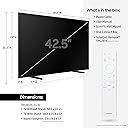
🖼️ Elevate your space—where TV meets timeless art.
The Samsung 43-Inch The Frame QLED 4K TV redefines home entertainment by doubling as a customizable digital art display. Featuring Quantum Dot technology for 100% Color Volume, a glare-reducing Matte Display, and an elegant frame design with magnetic bezels, it seamlessly integrates into modern décor. Smart Art Mode with motion sensors and Dolby Atmos sound elevate both visual and audio experiences, making it a must-have for design-conscious professionals who crave style and substance.


| ASIN | B09TQ5CC4P |
| Additional Features | Built-In Speaker, Flat, Miracast, Parental Controls, Sleep Timer |
| Annual Energy Consumption | 129 Kilowatt Hours |
| Antenna Location | Entertainment |
| Aspect Ratio | 16:9 |
| Audio Input | HDMI, USB |
| Audio Output Mode | Surround |
| Bluetooth Version | 5.2 |
| Brand | Samsung |
| Built-In Media | One Connect Box, Power Cable, Slim Fit Wall Mount included, SolarCell Remote TM2281E, User Manual and E-Manual |
| Color | Black |
| Compatible Devices | No Compatible Devices |
| Connectivity Technology | USB |
| Connector Type | HDMI, USB |
| Content Sharing Direction | Mobile to TV |
| Control Method | Remote |
| Controller Type | Amazon Alexa, Google Assistant |
| Customer Reviews | 4.0 4.0 out of 5 stars (200) |
| Display Backlight Configuration | Edge LED |
| Display Backlight Technology | LED |
| Display Refresh Rate in Hertz | 60 |
| Display Size Class | 43 Inches |
| Display Technology | QLED |
| HDR Format Supported | Quantum HDR |
| Hardware Interface | Bluetooth, Ethernet, HDMI |
| Integrated Surround Sound Format | Dolby Atmos, Surround Sound |
| Internet Applications | Apple TV+, Samsung TV Plus, Netflix, YouTube, Prime Video, Disney+, Hulu, Xbox, Nvidia GeForce NOW, ESPN and Max |
| Item Type Name | Television |
| Item Weight | 8.89 kg |
| Item Width | 38.2 Inches |
| Manufacturer | Samsung |
| Mfr Part Number | QN43LS03BAFXZA |
| Model Name | 4K LS03B Series |
| Model Number | QN43LS03BAFXZA |
| Model Series | The Frame |
| Model Year | 2022 |
| Motion Enhancement Technology | Motion Xcelerator |
| Mounting Type | Wall Mount |
| Number of Audio Channels | 2.0 |
| Number of Component Inputs | 4 |
| Number of Component Outputs | 4 |
| Operating System | Tizen |
| Parental Control Technology | V-Chip |
| Picture Quality Enhancement Technology | Quantum HDR |
| Power Consumption | 0.5 Watts |
| Refresh Rate | 60 Hz |
| Remote Control Technology | Bluetooth |
| Resolution | 4K |
| Screen Finish | Flat |
| Screen Size | 42.5 Inches |
| Signal Format | HDMI |
| Size | 43 Inches |
| Speaker Description | Built-in speakers with Dolby Atmos support, compatible with external soundbars |
| Total Number of HDMI Ports | 4 |
| Total USB 2.0 Ports | 2 |
| Total USB 3.0 Ports | 2 |
| Total Usb Ports | 2 |
| Tuner Type | ATSC |
| UPC | 887276626147 |
| VESA Mount Standard | 200 x 200 mm |
| Video Encoding | MP4 |
| Voltage | 120 Volts |
| Warranty Type | Limited |
| Water Resistance Level | Not Water Resistant |
| Wireless Technology | Bluetooth |
A**Y
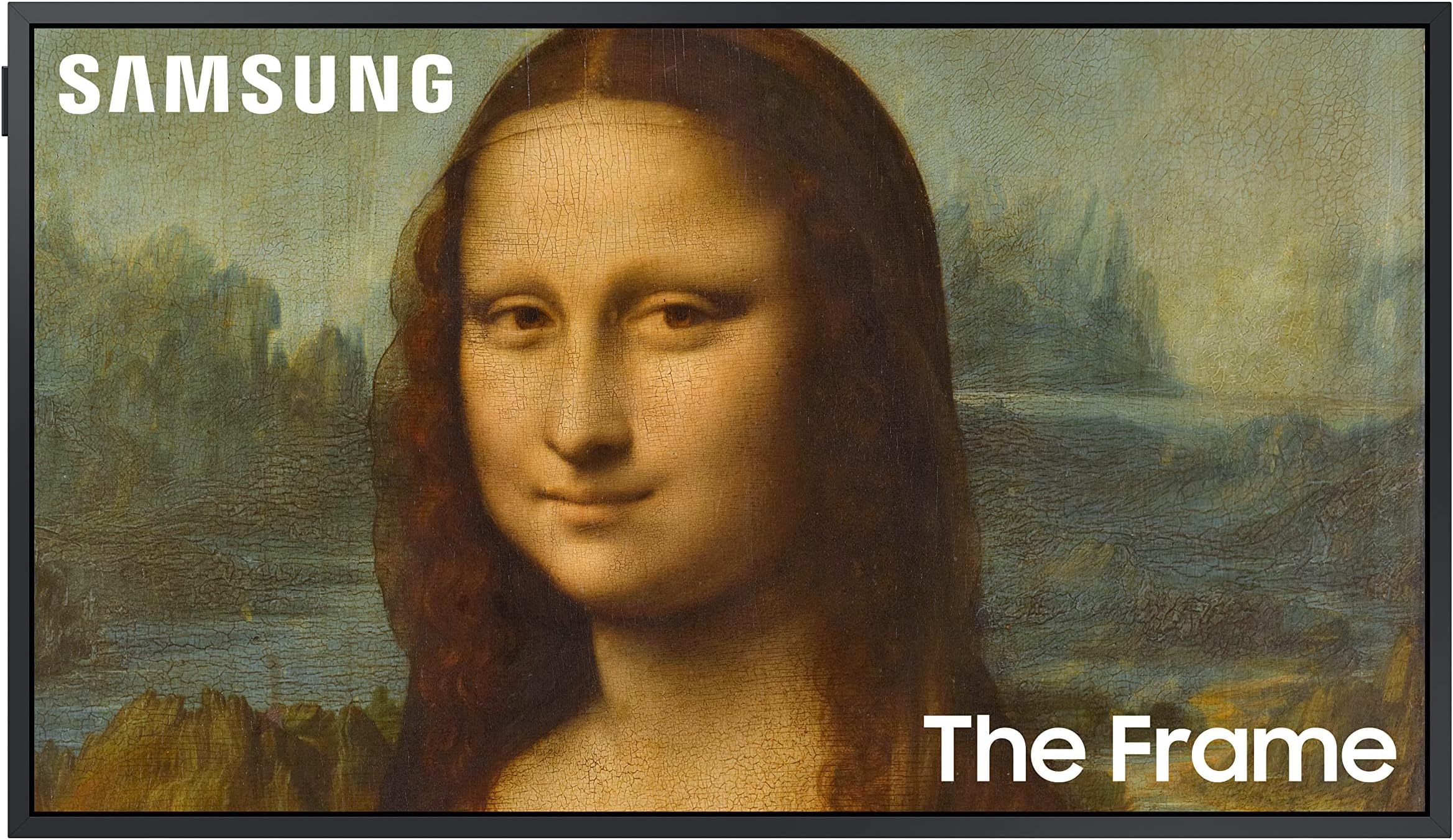
My wife was the one who convinced me into buying this expensive “TV”. Yes, this was my first impression about this thing, just like lot of people out there. But god, I fell in love the moment I got my hand on this thing. First of all, the design and appearance, it is super thin, Samsung is smart enough to use an external AC adapter instead having it built inside the unit. I purchased it with a set of bezels, to make it look more like an actual picture frame. Depends on the picture you displaying, I couldn’t tell it’s actually a picture from a display, especially most of the time people sees it from a distance. It got auto dimming feature which can adjust the brightness of the display to match the environment. Samsung nail it. And I see why my wife likes it too as it eliminates the need of replacing picture frame every now and then. All you need just a remote!
T**Y
I bought this to display my photography and family photos. In order to have them display in art mode I just import them from a flash drive. Art mode displays the photos with the matboard you see here. There is also the option of running the photos directly from the flash drive in slide show mode without a matboard. I like art mode better though since it looks like a picture. I also added the brown frame to the screen to make it look less like a TV. The display is impressive and the color seem spot on. We also got the Samsung auto rotating mount. One thing to note it that it doesn't automatically rotate based on the photos orientation. You need to do that manually by hitting the button on the remote. If you have a Samsung phone you can tap it on the TV and mirror your phones display which is really cool. It also has Samsung TV which looks something like cable. There are like 1000 channels with movies and everything. Must be some kind of internet TV service but I'm not paying for it so that is nice. Makes me want to get a larger one for our bedroom to use as an actual TV. The antireflective coating they put on the TV works really well. I don't see a glare at all which is amazing since we have so many overhead lights where this is hung. It's expensive for such a small 43 inch screen but worth it because of the quality of the build and software that backs it up. I wouldn't mind getting the 85 inch to replace our living room TV one day.
S**3
AWFUL Software and Support experience. Love to write a funny review on this one but given the outrageous price markup and horrendous support from Samsung, the only punch line is "The Frame" should be used in Post Offices to highlight most wanted posters, because whoever wrote the software for Samsung should be arrested for impersonating a real software developer. This is my 4th The Frame TV. 2020, 2021, and two from 2023 - this included. The 2023's are plagued with glitchy software. It took hours of Samsung useless support to address the VERY common issue of Smart Hub is updating error, but never updates. Art continuously errors out even with subscriptions. No apps will work and the update software and reset buttons will be greyed out. Samsung support is completely useless and forced me to walk through all of the things anyone would try like On/Off..., etc. They cannot move off of their troubleshooting script. Several hours later, and I was transferred to a genius that said unplug the TV for some period of time... The issue is the connect one box and its awful load of software. Still did not fix it. The last "help" Samsung gave was to return it to Amazon. Very sad that such a nice-looking TV is connected to a dumpster of hot garbage software. The price should be half of what they charge maximum, if you get one that works... The worst TV software user experience on the planet! Slow when it works, errors out most of the time, and Samsung should do better.
A**N
Love the pic and the quality. Relatively easy to install; however, the provided anchor are low quality and would not recommend using them, I bought a pack of butterfly anchors for $3.00. If you are planning on doing a walll mount without a mantel or entertainment center, make sure to purchase a data panel which requires cutting dry wall, recessed behind the TV (double check for wires and water pipes). Hope this helps.
J**B
I operate about 50 short term rental properties and put this set in my premium units. Pros: -great set -art mode is a neat trick (if you don’t disrupt the light sensor) Cons: -access to Samsung’s art store is $50/year - hanging it is an absolute chore. > more on hanging: we have learned to hire guys to do this vs kill ourselves trying. Funny thing is, even the pros struggle with this. It’s always a battle. In the end the tv makes it worth it, but do yourself a favor and take whatever your version of a ‘chill pill’ is before attempting to hang this. You will swear, and you will demand to know who designed this so you can fight them, but know that in the end it’s eventually worth it.
Trustpilot
1 month ago
2 weeks ago