Buy anything from 5,000+ international stores. One checkout price. No surprise fees. Join 2M+ shoppers on Desertcart.
Desertcart purchases this item on your behalf and handles shipping, customs, and support to Italy.
🚀 Future-Proof Your WiFi: Speed, Coverage & Control in One Mesh Masterpiece
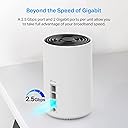
The TP-Link Deco XE75 Pro is a premium WiFi 6E tri-band mesh system designed to deliver ultra-fast wireless speeds up to 5400 Mbps and wired speeds up to 2.5 Gbps. With AI-driven mesh technology, it covers up to 7200 sq.ft, eliminating dead zones and supporting up to 200 devices seamlessly. Its intuitive app and Alexa compatibility make setup and management effortless, while advanced security features protect your home network and connected devices. Ideal for demanding applications like 4K/8K streaming, gaming, and smart home ecosystems.


| ASIN | B0B8B8MCF1 |
| Antenna Location | Home |
| Antenna Type | Internal |
| Best Sellers Rank | #1,731 in Electronics ( See Top 100 in Electronics ) #13 in Whole Home & Mesh Wi-Fi Systems |
| Brand | TP-Link |
| Built-In Media | 1 x Quick Installation Guide, 1 x RJ45 Ethernet cable, 3 x Deco XE75 Pro units, 3 x Power adapters |
| Color | Black and White |
| Compatible Devices | Gaming Console, Personal Computer, Security Camera, Smart Television, Smart Thermostat, Smartphone, Tablet Compatible Devices Gaming Console, Personal Computer, Security Camera, Smart Television, Smart Thermostat, Smartphone, Tablet See more |
| Connectivity Protocol | Wi-Fi |
| Connectivity Range | 7200 Square Feet |
| Connectivity Technology | Ethernet, Wi-Fi |
| Control Method | App |
| Controller Type | App Control |
| Coverage | 7200 square feet |
| Customer Reviews | 4.4 out of 5 stars 3,156 Reviews |
| Data Transfer Rate | 5400 Megabits Per Second |
| Frequency | 6 GHz |
| Frequency Band Class | Tri-Band |
| Global Trade Identification Number | 00840030704994 |
| Has Internet Connectivity | Yes |
| Has Security Updates | Yes |
| Is Modem Compatible | Yes |
| Item Dimensions L x W x H | 4.13"L x 4.13"W x 6.65"H |
| Item Type Name | WiFi 6E Mesh Router |
| Item Weight | 4.12 Pounds |
| LAN Port Bandwidth | 10/100/1000 Mbps |
| Manufacturer | TP-Link |
| Maximum Upstream Data Transfer Rate | 5400 Megabits Per Second |
| Mfr Part Number | Deco XE75 Pro(3-pack) |
| Model Name | Deco XE75 V1 |
| Model Number | Deco XE75 Pro(3-pack) |
| Number of Antennas | 1 |
| Number of Ports | 9 |
| Operating System | Omada |
| Other Special Features of the Product | Guest Mode, Internet Security, LED Indicator, Parental Control, QoS, Remote Access |
| Router Firewall Security Level | Standard |
| Router Network Type | Wireless Router |
| Security Protocol | WPA-Personal, WPA2-Personal, WPA3-Personal |
| Smart Home Compatibility | Smart Home Compatible |
| Special Feature | Guest Mode , Internet Security, LED Indicator, Parental Control, QoS , Remote Access |
| UPC | 840030704994 |
| Unit Count | 3.0 Count |
| Warranty Description | 2 year manufacturer |
| Wi-Fi Generation | Wi-Fi 6E |
| Wireless Communication Standard | 802.11ax |
| Wireless Compability | 802.11ax |
S**D
Absolutely Amazing Performance and Fantastic App
I am extremely pleased with the 3 Pack XE75 Pro I purchased. Note that the XE75 (non-Pro) has qty 3 1.0 gigabit ethernet ports, whereas the XE75 Pro has qty 2 1.0 gigabit ethernet ports and qty 1 2.5 gigabit ethernet port. That's the only difference between them. So if you aren't purchasing a 1.0+ gigabit ethernet port, you might opt for the non-Pro model. In my case, there was a sale on Amazon and the Pro 3 pack was the same price as a non-Pro 3 pack. I was using a Netgear Orbi RBK53 unit with 3 satellites, and while the performance was OK, I wanted to future proof my home with a more powerful wifi 6E router. I have a 1,820 sqft 2 story home which was built in 1991 before moving to mesh wifi a single router was highly inept at reaching upstairs, where my speeds would drop off close to being completely unfunctional. While the house is not that big, my lot size with front and back yard included is 9,000+ sqft. For that reason, I didn't think of the 3 pack rated for 7,200 sqft in the marketing specs as overkill because I wanted wall-to-wall coverage from the far reaches of the front yard to the far reaches of the back yard. I got it and then some with this system. Setup was unbelievably straightforward. You download the Deco app (more on that in a minute) first. Then you unplug your existing router if you have one and replace it with any of the three units. The fact that it can be any of the three units was somewhat novel to me, because the Netgear Orbi approach is different in that Orbi specifically designated one device as the router (I had the RBR50 router) and the other devices as satellites (RBS50 satellites is what I had). With Deco XE75 or XE75 Pro, each of the devices is a super capable wifi 6E router in and of itself, each capable of covering 2,900 sqft of home space with up to 200 devices connected. These ports are auto-sensing, in that you can plug the LAN ethernet cable from your modem into any of the three ports and the devices will detect the connection and designate that device as the router. After the router is up, the app instructs you to simply plug in the other two routers and they will be detected and added as satellites, nodes, etc. (each manufacturer uses different language) and added to the network. It worked just as instructed, and I was up and running within 8-10 minutes. After setting up the devices, I simply unplugged the two satellites and moved each to the designated spot I had decided on in my home. Once the devices power back up in their new location they are immediately added back. I pay for a plan with Xfinity for up to 400 Mbps download and up to 100 Mbps upload. When I plug ethernet directly into the router I typically get 475-480 Mbps download and 12 Mbps upload (I don't know why they screw me on the upload speed when the web portal says I should get up to 100 Mbps upload, but that's neither here nor there). After playing with the satellite position a tad, I was able to get 475-485 on wifi over nearly every single square inch of my property, Even if I stand in the far corner of my yard behind a large tree I am still getting 380 Mbps. Lastly, I'll mention that the app is fantastic and highly capable for novice and more advance networking setup. You can name all the routers, name all client devices, set up push alerts when designated devices join and leave the network, set up a routine router reboot schedule, and so much more. And most of all to me what I like is that you can access all of these settings while away from the home. For some reason, with the Orbi app, Netgear required you to be home and on the home wifi to access these settings. This was my first TP-Link product purchase, and I am extremely impressed. Highly recommended.
A**D
Works flawlessly and is VERY fast - worth every penny
I had the non-Pro version of this and traded out of it to get the PRO version with the 2.5Gbe ports since I recently upgraded to 1GB+ internet at home. This works and works well, I easily get over 1GB throughput on my Mac Mini via the wireless connection using just the 5Ghz band. Pros are that it is dead simple to setup and use and works flawlessly out of the box. Cons are that it is NOT for tinkerers which I am one but I just wanted a simple device that did its job without getting in the way. You can't mess with the knobs and dials like some other wireless devices but what you do need is there typically. If you are considering this vs other devices here are the biggest reasons to get this: - mGig / 2.5Gbps ethernet ports - you'll need this to go beyond 1GB if your internet provider supports it. Most modern cable modems now have mGig ports that support 2.5Gbps speeds. You can, if you have the ability, tie these 2.5Gbps ports together to get a wired backhaul if it is necessary but it may not be. (see next point) - Tri-Band with 2.4Ghz/5Ghz AND 6Ghz channels. If you can, use the 6Ghz channel exclusively as your backhaul between the wireless devices especially if you only have two of them. This 6Ghz back channel will give you blazing fast speeds between the primary router device and the remote device. I'm not certain how well this works with more than two devices as you'll then be sharing the channel between three or more meshed units vs one but it'll still be more efficient than a dual band device. - ALL DEVICES THE SAME - I want to have all devices the same in case one goes bad or you need to swap them. There are other mesh devices out there but some have a ROUTER and then SATELLITE devices. This does NOT do this. Every device can stand alone as a router on its own or simply mesh itself together and be used for wireless only. It is a simple thing but you don't need to think about which is which nor worry should your ROUTER die and you have no internet connection. - Wired bridging between devices - Multiple ports allow you to plug in wired devices or another wired switch (which is what I do) and run several wired devices off one remote meshed connection that then backhauls via the bridge to the device active as the router. This works without even thinking about it. Plug it in and go. - It is FAST! - as I said - 1GB+ on Wifi 6e connection Mac mini - Nearly get that with my iPhone 15 Pro Max. At this point I've owned two different sets of these and the old non-Pro unit is at another family members home and working flawlessly. There are regular updates. TP-LINK as the brand could be the achilles heel. I'm aware of the talk about the Chinese brand and the lack of trust there along with some vulnerabilities with other products they make. You'll need to make your own decisions there. Final note - I have NO experience with their add-on products. How the premium services they sell work is unknown to me.
D**I
Solid Performance, But Coverage Depends on Your Home
The Deco XE75 Pro has been excellent. Setup was quick, the app is straightforward, and the coverage is strong and consistent across the house. Devices stay connected without drops, and speeds are solid even in formerly weak spots. It handles multiple users and smart home devices without a problem. It also works better than the Deco WiFi 7 in my experience, delivering more reliable performance overall. The range stays strong even about 50 feet away from the Deco unit, though in my experience it barely covers my 2000 sq ft townhome. Overall, it works great and does exactly what it promises, but coverage may vary depending on layout.
D**E
It just works. Great mesh option.
Works exactly as expected. My internet doesn’t exceed 1 gig so I didn’t worry about the difference in this and the newer models. Mesh works exactly as expected, and the coverage was significantly better than my previous single router option. Setup was straightforward with the app, firmware updated on its own, and everything just works. Very pleased.
M**.
A Powerful Mesh Wi-Fi System with Minor Limitations!
The TP-Link Deco XE75 Pro is an exceptional mesh Wi-Fi system that takes home connectivity to the next level. With its advanced Wi-Fi 6E technology, this system provides seamless coverage for up to 7,200 square feet, effectively eliminating dead zones and buffering issues. One of the standout features is its true tri-band speed, which can reach up to 5,400 Mbps. This means you can connect up to 200 devices without experiencing lag, making it perfect for households with multiple users streaming, gaming, or working from home. The addition of a dedicated 6 GHz band significantly reduces interference and enhances overall network performance. Setting up the Deco XE75 Pro is a breeze, thanks to the user-friendly Deco app that guides you through the installation process step-by-step. This ease of use is complemented by its AI-driven mesh technology, which ensures that your devices always connect to the strongest signal as you move throughout your home. Security is also a top priority with TP-Link's HomeShield feature, providing comprehensive protection for your network and IoT devices (Nest, Security Cameras, etc). The ability to manage parental controls and monitor network activity adds an extra layer of peace of mind. There are a couple of minor limitations to consider: first, DHCP settings per device are not available, which may not affect all users but could be a consideration for those who prefer more granular control over their network configurations. Additionally, the graphical user interface (GUI) access is somewhat limited, which means that while you can change essential settings easily through the app, advanced users may find the options somewhat restrictive. - I’ve deducted one star due to these limitations, but for many users, this system could easily be a five-star experience! - In summary, the TP-Link Deco XE75 Pro is a powerful and reliable mesh Wi-Fi system that offers unparalleled speed, coverage, and security. Whether you're streaming in 8K, gaming online, or simply browsing the web, this system ensures a smooth and efficient experience. Highly recommended for anyone looking to upgrade their home network!
J**Y
EXPERT ANALYSIS (Pros/Cons)
EXPERT ANALYSIS: Coming from Orbi RBK50 AC3000 system that works flawlessly but was looking to upgrade to Wifi6E temporarily until Wifi 7 is standardized otherwise would have stuck with Orbi as it is unbeatable even at the crazy prices as QC and logical setup is just not there on the DECO devices no matter how hard I want it to be... (NOTE: All current DECO Mesh models have same Pros/Cons) PROS: 1) Overall connection stable on latest firmware and wifi speed is decent. Generally 1152-1729 or so if connected to Deco in same room. NOTE: This is not actual speed as I will explain. Tested from Galaxy, Oneplus and Lenovo devices. I won't go into my exhaustive testing over multiple days on network with 50+ devices. 2) Signal strength = On par with Orbi RBK50. Deco has a slightly lower transmit/receive range all around 1-acre property. Getting real world speeds of 400-864mbps in same room with a device using local open Speedtest server on 1GB backbone. 3) App is nice and easy as is setup for novices but this is where the pros end CONS: And there are many very BIG MISSES here that are just unacceptable: 1) Cannot change channel frequency to avoid interference with neighbor/other wifi orverlapoing. ...And the app detects and shows interference so it doest change automatically either to avoid. And this overlap is with 1 other network, so not like space is congested like in a city environment. Terrible implementation 2) Fast Roaming is BROKEN and simply does not work. Devices (I.e. Phones/laptops will stick to the device they first connect to and not change to closest device automatically, so need to manually disconnect/reconnect to get higher speeds which is frustrating. I do find it switches to 2.4ghz speeds from 5ghz on the same 'distant' mesh device rather than connect to the one 2 feet away. Crazy... 3) Cannot separate 2.4 & 5ghz bands so many devices like smart switches/plugs/bulbs that Amazon sells and require 2.4ghz separated to set up, so these will not work. 4) Cannot assign Static IP address in AP mode so picked up random DHCP. 5) In Router mode you can but guess what, cannot turn off DHCP server so that is useless as well 6) Cannot dictate hub vs spoke i.e.- Mesh decides itself if daisychaining to another Deco instead of main Deco router device. 7) Cannot set RTS Threshold or preamble 8) Web console lacking any advanced features an expert would be looking for like those above. It is OK the App is missing these for the average user but fot the Pro user, these options should at least be in the Web console To recap...this could have been an amazing device if TPLINK would have put a little more effort and QC into the device. I would love to have work with their engineers to get this right as it seems they just didn't have a good product roadmap. Guess that is the CIO for last 10 years speaking but many of the misses can be fixed with firmware upgrades if TPLINK wanted to. Now will they do it...
T**Y
TP-Link XE75 5400 6G Mesh System: Start-up Pointers (It's a great router when you install it right!)
7/21/2025 initial thoughts. I bought the 3-pack but added one more unit for inside -- I'm sure 3 is plenty in most 2600 sf homes. But ours has a lot of angles & when the signal passes through too many walls, it degrades fast. I also bought another outdoor water-resistant unit for outside, so the signal to cameras is strong; we can also use Wi-Fi anywhere further away from the house. Even with all that, the Deco system is still less than cheapest Orbi system. Yes, it will cost you some money -- you can add more nodes later if you find really bad dead spots. The Deco units (Deco is TP-Link's brand name for this system) are easy to install too. I used Microsoft Co-Pilot to help me make decisions on where to install and the settings. Very helpful. The Deco phone app is best for setting up the nodes -- you can carry your phone with you while you do it. Make sure your phone is connected to the Wi-Fi. It is very straight forward and does most of the work. If will ask you to set up an online Deco account so that will carry all of your settings. First get one unit up and running so it will become your base. All the units are the same, so the phone app will guide you to set up the base. You are going to use this first Deco unit as the router home base. Then connect this base unit to the output port on your existing modem. Some modems have 2G ports -- use that one if not already taken, to connect the Deco to your modem. Gives you the fastest transfer rate between modem and router. FYI, an Xfinity acts both as modem and router. If you have any service (AT&T, Charter, etc) providing one device that does both modem and router duties, you'll need to do the following for a simple setup. You'll set this combo unit to "BRIDGE MODE". It will turn off Wi-Fi in the combo unit and reduces conflicts between devices. In my case, I use Xfinity. I think you can make this change through the Xfinity phone app. If not and you have some basic skills, login into the router interface directly (default IP is 10.0.0.1) and select BRIDGE mode. Now your gateway is only a modem, not a router. At this point, ANYTHING YOU PLUG IN will plug into the Deco router (unless you are a techie running more than one router). Now install and use the SpeedTest app on your phone to check for HIGHEST signal strength in the rest of your house. That's where you want to place other units, so they can talk to each other. A few feet in any direction can also make a big difference. I CANNOT STRESS ENOUGH TO USE SpeedTest (or other similar app) to find THE FASTEST other points in your house. Mapping this first saves a lot of headaches. TEST & TEST & TEST again. Test high points in the room (even near the ceiling) and test low! It's not even the same speed in the same space when you check high vs low. I think they recommend high spots BUT I did find a couple of chest level locations. The Deco app may have an automated speed testing feature for this, but I opted to use something I already knew. Also, make sure you have a power outlet near these placement points. I am really particular and like the cords hidden. Sometimes it's hard to get both a great signal and hiding the power plug. After placing the units and getting them online, I turned on "6G BACKHAUL" in the Deco units (that may not be the exact name) if it's not already turned on. The 6G frequency will be used almost exclusively for the Deco units to talk to each other -- leads to no interference from other devices. Most people do not have 6G or 7G devices yet. So you can TURN OFF the Wi-Fi SSID broadcast for 6G. Again, use ChatGPT, Copilot or whatever AI to help you find stuff in the Deco router. These changes are easily made in the Deco app once you find the right page. The app is better than the webpage, in my opinion. You can carry your phone around the house. Finally, do yourself a favor if you want ethernet (hard wired) connections at any of the nodes and have more than 2 wired devices to plug in at any node. Buy UNMANAGED network switches to plug into the ethernet ports on any of the Deco units -- all of the Deco units are the same. I have a switch in my office for the computer, printers, a few other devices that I wanted wired. Wired offers THE FASTEST speeds but really isn't necessary (I have 1200Mbps down / 40Mbps up -- YES, the up speed is low but that's all Xfinity home users get right now). Three ethernet ports on a Deco unit is not enough in some cases. Right now, I don't use the ethernet ports on any of the Deco satellites. Hope this helps. This Deco router is FAR SUPERIOR to the decade-old router it replaced. It costs a lot more than basic routers but was still cheaper than Orbi and is giving me full use of the speeds for which I'm paying. Good luck.
E**V
So much better than newer BE25
So much better than newer BE25. Yes, it doesn’t support WiFi 7, it doesn’t support MLO or 320 MHz channels - not a big deal. Dedicated 6 GHz backhaul is a game changer. I had a blind spot in one my rooms. XFinity XB7 without satellites was doing 600-700 mb/s on the first floor and 300-100 mb/s on the second floor. 2Gb uplink. So I needed either a satellite for XFinity gateway (which is not a regular repeater but more of a mesh, and it costs around $130), or a new mesh system for 1500 sq ft Got - pack of 2xBE25 and had to return them same day. BE25 needs a wired backhaul otherwise it uses 5 GHz band for its backhaul. Which gives me stable 300 mb/s around the house. But it doesn’t make sense as a single BE25 was doing 900 on the main floor. Got 2xXE75 pros. Yes, they are old. But if you turn off 6 GHz band it will use it for the backhaul. Now, I’m getting 950 mb/s on the main floor and 700 mb/s in that blind spot. Setup takes like 5 minutes end to end. More than satisfied.
A**N
Major flaw
Avoid this product. failed after a couple of months.
L**S
Buen producto, excelente relación precio-calidad
Fácil de usar, excelente distancia de cobertura wifi desde encender un solo aparato. Lo recomiendo ampliamente.
A**A
Excelente producto deco
Excelente Deco , fácil de usar y sin problemas crea tu red y listo a disfrutar wiffi sin cortes o baja potencia wiffi .
A**S
Deco Transformed My Home Network
The TP-Link Deco mesh system has easily become one of my favorite upgrades in my entire home. I’m genuinely blown away by how stable, fast, and reliable it is. After dealing with weak spots, slow speeds, and constant frustration from older Wi-Fi setups, the difference with the Deco system is night and day. Setup was unbelievably simple, and once everything connected, the whole mesh basically optimized itself. What really impressed me is how consistent the speeds are across all three floors of my home. The basement, main floor, and upstairs all get fast, smooth performance, and even high-demand devices like my Apple TV 4K, Xbox, and iPhones all run flawlessly. It feels like I finally have the network my home always needed. The design is clean and modern, the app is extremely user-friendly, and I love being able to see which device is connected to which node at any time. The system just feels intelligent. It automatically manages the wireless backhaul, balances the load, and keeps everything running without me having to babysit it. On top of that, the Deco units stay cool and quiet, and the entire mesh handles heavy use without any drops or slowdowns. I can stream, game, run smart-home devices, watch 4K content, and do everything at once with zero issues. Overall, the Deco mesh system has been one of the best purchases I’ve made. It completely transformed my home network experience. Fast speeds, seamless coverage, great design, and excellent reliability. I’m extremely happy with it and would absolutely recommend it to anyone who wants a rock-solid Wi-Fi setup.
M**N
التغطية خرافية
التغطية شيء خرافي يعطيك مدى تغطية واسع جداً صراحه يستاهل كل ريال انحط فيه وانصح في بشده ويعتبر استثمار على المدى البعيد خصوصاً انه يدعم واي فايE6 بس لازم الجهاز يدعم الميزه كذلك Hz160 كذلك التغطية تصل الى
Trustpilot
2 months ago
2 months ago