Buy anything from 5,000+ international stores. One checkout price. No surprise fees. Join 2M+ shoppers on Desertcart.
Desertcart purchases this item on your behalf and handles shipping, customs, and support to Italy.
🚀 Unlock dual 4K displays and power your MacBook with one sleek adapter—work smarter, not harder!
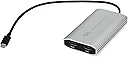
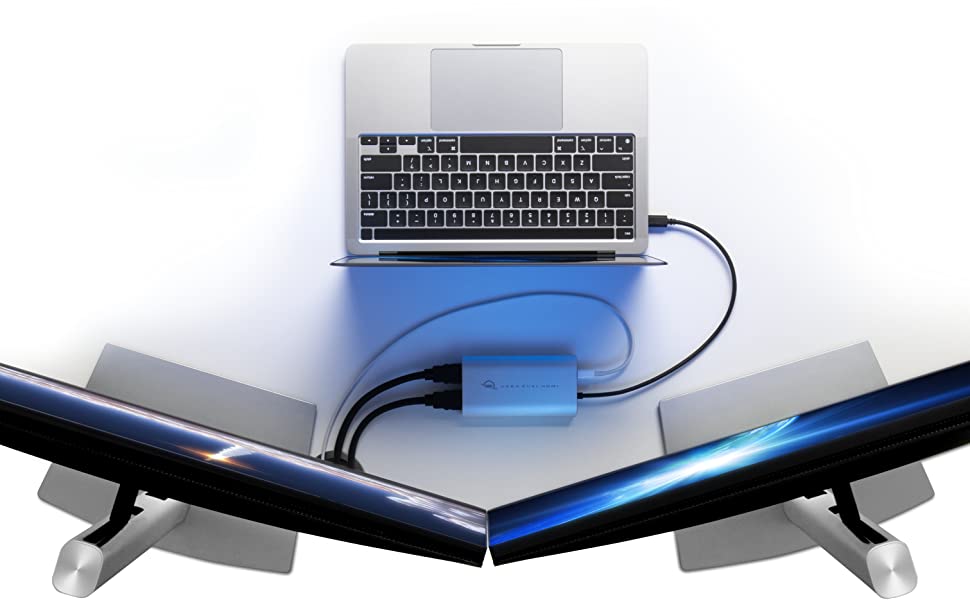
The OWC USB-C to Dual HDMI 4K Display Adapter with DisplayLink technology breaks the single external display barrier for Apple M1 Macs and PCs. It delivers dual 4K HDMI outputs through one USB-C or Thunderbolt port while providing pass-through charging up to 65W. Compact and portable, it supports extended and mirrored display modes, ensuring seamless multi-monitor productivity with certified compatibility and reliable driver support.


| ASIN | B09RMVL865 |
| Best Sellers Rank | 63,958 in Computers & Accessories ( See Top 100 in Computers & Accessories ) 247 in DisplayPort to HDMI Adapters |
| Guaranteed software updates until | unknown |
| Item model number | OWCCADPDL2HDMI |
| Manufacturer | OWC |
| Product Dimensions | 6 x 11 x 2 cm; 180 g |
M**S
It Just works.
Just works, use the Display link driver,verified to working Macos 12/13 and up. Works with PC, use the display link driver. If you are a buying foe the business, this will do it. Don't mesa around with any other so called adapters, this works. It will require a USC C power supply 65 watt to cru a charge your machine at the same time as using two additional screens. An price point for it its competitive than the far more expensive other solutions.
P**C
Works as advertised
The delivery from the UK to Serbia was fast and without any hoops to jump through - the customs clearance was handled by DHL and the package arrived at my doorstep. The product is as good as one could expect, and works as advertised: I installed the beta driver for Sonoma, connected the adapter and cables to my M1 Air, and both of my Dell 27” 4K monitors sprung to life right away. I use 2560x1440 scaled and it’s supported by the driver through an experimental option, however it does introduce a bit of a lag and font fuzziness compared to single-monitor use, or the default 1920x1080 scaled option. However, when using the latter the UI elements are simply too large. Also, the device tends to get warmish, but not alarmingly so and I hope it won’t affect its performance or service life. In short, so far so good, and I would recommend it to anyone with a similar setup.
I**U
I never leave reviews.. but this product is worth it.
Does what it says on the tin. You have to download the driver from the website and configure your settings accordingly with the instructions provided but after that you’re ready to Rock and roll with all of the extra real estate provided with your 3 screen set up. Helps me achieve a level of efficiency otherwise out of the realms of possibility. Would highly recommend, it’s worth every penny of the £100 I’m going to expense back to my company.
P**M
It wasn't consistent
I had high hopes for this, it didn't work very well on my Mac mini M1. Support though is very good I ended up initially speaking to them for about an hour, you have to add two pieces of software to get this to work. Otherwise the screens won't wake at startup. Then I am not sure what happened, it worked fine for about four weeks and then it might have been a software update on the Mac, but then occasionally when the screens would go to sleep I couldn't wake them. The only way was to unplug the computer. You can imagine this scenario. So I returned it.
H**Y
It works, its expensive and its complicated to setup
After stupidly assuming the M2 Macbook Air could take 2 monitors, I had to resort to buying this overpriced unit to solve the issue of only one display. I use the single OWC unit to power two 32inch Huaweu monitors and it works well. I have no issues with speed or poor image quality. Firstly, it works once you've configured it correctly. Secondly, it's not good value for money if you assume you could have just bought the Macbook Pro instead once all costs added up. I also read that these adaptors used to be 20% of the cost they are now but thanks to Apple, they're in high demand, hence the hefty price tag! Thirdly it's pretty tricky to set up so I hope the below sheds some light on 'how-to..' As per previous reviews, you need to go to - go . owc . com / displaylink / drivers to download the latest driver. Once downloaded and installed, it will appear in 'Applications'. Click on it and in the top right navigation bar you will see an icon of two little screens. This is the application, it DOES NOT bring up a window as most other applications do. Once opened, you'll notice it has a warning that 'Screen Recording' is not enabled. You'll also want to consider the additional options like opening on startup or working with apps like f.lux. So, in Finder go to 'Security and Privacy. Then go to the 'Privacy' tab. 2/3s of the way down you'll find 'Screen Recording'. Click to open. On the right-hand side, you can then enable DisplayLink Manager which is greyed out. You'll need to unlock using your password to make the change of enabling it. After this, you simply restart, and the second monitor fires up. You'll then need to go into display settings and change the order of the monitors most likely to get the setup that fits your arrangement. All the best!
J**N
Incredible Product for Mac M1 in particular Max 60Hz refresh so maybe not so good for games
Plug and play if you have displaylink running on your Mac. Was very pleased with how simple it is, its very small and light weight for traveling and even passes sound thru to HDMI devices, it appears as a sound card on Mac. Very happy just wish it was a bit cheaper so I could buy a few more
V**.
2 external displays + laptop with M2 MacBook Air 2022
I just installed DisplayLink Manager for free, I plugged both HDMI connectors into this device and that's it! I can work on 2 external displays, not mirrored, they are fast, both 4K. Amazing solution for the new Apple M2 limitations in MacBook Pro and MacBook Air. 100% perfect and worst the money but I just started using it, we'll see if everything is ok in the next days or weeks. -------- UPDATE: One of the two connections constantly interrupts the video signal, there is no pattern of time or behaviour, it only interrupts the video signal for 1 or 2 seconds and comes back again, it's really annoying when you are sharing content on that screen in a meeting and you stay with the black screen for 2 seconds. I have changed the screen and the same thing happens, it's one of the two connections, always the same. I don't know what the solution is or if it will happen again if I change it.
T**S
it's working
so far so good. very easy and helpful
V**R
This thing made it, my system now recognizes and works perfectly fine with two screens. For the M2 chips please download *Display Link Manager* and give permission to record your screen, what it does it basically uses the same kind of tech that Apple CarPlay uses so that’s why it requires you to let it record bits at a time. The adapter has two HDMI and one Type-C although you get that extra type c it does not work with my JLab Bluetooth dongle so I had to switch to wireless. Other than that, this thing is pricey, but it works.
R**N
J'ai récemment acheté un mac mini puce M4, ayant remarqué la présence de 4 ports dessus et un support pour de hautes résolutions sans problèmes je me suis dit que je pourrais mettre mes 4 écrans dessus sans problèmes, malheureusement apple bride son matos et je me suis retrouvé avec un écran inemployable, j'ai cherché un peu partout pour une solution (n'essayez pas de changer les fichiers de config de l'OS, il sont signés vous ne pourrez plus démarrer la bête après) et je suis tombé sur ce produit qui du coup convient parfaitement et fait le taf, je précise que comme une personne saine d'esprit je ne m'en sert pas pour faire de la recopie d'écran mais bien pour "agrandir depuis mon affichage principal", pour ma part je l'ai reçu en 1 jour et en très bon état et le produit est quali et par rapport à d'autres "Docks" me permettant de résoudre le problème il est plutôt raisonnable en termes de prix puisque certains dépassent les 200 euros.
B**N
The M1 13-inch will only support 1 extra monitor due to Apple's build. The OWC USB-C adapter has enabled a seamless 2 external monitor setup. I have a 27-inch Apple Display using Thunderbolt and a Dell 27-inch (4k). I connect the Apple Display using my CalDigit TS2 to the M1 and the Dell runs through the OWC adapter using DisplayLink. both work independently of each other, and the view is seamless, I have the Dell running at 2K to match the Apple Display's 2K. And it never has any issues. No latency issues. The only annoying thing is when I restart or it goes to sleep overnight, the Dell doesn't always come up, the workaround is to remove the power source from the OWC to effectively reboot DisplayLink, and then it comes up every time in a few seconds. And there is never any lag. I would imagine if the DisplayLink doesn't care that I'm running the Apple Display there's no reason why you could have three external displays running. Thank you OWC for a solid, dependable product with a robust build at a decent price.
M**C
I bought this for my 2023 MacBook Air M2 to run two external screens and it has worked perfectly so far. I've had the adapter for two months and was previously running Ventura and now on Sonoma 14.1.1. The driver installation was fast and easy. I'm not using external screens for anything requiring hi-res (just word processing mainly) so this device is perfect for me. The only small glitch I've found is that occasionally the external screens won't detect the device, but unplugging the HDMI cables from the adapter and reinserting them fixes that instantly, and it only happens rarely when the adapter hasn't been plugged into my laptop for a few days, i.e., it hasn't dropped signal at all while I've been working on the computer with external screens running.
F**K
il prodotto fa quello che deve, gli schermi funzionano entrambi a 4k 60hz quindi il giudizio sul prodotto finora è che rispecchia le aspettative, al contrario di altri 3 adattatori provati prima di questo. il giudizio negativo è per amazon: che rispetto avete per il cliente se un prodotto così costoso lo scontate a caso il giorno dopo che uno lo acquista e senza alcuna particolare promozione? pessimi AGGIORNAMENTO al 26 agosto: l'adattatore continua a fare egregiamente il suo dovere anche se durante l'estate si riscalda molto che qualche volta devo staccarlo per paura che fonda. occhio che va staccato quando mettete in stand-by il macboook perchè, anche se in stand-by, l'adattatore continua a ciucciare batteria e a riscaldarsi! Amazon invece sempre peggio che continua a scontarlo, ora costa 20 euro in meno rispetto a quanto l'ho pagato.
Trustpilot
2 months ago
3 weeks ago