๐จ๏ธ Print fast, brand smart, and never miss a sale!
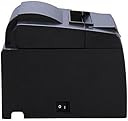
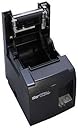
The Star TSP143U is a high-speed, USB thermal receipt printer delivering 203 dpi monochrome prints at 125 mm/s. Designed for seamless plug-and-play setup, it includes all necessary accessories and software for quick deployment. Perfect for modern POS systems, it supports custom receipt branding and reliable performance in a compact footprint.
| ASIN | B000FCP92C |
| Additional Printer Functions | All In One |
| B&W Pages per Minute | 22 |
| Best Sellers Rank | #363,102 in Office Products ( See Top 100 in Office Products ) #333 in Receipt Printers |
| Brand | Star Micronics |
| Built-In Media | Internal power supply, Interface cable, Power cable, Complete mounting kits, Paper roll |
| Color | Gray |
| Color Depth | 1 bits_per_pixel |
| Color Pages per Minute | 28 ppm |
| Compatible Cartridge | Star Micronics TSP143U series cartridges |
| Compatible Devices | Laptops, PC |
| Connectivity Technology | USB |
| Control Method | App |
| Controller Type | USB |
| Customer Reviews | 4.4 out of 5 stars 369 Reviews |
| Dual-sided printing | Yes |
| Duplex | No |
| Global Trade Identification Number | 00088047023008, 00088047023404 |
| Hardware Interface | USB |
| Ink Color | black |
| Item Dimensions D x W x H | 8"D x 5.6"W x 5.2"H |
| Item Weight | 5.7 Pounds |
| Manufacturer | STARTECH.COM |
| Maximum Copies Per Run | unlimited |
| Maximum Copy Resolution Black and White | 203 |
| Maximum Copy Resolution Color | 203 dpi |
| Maximum Copy Speed Black and White | 22 ppm |
| Maximum Media Size | Paper Roll |
| Maximum Print Resolution Black and White | 203 dpi |
| Maximum Sheet Capacity | 150 |
| Maximum print Resolution Color | 203 x 203 DPI |
| Model Name | TSP143U |
| Model Number | TSP143U |
| Model Series | TSP100 |
| Number of Drivers | 1 |
| Number of Trays | 1 |
| Other Special Features of the Product | Portable |
| Output sheet capacity | 150 |
| Paper Size | 8.5 inches |
| Print media | Paper (plain) |
| Printer Connectivity Type | USB |
| Printer Output Type | Monochrome |
| Printer Type | Thermal |
| Printing Technology | Thermal |
| Processor Count | 1 |
| Resolution | 203 x 203 DPI |
| Scanner Type | Flatbed |
| Series Number | 100 |
| Special Feature | Portable |
| Specific Uses For Product | personal |
| Total USB 2.0 Ports | 1 |
| Total Usb Ports | 1 |
| UPC | 777787389214 088047023008 088047023404 088047023701 088047240900 |
| Unit Count | 1.0 Count |
| Warranty Description | 3 year limited manufacturer warranty (us and canada) |
| Warranty Type | limited warranty |
| Wattage | 532.8 watts |
M**.
AWESOME!
I built a custom POS for my ice cream shop and I'm using this printer and it works awesome. Using in conjunction with the Wasp 5E 415 Cash Drawer and they talk to each other perfectly. A simple phone jack (included with the cash drawer) connect the 2 together. Had an issue with the printer not printing after some idle time (had to turn printer off then on again for it to print) but STAR tech help was great. Turned out to be a cable issue...switched cables and it's been flawless since. The developer kit included was super easy to use and we had receipts printing in 15 minutes! AWESOME!
R**Y
So far so good.
I've only had it up and running for a couple of weeks now, but it prints and cuts the receipts well and have yet to have any problems with it. Drivers disc makes setting up and installing a snap, and it comes with any/all necessary cables. It even comes with a mount for wall mounting, but in looking at it I'm not sure how you would do that or even why someone might want to :-) Update: After several months this printer is still working strong and still haven't had a problem with it. I noticed a couple of people complain about receiving the wrong printer- well the reason they received the wrong printer is because they ordered the wrong printer. The title plainly states the model is TSP143U, USB. TSP143U is the USB model, hence the U. If you need the ethernet model you'll need one of the TSP143L series models.
D**E
Nice printer
I bought this printer to go with my Pay Junction account. It seems to work ok, but has been a drag to get it configured to my system. Looks like printing requires some set up steps. I did not realize that.
M**N
Any issues must be user error.
Yeah, harsh title, but I have two of these for my small business. I worked for a big box store that had 20 and 3 as backup incase they broke. Guess what. NEVER a single issue with the printers. Always a software issue or a power issue with devices they are connected with. My current ones I use with Square stand and old at that 2016 install with iPad Air2's. Everything is connected to a power strip under the counters. It was completely plug and play. Advice... make sure whatever you buy is compatible with your other electronics and you'll never have an issue..... well unless its user error. Cheers.
R**V
Does not work with Square Register
Purchased this printer for set up with Square register. I obviously did not do enough research before purchasing this printer. Come to find out, the TSP100 series has many models, and this the 143U - NOT LAN - U is for USB, duh, right? Well too bad for me. So when I called the people at GCI to get an explanation, they were very aware of Square register and assured me this would work with any other wireless router that has a USB port. WRONG! I bought a brand new wireless router with USB port and nothing. Then after more research, I discovered via some other poor soul's tweet 7/25/12 that this printer is not supported by Square. While the seller is correct and it's true I did purchase the "wrong" STAR TSP143 printer, the listing could be more clear about this model number (this printer's complete name is TSP100 ECO 143iiU) and that it does not work with Square. I have to pay to return the printer and I am responsible for any "restocking fees" that may incur.
R**U
Works flawlessly with Intuit POS MultiStore 2013
Fast delivery, great packaging, wish there was cardboard inside instead of Styrofoam but sturdy enough to reuse to pack up at the garden show this year. We just put the cd in the drive, performed auto install, then plugged it in the usb and windows picked it up. pop in the thermo paper and connect the line to the cash drawer and we were literally in business! If there was a problem it was usually from the power on the long extension cord popping off. Just reset the cord, the printer would spit out the last receipt or two we thought we had lost. Twice when the garden show's wifi reset we had to unplug the usb cord and plug it back in for the POS software to recognize it. but that was simple and not the printer's fault. Great sturdy, with minimal moving parts so less to fix or fuss with. Makes fantastic receipts, we are very happy with it! Thank goodness South Coast Plaza had wifi this year :) made our life so much easier.
M**R
Plug in and print 5โ
I read many reviews that was not helpful. So I visited the site, saw the video for this item. Everyone says it's easy to use. That is good but i needed more information. I got the one with the USB. I would have preferred wireless. Nothing bad to say about this item. 5โ. Are you ready for this, really plug it in and it works. My Ipad said it was connected, I did not have to download drivers. Didn't have to run a disc. For any set up. Squares stand for IPad 2 generation plugged in and working. I did my first transaction and it was very easy to use. It Directed you to either print or email. I have customers that want a receipt not email or text. I set this up myself, and for me to complete this task you would give me a 5โ. Everything in the box wall mount, plugs everything. I will update in December 2014 Great price. Thanks Amazon and Startech.
K**7
From the websites and reviews I'd read it said it was compatible and easy to hook up
Wanted to use this with our store iPad and Square (which we'd been using). From the websites and reviews I'd read it said it was compatible and easy to hook up. Not the case. In addition to having to purchase the printer, we also had to purchase a Square Stand ($99) so we could connect the printer and the iPad. We also had to purchase another iPad since square stand only works with iPad 2 or later. We should have purchased the Bluetooth version of this printer for nearly $100 more, it would have been less hassle. We have USB printer, iPad 2, and Square Stand and it finally works. The printer has worked fine, it's just not compatible with anything. Hope this helps future buyers, we could have used the advice.
F**S
Great tool for the business.
It took a little while to set up but with the help of the support team at Star we soon got it up and running and printing receipts. Recommended.
N**Y
Fairly easy to set up.
Bought to go with new salon software system and despite being no good with computers and configuring devices, this I was able to do. I found it easier looking up the instructions online, compared to those that came with the machine but other than that, all good.
G**L
Y
Gud
Trustpilot
2 weeks ago
4 days ago