We remain fully operational. Our teams are working around the clock to ensure your deliveries continue safely.

DOWNLOAD THE APP


Customer Services
Copyright © 2025 Desertcart Holdings Limited
DOWNLOAD THE APP


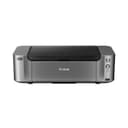

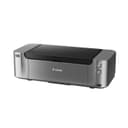
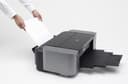
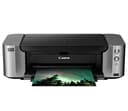
🖼️ Print Like a Pro, Anywhere, Anytime!
The Canon Pixma Pro-100 is a professional-grade wireless inkjet printer featuring an 8-ink dye system including 3 grayscale inks for exceptional color depth and black & white detail. It supports large format prints up to 13" x 19" with a high resolution of 4800 x 2400 dpi, powered by Canon’s Optimum Image Generating System for precise color reproduction. Connectivity options include Wi-Fi, Ethernet, USB, and AirPrint, making it ideal for studio or home use. Dual paper trays accommodate various media types, while individual ink tanks allow cost-effective replacements. This printer is designed for photographers and creatives seeking lab-quality prints on demand.
| ASIN | B0095F5BCS |
| Additional Printer Functions | Print Only |
| B&W Pages per Minute | 1.2 |
| Best Sellers Rank | #432,901 in Office Products ( See Top 100 in Office Products ) #252 in Ink Tank Printers |
| Brand | Canon |
| Built-In Media | Paper Trays, USB Cable |
| Color | Grey |
| Color Depth | 36 bpp |
| Color Pages per Minute | 1.25 |
| Compatible Devices | Printer |
| Control Method | App |
| Controller Type | Android, iOS |
| Customer Reviews | 4.0 4.0 out of 5 stars (1,643) |
| Dual-sided printing | Yes |
| Duplex | No |
| Global Trade Identification Number | 00013803149050, 04960999849751, 04960999849775 |
| Hardware Interface | Ethernet |
| Ink Color | Black |
| Item Dimensions D x W x H | 15.2"D x 27.2"W x 8.5"H |
| Item Weight | 21 Pounds |
| Manufacturer | Canon USA Inc. |
| Maximum Copy Resolution Black and White | 4800 x 2400 |
| Maximum Copy Resolution Color | 4800 x 2400 dpi |
| Maximum Copy Speed Black and White | 1.2 ppm |
| Maximum Media Size | 13 x 19 inch |
| Maximum Print Resolution Black and White | 4800 x 2400 dpi |
| Maximum Sheet Capacity | 150 |
| Maximum print Resolution Color | 4800 x 2400 dpi |
| Model Name | PRO-100 |
| Model Number | 6228B002 |
| Model Series | PIXMA |
| Number of Trays | 2 |
| Other Special Features of the Product | CD-Printing |
| Output sheet capacity | 150 |
| Paper Size | 13 inch x 19 Inches |
| Print media | Glossy photo paper |
| Printer Connectivity Type | USB Cable | Wi-Fi | Mobile Memory |
| Printer Output Type | Color |
| Printer Type | Inkjet |
| Resolution | 4800 x 2400 |
| Scanner Type | Flatbed |
| Specific Uses For Product | Printing |
| Total Usb Ports | 2 |
| UPC | 013803149050 |
| Warranty Description | 1-year limited warranty with instantexchangeprogram. 1-year toll-free technical phonesupport. |
| Warranty Type | limited warranty |
| Wattage | 19 watts |
G**.
Printer meets my needs well!
*** Update 4/17/2014 *** I've now had this printer for over 1 year. I have a few more updates. Some additional "cons": 1. There are a few quarks to this printer. While this is a network printer, I've noticed that there are many things that *require* you to do from USB exclusively. Examples: Printing directly to disk, printing with Canon's Print Studio Pro (required for using ICC profiles on the Mac with programs light Adobe Lightroom). This appears to be a software limitation. Since the MacBook Pro that I print from is not close enough to the printer, I have to walk it over and connect the USB. Not ideal. 2. The bundled Canon software (such as Image Garden) is not intuitive. It took me quite some time to figure out how to print directly on a disk label. I generally try to avoid using the software. There are other 3rd party programs to print disk labels, but they all cost $$. 3. I was able to successfully connect my printer to Wifi once, but it stopped working shortly after. I didn't have the patience to keep messing with it, so I gave up and ran another Ethernet cable. The Ethernet cable works OK for general printing needs. A few major "pros" to add: 1. The printer continues to do a fantastic job with prints. The printer doesn't waste much ink and I've easily printed hundreds of photos before having to change the cartridges. 2. If you find yourself doing a lot of printing, cartridges get costly. However, there is a very simple and effective way to refill the cartridges (and reset the chips). Do a search for "Precision Colors"- you will still get fantastic results for a fraction of the cost of ink. I find myself printing a lot more now that I don't have to worry about paying a fortune on cartridges all the time. The prints made by refilling have no discernable difference compared to the OEM ink. I still strongly recommend this printer. Make sure you are using a good quality paper and ICC profiles. Otherwise your prints will appear darker than what you have on your screen, and some of the colors (like the blues in the sky) may be off or washed out. ***** Original Review Below ***** The main things I shoot are church events, soccer/sports, indoor dance, landscapes, occasional weddings, home studio as well as personal/family pictures. I utilize a web site that allows me to upload and store my pictures. The web site allows me (and clients) to order prints, but it takes over a week to process and receive them. The shipping costs also tend to be significant. Local stores that do 1 hr processing don't always have the level of quality that I'm happy with and sometimes my photos get cropped in a way that I don't like. Consequently, the primary reason I purchased this printer is because I wanted to be able to print pictures and get a similar or better level of quality that I might get from a professional lab. I am typically printing 4x6 photos but also want to utilize the larger sizes for some of my landscape photography so I can print "fine art". This printer will primarily serve my personal printing needs, but I may occasionally use it to sell prints as well. In fact, prior to purchasing this printer, a profesional photographer was using this same printer "in the field" and selling prints (pictures of kids with the "easter bunny"). That helped me make my decision to go with this printer. After printing a few batches of photos, here are my general thoughts on this printer: Pros 1. The prints are very good when quality is set to "high". When quality was "standard" the pictures appeared noisy/grainy and did not meet my expectations. 2. When comparing to prints I order online, the quality is on par and possibly even better (when using high quality settings). When comparing to local 1 hr photos, the quality of prints seems more vivid. 3. The prints that I get seem to match what my MacBook Pro displays, but they are slightly darker. 4. The speed of the printer seems quite fast. I easily can batch up 20-30 4x6 prints in the tray (which probably doesn't hold much more than that) and before I know it, the prints are ready to go. I primarily use Adobe Light Room (Mac OSX - Mountain Lion) to do the printing. 5. The digital manual for how to use the printer is very helpful, organized, and well written. Kudos to the technical writers. 6. The bundled software, while not overly intuitive, works almost exactly the same way on both the Mac and PC. There is also a program included called "Creative Park" that appears to let you print things like calendars. However, it also says that if you use non-Canon ink you won't be able to use it. While I plan on using the Canon ink, I don't like that Canon is checking before I use a program. 7. I primarily use a Mac, but sometimes need to print from the PC. I have found no difference in quality or functionality when I use the PC to print (windows 8). Cons 1. The printer is quite heavy! It even had a "team lift" sticker on the box. This concern is not significant unless you plan on traveling with the printer (which I don't). 2. Due to the heft, this printer literally shakes the stand when printing. Make sure you have something sturdy to set it on. 3. The bundled software does not seem overly intuitive. The icon that it puts on your desktop is "in your face" and takes up a lot of screen real estate when fully expanded. I would have preferred that icon to live in the system tray. 4. The ink cartridges are expensive. However, after doing research I feel that the Pro 100 was the best fit for me- I probably won't be printing more than a few hundred photos a month and preferred the vibrant colors. If I were planning on printing more, I may have opted for the Pixma 1 or 10, which should have an overall lower price per print. Other 1. The initial set up of the printer took a bit of time. I spent about 20 minutes wondering why I was getting a yellow blinking light- it turns out I didn't have the lever (where the printer head sits) locked down fully. I wasn't able to locate a support phone number which was my first instinct. Fortunately, I went back and double checked everything, and then noticed that the lever was hitting the right hand side of the printer chassis. That prompted me to pull the lever down further. Once I did that, the blinking light went away and I was good to go. 2. It took me a bit to figure out which tray to put the paper in. I encourage you to read the manual, which was very helpful to me. The lower bottom tray on the back is for manual feed, the higher tray toward the top is for auto feed. You also need to make sure you close the feed tray. I keep forgetting to do that, but the print driver is smart enough to know that you didn't close it and will tell you that on your computer screen. 3. I need to read the manual more to figure out how to set up Wifi. I was able to get the printer working on the wired network connection just fine but WiFi configuration seems to be more difficult. Summary While I've only had the printer for a brief amount of time, I am quite happy with it so far. There is definitely a bit of a learning curve and set up time required. My main concern was print quality- and this printer delivers! The quality is on par with professional labs and seems to be better than your average "1 hr print" photography that you might find in the local grocery or superstore locations. I'm glad I made the step up to this printer. I think it will meet my needs for a long time to come. This is a fine quality product from Canon!
R**4
Unbeatable Quality for the Price
I usually wait a couple of months before reviewing an electronic item. But I couldn’t wait on this one. I am a casual printer user (if there is such a thing). I finally discovered “print to PDF” so document printing has almost become a thing of the past, though I still need to print documents from time to time. I print photos very rarely (and I’m sure that is because I’ve never had a printer that did a decent job printing photos). Without further ado: This printer is HUGE so be ready. It is also heavy. To me, this is *not* a negative. It is an absolute work of art. Beautifully designed and obviously meticulously manufactured to be a high quality, long lasting product. Every door and latch fits like a glove and opens and closes so “perfectly” it’s hard to describe without experiencing it for yourself. Set-up on my Windows 10 system went smoothly without any confusing errors or anything. (I used a USB connection). Unpacking and installing the print head and ink went without a hitch (for the most part… I did have two colors of ink that leaked when I removed the orange cap. I am assuming this was because we have had sub-zero temps and the inks probably froze and thawed during transport). The instructions seemed pretty cut and dry and simple to follow. In all it took about an hour to do the unboxing, installing, setup etc. And then… it happened… I printed my first ever “real” photo on a “real” photo printer. I was (and am) literally in awe. It is the most beautiful home printed photo I have ever seen. I am in love with my Canon PIXMA. I can’t believe I got this thing for 150$ (after a 200$ rebate). Did I mention it also prints documents? Hehe. It does. And it does so perfectly (if not a little more slowly than the 70$ “all-in-ones” I’ve been using since they hit the market). I will *never* go back to an all-in-one cheapie again. Now that I know the difference, I would *gladly* pay full price for a printer of this caliber. It is worth every penny. I’m not sure how much ink this will go through, but I was happy to find that individual inks are around 17$ a piece (compared to the 40$ a piece I had to pay for genuine inks for my all-in-one). My only complaint so far is that the software that comes with the printer (My Image Garden) and some other “bloatware” as it might be called looks out of date and is very limiting regarding customization (for instance, it won’t let you specify which folder it looks for photos in so you have to literally go through your entire file system in their software). Hopefully this printer will last many years. If it does I will consider it an investment that has paid for itself in terms of enjoyment and quality. If you are looking for what professional critics have termed an “entry level” dedicated photo printer than look no further. I can’t say enough positive about this PIXMA so far. Go for it!! Thanks for reading my review. :-) I have attached a photo of the first picture I printed with the PIXMA. Keep in mind the photo you will see does no justice to what it really looks like in person.
S**.
Had this for a little over a year now. It's fantastic, I really love it. Ink is expensive of course, but hey, I'd rather buy ink than shoes, at least I can make it last. Colour quality is beautiful and it's super quiet when printing, but when it's warming up it tends to be a little obnoxious when I'm up at 3am trying to finish my assignments and not wake my partner up. It's a little heavy, don't forget to bend your knees when you pick this sucker up. Oh and it really does turn heads when people come to visit, she's pretty ;)
S**I
Awesome product. Had to wait for a while for it to get delivered. But prints such amazing colours and quality.
A**R
Very happy with the purchase
J**S
Awesome print quality. Colours are absolutely perfect And correct.
T**A
$1,500 printer that fails during the first test print with a B200 hardware error. Installed exactly as instructed, official drivers, proper setup — still unusable. Extremely heavy and impractical to return. Completely unacceptable for this price point. Do not recommend.
Trustpilot
2 months ago
1 day ago