We remain fully operational. Our teams are working around the clock to ensure your deliveries continue safely.

DOWNLOAD THE APP


Customer Services
Copyright © 2025 Desertcart Holdings Limited
DOWNLOAD THE APP


Buy anything from 5,000+ international stores. One checkout price. No surprise fees. Join 2M+ shoppers on Desertcart.
Desertcart purchases this item on your behalf and handles shipping, customs, and support to Italy.
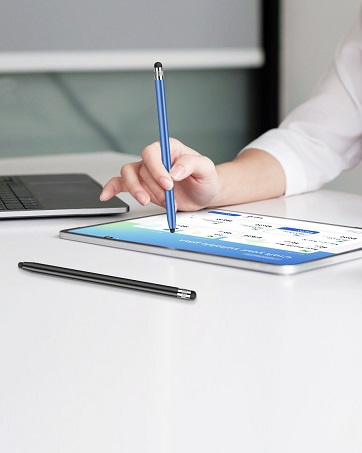
✍️ Upgrade your Apple Pencil game with precision that professionals swear by!
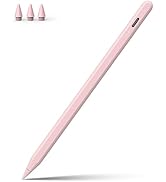
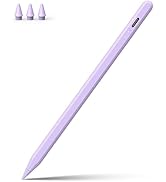
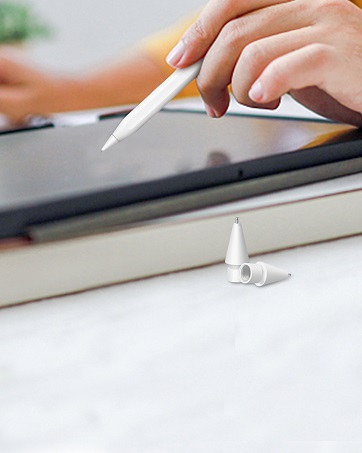
The Digiroot Upgraded Replacement Tips deliver ultra-fine 0.72mm precision with durable copper construction, ensuring long-lasting, scratch-free use on iPad Pro, Air, and Mini models. Compatible with Apple Pencil 1st/2nd Gen, USB-C, and Logitech Crayon, these lag-free, pressure-sensitive nibs provide smooth, accurate control ideal for digital artists, students, and professionals seeking flawless note-taking and drawing experiences. Each pack includes two tips backed by a lifetime satisfaction guarantee.









| ASIN | B09SLTQMSG |
| Are Batteries Included | No |
| Are Batteries Required | No |
| Best Sellers Rank | #8,480 in Cell Phones & Accessories ( See Top 100 in Cell Phones & Accessories ) #205 in Styluses |
| Brand | DIGIROOT |
| Color | 2 Pack White |
| Compatible Devices | Apple Pencil 1st Generation, Apple Pencil 2nd Generation, Apple Pencil USB-C, Logitech Crayon, Apple Pencil Pro |
| Compatible Tablet Computer Models | Apple iPad (2nd generation), Apple iPad Pro 12.9-inch (1st generation) |
| Customer Reviews | 4.5 4.5 out of 5 stars (1,415) |
| Enclosure Material | Copper |
| Item Dimensions | 5.02 x 0.2 x 0.27 inches |
| Item Weight | 0.07 Kilograms |
| Manufacturer | DIGIROOT |
| Unit Count | 2.0 Count |
C**D
Great Replacement Tip for Apple Pencil
I purchased the Digiroot Upgraded Replacement Tips for my Apple Pencil, and they work perfectly. The tips fit securely and are fully compatible with Apple Pencil Pro, 1st & 2nd Gen, USB-C models, and Logitech Crayon, which is very convenient. The writing and drawing experience feels smooth and accurate, just like the original tip. There’s no lag or scratching on the screen, and they’re easy to install and replace. Overall, these are high-quality replacement tips at a great value. Perfect if you need backups or replacements without paying for brand-name tips. Highly recommend!
M**S
Great for writing! Makes my writing cleaner and more legible
Works great! Like better than the original pencil tip! Not great for drawing if you do procreate and other design apps. But works great for note taking and writing!
E**O
Feels natural when drawing.
Love it!! I’ve been using the stock Apple Pencil for years now and I thought that was great compared to the pen that came with the Surface Pro4. Until I started using this new tip. Loving it!! It feels so natural when I’m drawing on my iPad. I also use a textured screen protector. So I don’t know how it would feel on the glass surface. I’ve only used it for a couple hours so I can’t tell you about wear and tear either. I definitely recommend this tip for any artist out there. I will definitely buy more of these!
M**N
Great tip for precision drawing.
The fine pointed tip gives you great control and precision over the lines you are putting down on the screen. The tiny nib makes good contact and there is no skipping or unresponsiveness. They are quite reasonably priced and looks like they will last a good long time. My only issue was that I was using these with a "paper feel" screen protector and after a few days of drawing the nibs had scratched the protector up so significantly that the screen image began to be obscured. It does not appear to scratch the iPad's screen glass and seems fine on regular tempered glass protectors. I would probably not recommend using without a screen protector of some sort to protect the original screen.
M**A
Good!
Works well! iPad responds to it, fits perfectly, no compatibility issues, very easy to use! Worth the $$$ if you'd like to have smaller/thinner lines!
R**D
Second purchase now
If you are a student use this with a paper screen protector and it feels so much nicer like writing in a note book
C**S
It works perfect with paper feel screen protector
It works perfect. If you have the feel like paper screen protector I recommend you this tip. I have the Apple Pencil 2nd generation and it’s fit perfect!
A**R
Good!
I like this pen tip but it definetly leaves scratches on my screen protector so be cautious if your iPad doesn't have a screen protector. Overall, the metal tip is very convienient because it doesn't "melt" away like my last pen tip. I've had it for quite a while and I haven't had to replace it yet!
K**A
Was nervous about purchasing apple tips with a metal tip and one that wasn't from apple, but they're great! they don't scratch the screen, still recognise pressure and they're much cheaper. Would buy again & recommend.
S**C
This is a great little accessory for iPad note takers! I’ve tried it out and so far it hasn’t scratched my screen protector which is great (I use the “Paperfeel” Amazon screen protector). However, when I used the eraser in the notes app, moving the tip of the pencil quickly over a larger area of space made a really “scratchy” sound. It sounds like you are breaking the screen of your iPad. Although it didn’t scratch, I think if you aren’t careful, you can most definitely scratch it. Always use with a screen protector and don’t push too hard when writing/drawing.
J**N
The tip will bend eventually and the prcesion can not compare with the original design, the only good part is it has a smaller noise.
バ**!
Apple Pencilを使っていますが、iPad Proに一瞬のタッチだと反応しないことが多くなってきた気がして、ペン先の交換を考え純正ではないものを購入してみました。そうしたら完全に改善されたかと云うと正確なデータではないのではっきりとは云えませんが、iPad Proの反応が良くなったように感じています。
Trustpilot
1 month ago
3 weeks ago