Buy anything from 5,000+ international stores. One checkout price. No surprise fees. Join 2M+ shoppers on Desertcart.
Desertcart purchases this item on your behalf and handles shipping, customs, and support to Italy.
🚗 Upgrade your Mazda to smart status — don’t get left behind on the tech curve!
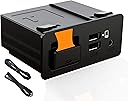
The Dasbecan TK78-66-9U0C Retrofit Kit transforms compatible Mazda models (2014-2020) into connected smart vehicles by enabling Apple CarPlay and Android Auto. Featuring USB Type A connectivity with 4A current, it integrates seamlessly with Mazda’s MZD Connect system, offering voice assistant support and a plug-and-play installation that preserves factory aesthetics. Ideal for professionals seeking a modern, safer driving experience with intuitive smartphone access on the go.


| ASIN | B09MTJ6469 |
| Best Sellers Rank | #274 in Car Audio & Video Input Adapters |
| Brand | Dasbecan |
| Cable Length | 200 Millimeters |
| Color | USB Type A |
| Compatible Devices | Mazda CX-3 All models 2016 to 2019 CX-5 All models 2016 to 2017 CX-9 All models 2016 to 2020 Mazda3 4-Door All models 2014 to 2018 Mazda3 5-Door All models 2014 to 2018 Mazda6 All models 2016 to 2020 MX-5 Miata Club / Grand Touring 2016 to 2020 MX-5 Miata RF Sport 2018 to 2019 MX-5 Miata Sport 2018 to 2020 Compatible Devices Mazda CX-3 All models 2016 to 2019 CX-5 All models 2016 to 2017 CX-9 All models 2016 to 2020 Mazda3 4-Door All models 2014 to 2018 Mazda3 5-Door All models 2014 to 2018 Mazda6 All models 2016 to 2020 MX-5 Miata Club / Grand Touring 2016 to 2020 MX-5 Miata RF Sport 2018 to 2019 MX-5 Miata Sport 2018 to 2020 See more |
| Connector Type | USB Type A |
| Current Rating | 4 Amps |
| Customer Reviews | 4.2 out of 5 stars 475 Reviews |
| Input Voltage | 12 Volts |
| Item Dimensions | 8.07 x 4.13 x 4.53 inches |
| Item Type Name | Apple Carplay Retrofit |
| Item Weight | 270 Grams |
| Item dimensions L x W x H | 8.07 x 4.13 x 4.53 inches |
| Manufacturer | Dasbecan |
| Mfr Part Number | TK78-66-9U0C |
| Model Number | TK78-66-9U0C |
| Number of Items | 1 |
| Number of Ports | 2 |
| Package Quantity | 1 |
| Power Plug Type | No Plug |
| Smart Home Compatibility | Not Smart Home Compatible |
| UPC | 721703648312 |
| Unit Count | 1.0 Count |
| Warranty Description | One year warranty |
| Warranty Type | Lifetime |
D**Y
Transforming Mazda 3 into a Smart Tech Hub
The Dasbecan Apple Carplay Android Auto Retrofit Kit is not just an upgrade; it's a revolution for your Mazda 3 driving experience. This kit seamlessly brings the cutting-edge connectivity and convenience of Apple Carplay and Android Auto into the cockpit of your Mazda 3. It's like giving your car a brain transplant, upgrading it from a regular vehicle to a smart, connected companion. The installation process is a key highlight. Designed with the Mazda 3 in mind, the retrofit kit fits like a glove. It's a relief to find an aftermarket product that meshes so well with the existing system. The integration is so smooth, it feels like these features were always meant to be part of your car. For those who are not mechanically inclined, a professional installation is a good idea to ensure everything is up and running perfectly. Once installed, the functionality is a game-changer. The system brings the familiar interface of your smartphone to your car's dashboard. Whether you're an iPhone devotee or an Android aficionado, this kit bridges the gap between your phone and your car. Maps, music, messages, and more are all at your fingertips, or better yet, a voice command away. It's a seamless transition from your digital life outside the car to inside. The user experience is smooth and intuitive. The response is snappy, and the interface is user-friendly. It's like your car's infotainment system got an upgrade to first-class, with all the modern conveniences you could ask for. The integration with existing controls and the touch screen enhances the overall driving experience, keeping you connected without being distracting. The quality of the components in the kit is top-notch. Everything feels well-made and durable, which is reassuring when you're modifying such an essential part of your car. The attention to detail in design and manufacturing means that this retrofit kit doesn't just add functionality; it also adds value to your vehicle. TL;DR: The Dasbecan Retrofit Kit is a must-have for Mazda 3 owners looking to modernize their ride. It brings the ease and functionality of Apple Carplay and Android Auto into your car with a seamless, integrated experience. The kit not only enhances your driving experience but also adds value to your vehicle with its high-quality components and intuitive design.
T**W
Great
A video on youtube had a link to this product. Not sure what the differences are between so many similar. This product ended up great. Quality looks very good. Had a thorough manual and OE looking cables and module. Had a bunch of zip ties and foam included. Once installed in my 2017 MX-5, everything worked perfectly. Had full use of the steering wheel buttons and center console buttons. I am not sure but I think Mazda locks out the touch screen when in motion. Install on an MX-5: I did not remove the shifter console! It took about 45 minutes in all. Follow the youtube video to get to the cmu. Then do the following: For the USB module, remove the passenger side center console side trim in the footwell. Remove the "H" looking trim to the sides of the USB module. Remove the Seat heater controls/airbag lights module above the USB module. From the side where you removed the passenger console trim, you should see top and bottom clips of the USB module you want to remove. Take a long but small flat head screw driver and one-by-one break the clips. It should be easy to push it out from behind now. Saved me so much time doing it this way and I hope it does for you too! Remember, all trim is held in by clips or fits like a jigsaw puzzle. NEVER force anything. A nudge and a pull should be all that it takes. I broke nothing on mine installing it. There are a couple of good youtube videos for the MX-5 that you can look at before you start.
B**C
Great Product
Great product, works perfectly! Installation is kind of tricky, but there is a great video on youtube that walks you through it step by step. Highly recommend as a cheap easy way to have carplay!
A**S
Did your car play / android auto stopped connecting
I'm sharing some feedback on my device in case anyone else runs into a similar problem I recently had. The device works great make sure you properly install everything and it's nice and secure. I used black tape in order to make sure the cable is in good shape. I currently use it with a carlink 5.0 for wireless. But at some point wired stopped working. Fast forward I had this device nearly 3 years. And my device suddenly stopped working. After much extensive trouble shooting thinking it was the wireless device I test it with another wireless and was having the same issue. I decided to look at the box and unplugged everything under my elbow arm rest which is where the box sits at and I unplugged everything and plug everything back in and the adapter started to magically work again. For anyone with a similar issue please uninstall and install the box cables before ordering a new one before disregarding this device. I've had it for nearly 3 years and its still working well. If I run into any more issues I'll do a follow up review but so far it works great.
C**J
Great Value Added!
Got this to install in our son's 2016 Mazda CX-5 GT. Found some great YouTube installation videos and installation took just around an hour from start to finish. The instructions that come with it are pretty limited to just the wiring (not taking apart the dash to install), but the videos we found were a great complement to the wiring instructions provided. All in all, super straight forward and seems like a crazy good value for being able to add Android Auto/Apple Carplay to the built in visual display. Very happy that we bought this.
S**C
Worked great for 3 months
Ordered and installed this unit on 8/1/23. In my 2017 Mazda6 Grand Touring. Installation was pretty easy. As long as you are comfortable with carefully removing dash trim pieces and routing cables through your dash and console. The unit included foam padding to secure around the cabling to prevent chafing and rattling. Everything was included to perform a clean install if you take your time and consider the best paths to route and secure the cables. Make sure you check your vehicles firmware version prior to ordering. A firmware update can be intimidating and could possibly brick your car’s infotainment system if not done properly. Luckily mine was already several versions above the required version and didn’t require an update for this inst. 11/12/23 started experiencing issues with car play disconnecting and reconnecting randomly while driving. I figured it was my cord so I ordered a new Apple certified cord. I immediately had the same problem with my new cord. I then tried my daughters iPhone with the new cord and had the same result. It’s frustrating but usually would connect and keep a connection to car play for a while when driving before occurring again. 1/7/24 Apple car play no longer works with this device. Ive tried multiple Apple certified cables that work with car play in my other vehicles. This device no longer operates at all. I’ve opened up my dash and console again and have ensured all cable connections are tight. I can plug in my iPhone and it will charge but Apple car play will not connect and be displayed on my screen. 3/22/24 it’s been a couple months without car play now. I’m frustrated and disappointed in this device as it worked well when first installed. I’m now looking for a similar device with better quality. At this time I would NOT purchase this product again or recommend anyone else purchase one as I did when I first installed it. Disappointed enough to write this review as I’m out the cost of this unit and hours of my time installing this device and then opening back up my dash and console to troubleshoot and inspect connections. I’ve seen comments from other people who’ve purchased and installed this device around the same time frame with the same exact issue. Calling out a faulty unit after only a few months. If it is a faulty unit, I would hope the manufacturer or seller would be willing to replace the unit. I’m an electronics engineer who also has a background in mechanics I would be more than happy to send you back my faulty unit for failure analysis. Great concept but poor quality. A device of this sort should not start failing within 90 days of use in an automotive setting where it only gets maybe a couple hours of use each day. A total failure within 5 months of use is simply unacceptable for a product of this nature.
C**B
Works but port goes bad
These work pretty well, but so far haven't lasted too long. The USB port just stops working. We don't even unplug the cable, it's basically in there since install but eventually stops working consistently. If you're lucky and it happens during your return window, you can just swap out the unit itself without having to redo all the cabling to the headunit again.
S**F
Update infotainment system first
UPDATE INFOTAINMENT SYS FIRST!!! I skipped this step. Don't be like me. Destroyed stock one getting it out to find out cannot update with this installed. Had to redo install and getting this out without breaking is very difficult. Once installed works great!
Trustpilot
3 weeks ago
2 weeks ago