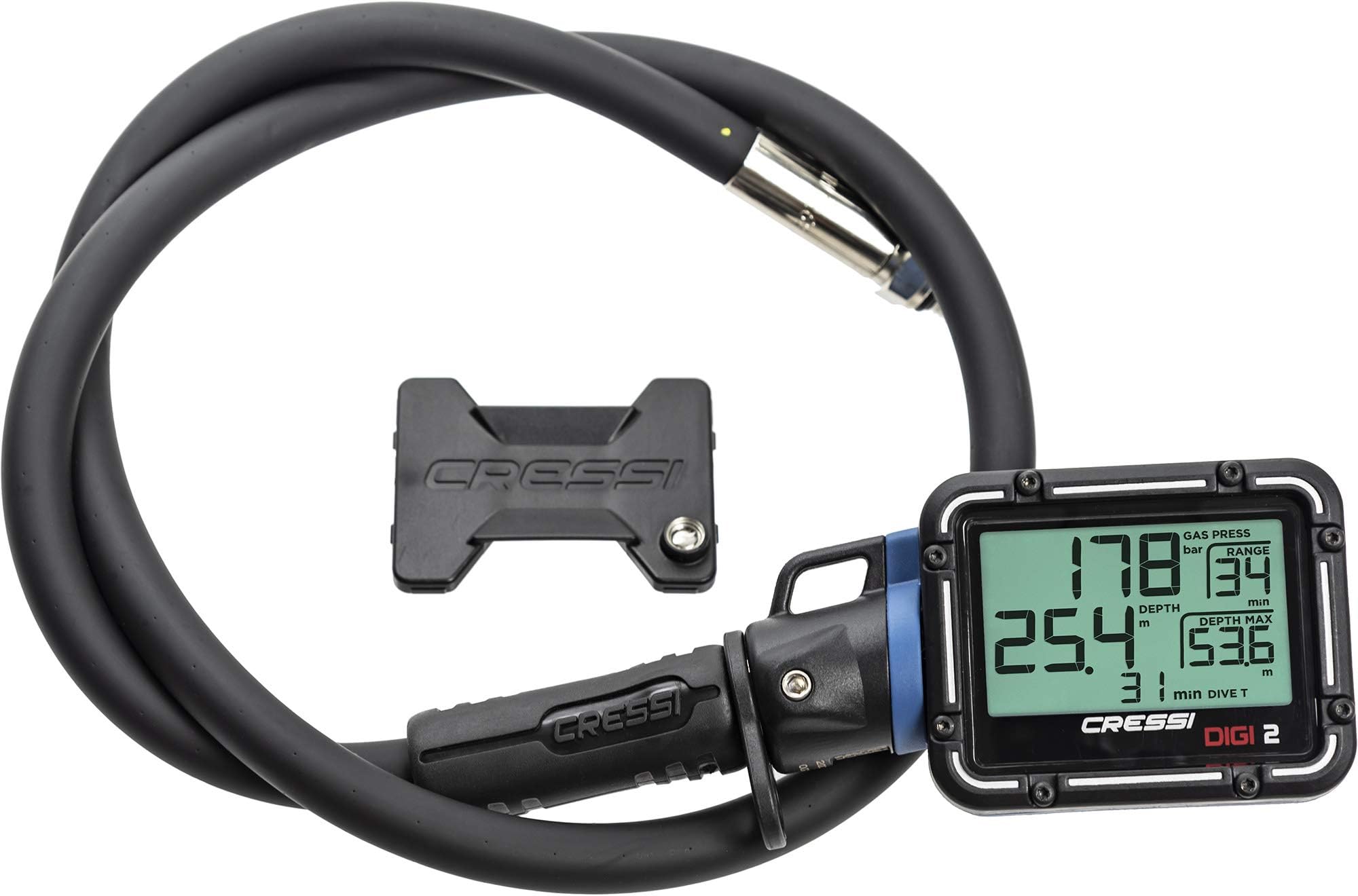
Digi 2 Azul
Details
- BrandCressi
- Item Weight0.22 Kilograms
- Item dimensions L x W x H9.1 x 6.2 x
- MaterialPlastic
- Thread Type3/8" Unf
Buy anything from 5,000+ international stores. One checkout price. No surprise fees. Join 2M+ shoppers on Desertcart.
Desertcart purchases this item on your behalf and handles shipping, customs, and support to Italy.
Details
- BrandCressi
- Item Weight0.22 Kilograms
- Item dimensions L x W x H9.1 x 6.2 x
Description
🌊 Dive Smart, Dive Stylish with Digi 2 Azul
- READY TO DIVE - Includes lithium battery, so you’re dive-ready out of the box
- TRUSTED BRAND - From Cressi, a leader in diving tech trusted by pros
- PRECISION AT DEPTH - Digital Depth & Pressure Gauge for real-time accuracy
- VIBRANT VISIBILITY - Striking blue finish that stands out underwater and on deck
- EFFORTLESS PORTABILITY - Weighs just 220g—carry it anywhere without bulk
The Cressi Digi 2 Azul is a compact, lightweight digital depth and pressure gauge designed for diving enthusiasts who demand precision and portability. Featuring a durable lithium manganese dioxide battery included for immediate use, its vibrant blue design ensures visibility and style underwater. Perfect for professionals and serious hobbyists seeking reliable, real-time dive data from a trusted brand.


Specifications
| Manufacturer | Cressi |
| Part number | KC800020 |
| Item Weight | 220 g |
| Product Dimensions | 23.11 x 15.75 x 4.83 cm; 220 g |
| Batteries | 1 Lithium Ion batteries required. (included) |
| Item model number | KC800020 |
| Colour | Blue |
| Material | Various |
| Item Package Quantity | 1 |
| Included components | Digital Depth & Pressure Gauge |
| Batteries included? | Yes |
| Batteries Required? | Yes |
| Battery Cell Type | Lithium Manganese Dioxide |
Reviews
R**R
.... ob man das Ding wirklich braucht muss man selbst entscheiden. Mir reicht eigentlich immer noch mein Finimeter
M**N
A**R
Great product
D**G
So far so good. Nice to have a digital read out that’s easy to read underwater.
R**1
As a visually Impaired diver, I couldnt see the analog consoles and gauges. Not being able to see how much air i had was NOT a good thing. My instructor was very kind to me during certification and I slipped by, passing the pool part. I did some searching and quickly found the Digi2 gauge and depth thing(console?) i immediately bought it and took it to the quarry with me for our checkout dives. It worked WONDERFULLY! It attaches to an high pressure port on your 1st stage. NOTICE: It comes in BAR setting, not PSI by default. You can change it to PSI! Its a little difficult, but this may help someone. you'll need the black Smart Cover that protects the console when not in use. Its got a little sensor on it and its how you control your Digi2. To change the system for units of measure from metric (BAR, meters, degrees Centigrade) to Imperial (PSI, feet, degrees Fahrenheit) or vice versa depending on your needs, proceed as follows: 1. When the DIGI 2 console is switched on, turn it off by resting the smart cover against it, respecting the orientation. (touch the sensor of the smart cover to the bottom right of your screen) Remove the smart cover. 2. Wait for the launch sequence and repeat step 1. 3. Wait for the launch sequence and repeat step 1. Upon the next relaunch, the units of measure will be different from those shown before the procedure. Happy Diving!
Common Questions
Trustpilot