Buy anything from 5,000+ international stores. One checkout price. No surprise fees. Join 2M+ shoppers on Desertcart.
Desertcart purchases this item on your behalf and handles shipping, customs, and support to Italy.
โก Print smarter, faster, greener โ label like a pro!
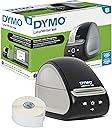
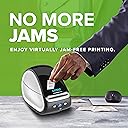
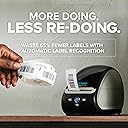
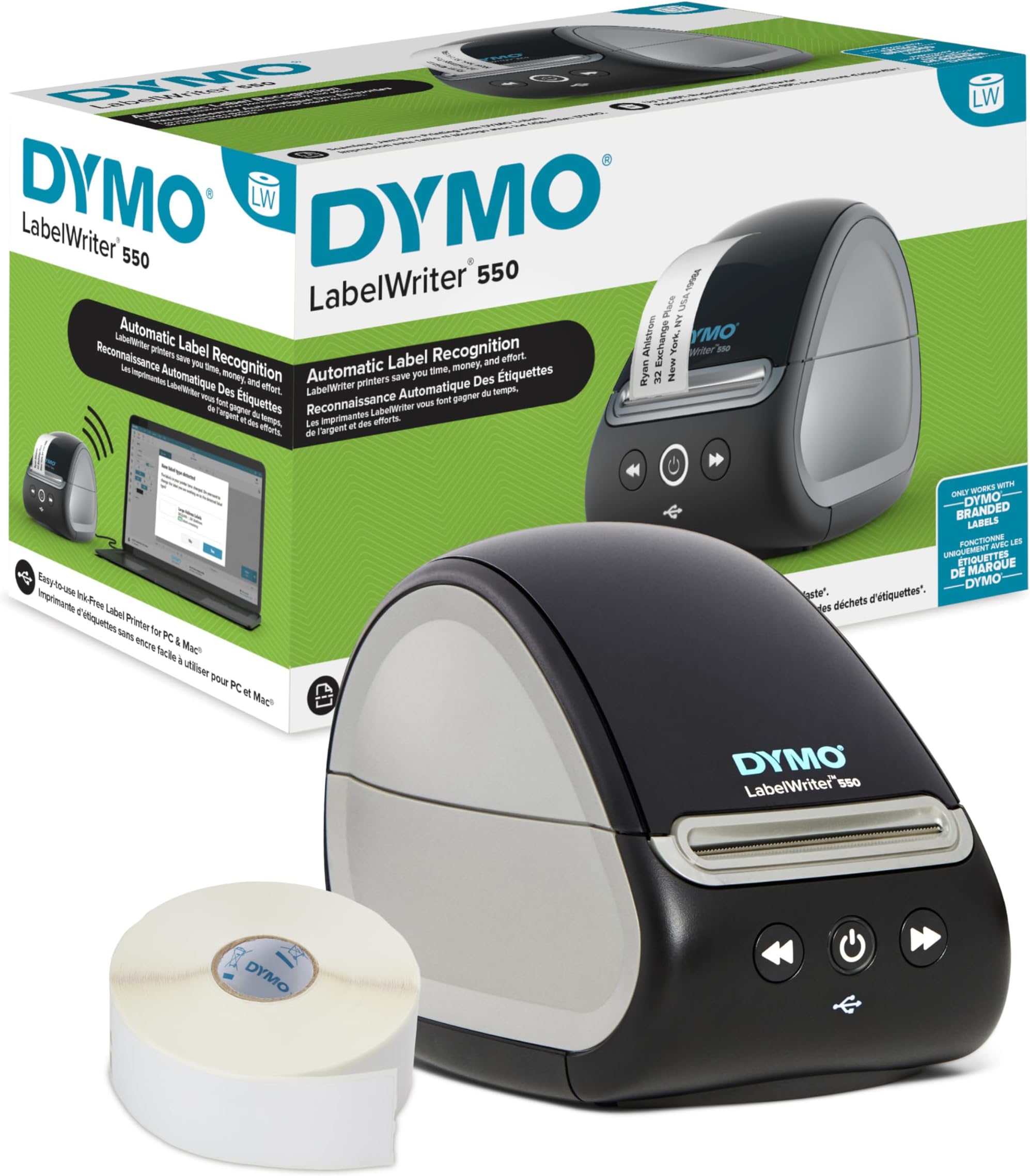
The DYMO LabelWriter 550 is a sleek, direct thermal label printer designed exclusively for DYMO-branded labels. It delivers high-resolution (300 dpi) prints at speeds up to 62 labels per minute, featuring patented Automatic Label Recognition technology to prevent jams and reduce label waste by 65%. Its eco-friendly packaging and seamless software compatibility make it the go-to choice for efficient, professional labeling in modern offices.


| ASIN | B08TLRL392 |
| Additional Printer Functions | Print Only |
| B&W Pages per Minute | 62.0 |
| Best Sellers Rank | #5,188 in Office Products ( See Top 100 in Office Products ) #13 in Label Makers |
| Brand | DYMO |
| Built-In Media | Thermal Printer |
| Color | White |
| Color Depth | 1 bits_per_pixel |
| Color Pages per Minute | 300 ppm |
| Compatible Devices | PC |
| Control Method | App |
| Controller Type | iOS |
| Customer Reviews | 3.6 3.6 out of 5 stars (1,654) |
| Display Type | LCD |
| Dual-sided printing | No |
| Duplex | simplex |
| Global Trade Identification Number | 00071701062482, 03026981475924 |
| Hardware Interface | USB |
| Ink Color | Black |
| Item Dimensions D x W x H | 7.4"D x 5"W x 5.4"H |
| Item Type Name | Direct Thermal Printer |
| Item Weight | 1.41 Pounds |
| Manufacturer | DYMO |
| Maximum Copy Resolution Black and White | 200 dpi |
| Maximum Copy Resolution Color | 300 dpi |
| Maximum Copy Speed Black and White | 62 ppm |
| Maximum Media Size | 7.38 x 5.33 x 8.5 |
| Maximum Print Resolution Black and White | 300 Dots Per Inch |
| Maximum Sheet Capacity | 550 |
| Maximum print Resolution Color | 300 dpi |
| Model Name | LabelWriter 550 |
| Model Number | 2112552 |
| Model Series | LabelWriter 550 |
| Number of Drivers | 1 |
| Other Special Features of the Product | Portable |
| Paper Size | 2.2 |
| Print media | Labels |
| Printer Connectivity Type | USB |
| Printer Output Type | Monochrome |
| Printer Type | Thermal |
| Processor Count | 1 |
| Resolution | 300 x 300 |
| Scanner Type | Portable |
| Series Number | 550 |
| Specific Uses For Product | Office |
| Total Usb Ports | 1 |
| UPC | 071701062482 |
| Unit Count | 1.0 Count |
| Warranty Description | 1 |
| Warranty Type | Limited |
A**R
The Best
Iโve used it before @ a former job & itโs just as good as I remember it, easy to use. Stick with a reputable brand like DYMO, donโt cheap out.
N**E
Slow to get set-up, 02.12.2025 Update, modified to one star
This item has a lot of one-star reviews. I understand those feelings. I concur that the software is not easy. Getting it out of the box and set up went smoothly. Printing my first label is a different story. The label 'word processor' is a lot like being DEEP in the Tables or Insert Photo areas of MS Word. There are no instructions or helpful dialogue boxes to guide you. Help is available by going to a Dymo web page and hunting and pecking until you find a PDF file that is 120 pages. I chose to use trial and error. It took me about 30 minutes to get the gist of the switches and controls. Once I 'saw' how the Dymo software writer school of thought works, it was straightforward. On the plus side, the label creation screen is bright, clear and uncluttered. My larger problem occurred on the second day. The printer would not connect even though it worked fine on day one. It took me at least two hours to investigate my Device Manager and to go DEEP into my Printer Settings. I eventually found a helpful document on a Dymo help page that guided me through the process. The printer settings place I worked from had the same format as the Device Manger (small window with tabs and long lists of files). My PC/Win11 has a function to save power by turning off excess USB ports. That function had to be turned off. If you are not comfortable with quasi-IT work in windows, you will need some help from a human. Barring any other problems, the labels are very nice, and you can adjust them in any way you can imagine... font styles, font size, orientation, justification of the text box and justification of the text in the text box and probably more that I don't know about yet. 02.12.2025 Update - I was unable to get the printer to function after success on day two. I spent three sessions at the PC (a couple hours or more each time) attempting to trouble shoot on my own and by using advice from search attempts. I played with Device Manager (printer and USB) to fix/find the problem; and a variety of Windows Settings / Troubleshooting. I called the Dymo help line three times and was put on hold for fifteen minutes each time. I ended the call each time. I downgraded my rating from four stars to one star. I dropped the return at UPS about ninety minutes ago. I like the labels that I made on the first day. I really wanted this to work.
C**S
Label printer
Nice printer, would have been nice to have instructions in English included in box
A**R
Fine product.
All satisfactory.
P**N
Very bad software which is necessary for use of printer.
**Great hardware let down badly by terrible software** Iโve used several DYMO label printers over the years and recently purchased the LabelWriter 550 expecting a solid upgrade. Unfortunately, while the hardware itself prints labels cleanly and reliably, the **DYMO software is shockingly poor** and turns what should be a simple task into a frustrating experience. The biggest issue is **data management**. Importing CSV files is far more difficult than it should be. Field mapping is clunky, inconsistent, and prone to errors, making bulk label printing unnecessarily time-consuming. Managing the built-in **Contacts list** is equally painfulโbasic operations like editing, sorting, or organizing contacts feel unintuitive and outdated. Setting up **mailing label layouts** is another headache. Simple formatting tasks require far too many steps, and itโs never clear why the software behaves the way it does. The user interface feels like it hasnโt been meaningfully updated in years and lacks any logical workflow. Nothing is where you expect it to be. One especially frustrating problem is the **label count reporting**. The software frequently reports the wrong number of labels remaining on a roll, which defeats the entire purpose of having that feature at all. You canโt rely on it, so you end up manually checking anyway. To make matters worse, **documentation is minimal and unhelpful**. When you run into problems, thereโs little guidance on how the software is actually intended to be used, leaving you to figure things out through trial and error or online forums. Bottom line: The LabelWriter 550 itself is capable hardware, but the software feels unfinished, unintuitive, and poorly supported. If you only print occasional single labels, it might be tolerable. If you rely on mailing lists, CSV imports, or frequent label runs, be prepared for a lot of frustration. DYMO really needs to invest in fixing their softwareโbecause right now, itโs the weak link that drags this product down.
I**T
Good variety of labels, but MUST use OEM materials with this version
I've had several Dymo label printers before and got this latest model recently. It works with my iMac and allows me to print out a number of different label sizes and styles. The software allowed me to open previous versions of labels to re-use or edit to new content. Be aware that these are heat sensitive labels so given location and environment the print will eventually deteriorate. The latest software relies on a lot of pictograms, and ends up being a bit of trial and error. It's not always the easiest to follow as I continue to adjust from the earlier versions. There is a new feature that senses what size labels you have currently loaded as well as an estimate of the labels remaining. Ah, but there's a catch. The label sensing software is apparently driven by a small chip that is in the core of the label roll. Attempting to use off-brand labels is thwarted by this to some degree. I find this quite by far the most frustrating thing about this device, and can only conclude that this is the most common reason for the high rate of return on this item. Generating labels in a multitude of formats is fairly easy with this printer. Using anyone other than Dymo's supplies is not.
D**G
Regret to buy the American LabelWriter 550 as I need to change Windows region for US and reopen the DYMO Connect software.
J**R
Great item, does as described.
M**L
Great product in use straight away for address labels.
A**Z
NO SIRVE Y NADIE DA RESPUESTA DINERO PERDIDO NO LA COMPREN! TODO EL TIEMPO APARECIO UN ERROR Y NADIE PUDO SOLUCIONARLO.
M**E
Bought 2. Been using DYMO for 15 years. I've owned 6 printers in this time. This model is low cost up front but requires DYMO ONLY labels. No after market labels will work. I print between 12,000-15,000 labels a year. I can buy a 20 roll box for $50. Same labels from Dymo is $37 for PER ROLL. Fine printer for writing grandma but if you want to do business then look elsewhere.
Trustpilot
1 day ago
2 weeks ago