Buy anything from 5,000+ international stores. One checkout price. No surprise fees. Join 2M+ shoppers on Desertcart.
Desertcart purchases this item on your behalf and handles shipping, customs, and support to Italy.
π Elevate your video presence with pro-grade clarity and sound β donβt just join the call, own it!
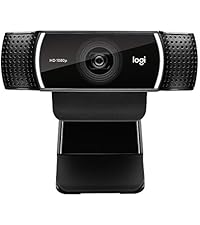
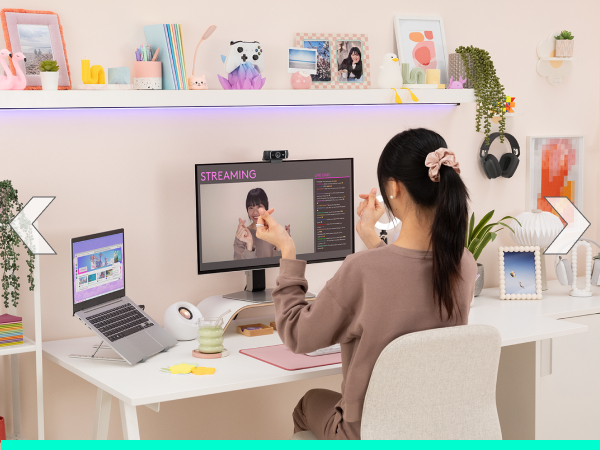
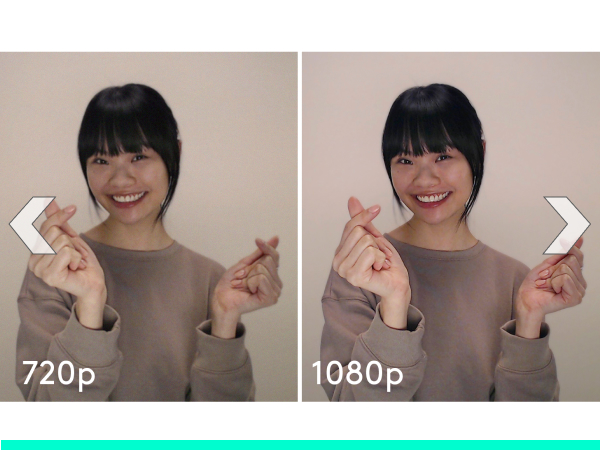
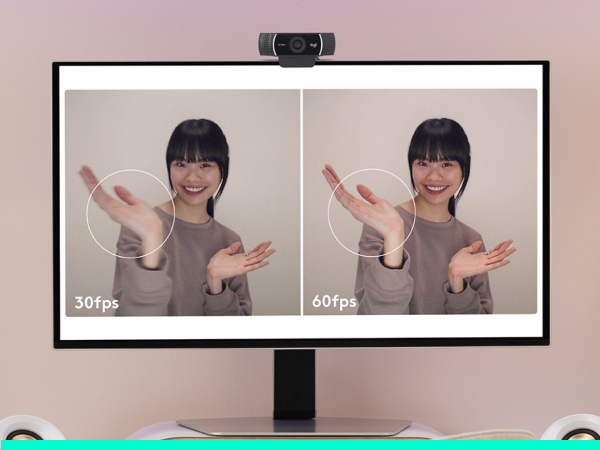
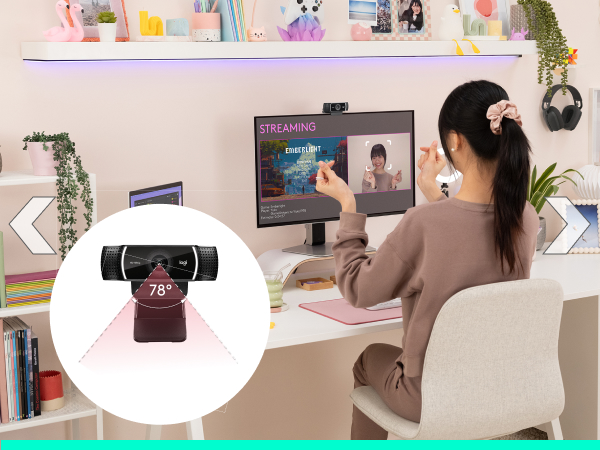
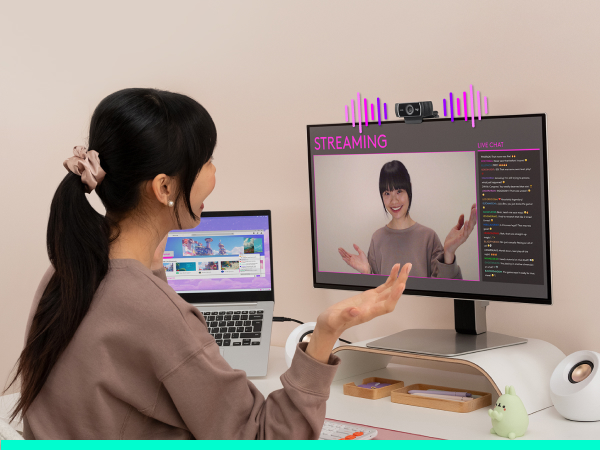
The Logitech C922x HD Pro Webcam delivers professional-grade video with 1080p resolution at 30fps or 720p at 60fps, enhanced by HD light correction and autofocus for crisp, clear images in any environment. Equipped with dual stereo microphones, it captures natural sound for flawless communication. Compatible across major platforms including Microsoft Teams, Zoom, Google Meet, Mac, Windows, and Nintendo Switch 2βs GameChat mode, it also includes a 3-month XSplit VCam license for advanced background customization. Ideal for professionals, streamers, and content creators seeking reliable, high-quality video conferencing and streaming solutions.


| ASIN | B01LXCDPPK |
| Antenna Location | Video streaming on social gaming and entertainment sites |
| Are Batteries Included | No |
| Best Sellers Rank | #4 in Webcams |
| Brand | Logitech |
| Built-In Media | quick start user guide, webcam |
| Camcorder Type | Video Camera |
| Color | Black |
| Compatible Devices | Devices with USB ports and compatible operating systems and platforms |
| Compatible Processors | Most x86-64 processors compatible with Windows 7, Windows 8, and Windows 10 |
| Connectivity Technology | USB |
| Customer Reviews | 4.6 out of 5 stars 17,011 Reviews |
| Display Resolution Maximum | FHD |
| Effective Still Resolution | 2 MP |
| Effective Video Resolution | 1080 Pixels |
| Exposure Control Type | Automatic |
| Features | Autofocus |
| File Format | JPEG |
| Flash Memory Type | SD |
| Flash Memory Video Speed Class | V30 |
| Focus Type | Auto Focus |
| Form Factor | Compact |
| Global Trade Identification Number | 00097855127037 |
| Has Image Stabilization | No |
| Image Aspect Ratio | 16:9 |
| Image Capture Speed | 60 fps |
| Image stabilization | false |
| Item Dimensions D x W x H | 2.8"D x 1.71"W x 3.74"H |
| Item Type Name | Logitech C922x Pro Stream Webcam 1080P Camera for HD Video Streaming & Recording At 60Fps (960-001176) |
| Item Weight | 5.76 ounces |
| Lens Type | Wide Angle |
| Log Gamma Curve | [POSSIBLE] |
| Manufacturer | Logitech, Inc |
| Maximum Aperture | 1.8 f |
| Maximum Focal Length | 1.0 |
| Minimum Aperture | 1.8 f |
| Minimum Focal Length | 1.0 |
| Model Name | 960-001176 |
| Model Number | 960-001176 |
| Number of Batteries | 1 CR2 batteries required. |
| Operating System | Windows 7, Windows 8, Windows 10, macOS X 10.9 or higher, Chrome OS, Android v5.0 or above |
| Photo Sensor Size | 1/2.8-inch |
| Photo Sensor Technology | 2 Mp |
| Screen Size | 2.7 Inches |
| Sensor Type | 2 Mp |
| Shooting Modes | Low Light |
| Style Name | C922X |
| Supported Audio Format | OPUS, Stereo |
| Supported Image Format | JPEG |
| UPC | 097855127037 |
| Unit Count | 1.0 Count |
| Upper Temperature Rating | 40 Degrees Fahrenheit |
| Video Capture Format | Webcam |
| Video Capture Resolution | 1080p |
| Video Resolution | 1080p |
| Viewing Angle | 118.6 Degrees |
| Warranty Description | Manufacturerβs warranty can be requested from customer service. |
| Water Resistance Level | Not Water Resistant |
| White Balance Settings | Auto |
| Zoom | Digital |
K**N
Clear, Colorful Video with a Sleek Webcam
Iβve been using this webcam for a while and itβs been really reliable. The video is clear, the colors look natural, and it handles different lighting really well. It also has a clean, sleek design that fits nicely on my desk. Setup was quick, and it works consistently for calls and recordings.
M**C
great cam for zoom calls and streaming
Plugged this in and it just worked immediately, no driver drama or anything which I really appreciated because I was setting it up 10 minutes before a class presentation. The picture quality is noticeably sharper than my laptop's built in camera especially in decent light, and people keep asking if I got a new setup when I hop on calls. The clip grips my monitor solidly and doesn't wobble around. Honestly a solid buy for the price and I've been using it pretty much every day for months with zero issues.
D**T
Works for Zoom Meetings. Also, no additional software was required.
My wife uses the C922x for Zoom meetings. The camera works great, and no additional software was required.
T**.
It took a while to settle in, no config helped.
I would give this five stars, but it was so difficult in the beginning. I would look like I was in a dark room, every now and then it would look normal. No change in ambient lighting, no change in config (I dug through every setting trying to fix it.) it just started working after a while. I use this on Teams calls with a Surface laptop. Thankfully most of my customers donβt use video, but when they do, I want to show up! Now it always works. Although the other day it did this thing with it going light then dark every ten seconds or so, like it was breathing, fading in and out. Video quality is good now, but for the money I would have expected to work right out of the box.
H**L
Tried several, and this is the best of the bunch..
It works flawlessly. The mount is secure and the picture is very nice and clear.
V**S
10/10
been having this camera for about three years now. still holding up like new
K**O
No software for recording
The camera is OK, not dramatically better than my old 910 although it sits on the monitor a little better. My advice is DO NOT BUY it unless Logitech decides to post recording software that works with it. The camera is incompatible with the online version of Logitech's webcam software (it works up to a point, but forget 1080p if that's what you're buying it for). If you try to install Logitech Webcam Software after installing this camera, you will get multiple error messages, and at best you'll get 720. Logitech support tells you that for recording, you need third-party software "such as Microsoft" -- whose current app isn't made for my OS, Windows 8.1. Bottom line, this webcam does NOTHING that my old webcam couldn't do, unless you only stream with it (which I don't). UPDATE: OK, it works with OBS, which seems OK but I'm just starting to learn it. But frankly I still think it was a lousy move by Logitech, releasing the webcam before they bothered to create software for it. For newbies the software issue is trouble, and for experienced users who already have a decent webcam, it's not worth the upgrade. And the documentation is a complete joke. And the "background replacement" function? Ridiculously awful. Does not work with Cyberlink Powerdirector 14. Can be made to work with Vegas Pro 14, with some hassle. Pinnacle recognizes it, with very limited resolution. And so on. Maybe you'll have more luck with your own OS and programs, but the point remains, the software compatibility is a mess -- which is why Logitech should be stepping in to make its product usable with their own capture program, as they did with their older cameras. Oh, and maybe you've seen all the reviews and unboxings that show how it comes with a little tripod? Forget it -- not this one. Just the camera in a box , which Amazon shipped in an envelope. Not that I need the tripod, but it's another cause for misunderstanding. I love a lot of Logitech products, but not this one. Fail.
B**A
Decent WebCam, But Not What I Expected
This is my review of the C922x WebCam after having owned it for a few weeks as well as after having used it for streaming for a few hours per day. Summary Pros π Reasonable Video Quality (1080p at 30 FPS, 720p at 60 FPS) π Quality Outer Material π Easy Set-Up on Windows 10 π Simple To Adjust on Monitor π Background Replacement Technology Cons π Comes With No "Privacy Cover" π Built-in Mic Sound Quality π Cable Length Could Be Longer Details Overall, I'd say this is a quality webcam for the price range (price seems to fluctuate between $69.99-$99.99). I was expecting more from the video quality (which can be easily adjusted) but I think that in order to reach the level of webcam quality that I was expecting, such as the quality that big-name streamers use on their set-ups, one would have to buy into a camcorder. I'd say the deciding factor for me in purchasing this webcam over the cheaper C920 web-cam model is because this one comes with the Background Replacement Technology. In other words, if you have one of the so-called "green screens," you can replace your background in the camera with nothing or some other image of your choosing.
Trustpilot
2 weeks ago
1 month ago