We remain fully operational. Our teams are working around the clock to ensure your deliveries continue safely.

DOWNLOAD THE APP


Customer Services
Copyright © 2025 Desertcart Holdings Limited
DOWNLOAD THE APP
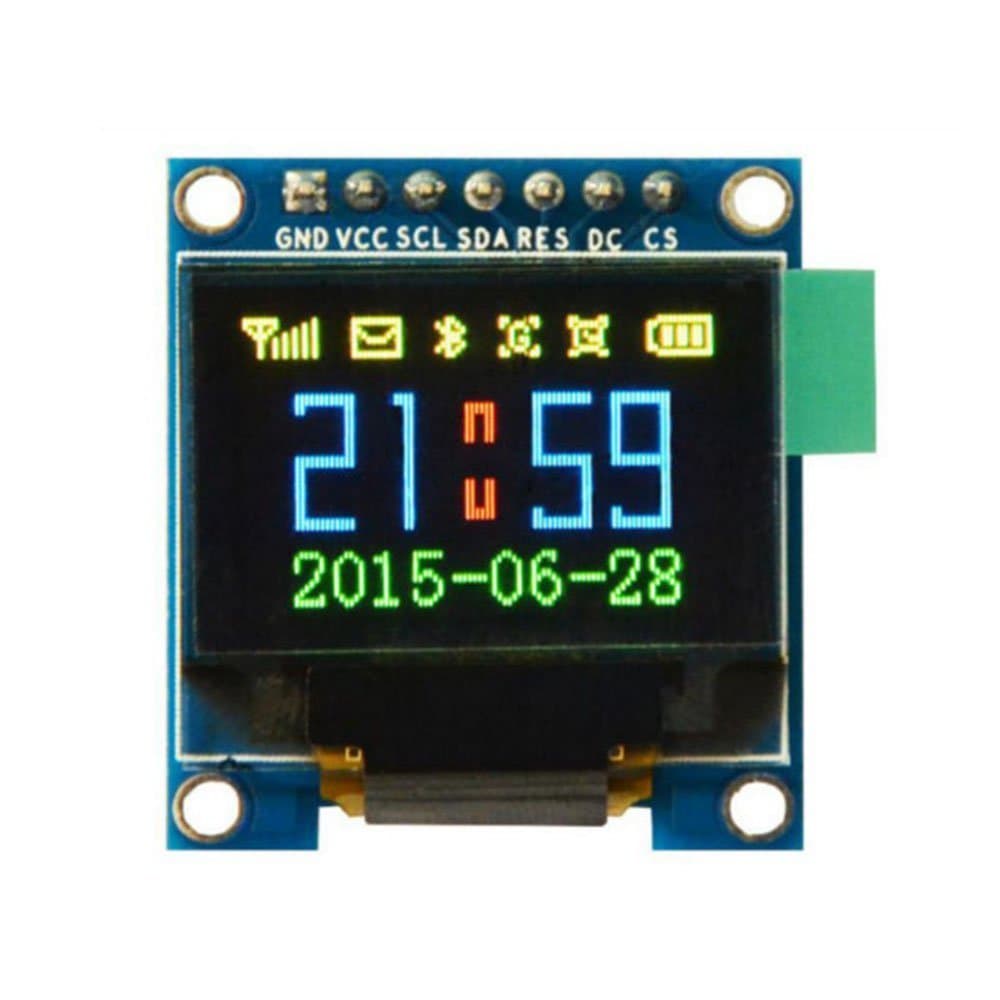
🎯 Small Screen, Big Impact: Elevate your projects with vibrant OLED brilliance!
The HiLetgo 0.95" 7 Pin Colorful 65K SPI OLED Display Module features a sharp 96x64 resolution driven by the SSD1331 chip. Its compact size and full-color OLED technology deliver bright, fast, and energy-efficient visuals. Designed for easy integration with Arduino, STM32, and 51 microcontrollers, it requires no soldering and supports wide operating temperatures, making it a versatile choice for professional-grade embedded projects.
| ASIN | B0711RKXB5 |
| Item model number | 3-01-1401 |
| Manufacturer | HiLetgo® |
| Package Dimensions | 9.5 x 5.69 x 1.9 cm; 9 g |
R**N
My first unit came defective, but HiLetgo solved it immediately! Very friendly and prompt action from their side. Thumbs UP!! New unit came in and works great! I love these small displays! Its super bright and clear! I use it to display PID variables from a BLDC motor. Connected to a Arduino Nano You can add them to all your projects.
S**2
Until fairly recently OLED screens were black&white. Now, full colour is possible with this screen. It's clear, vibrant and simply works. Ucglib and Adafruit libraries work without issue on this SPI screen. It has been tested on an Arduino Nano, Arduino Uno and Arduino Esplora, running faultlessly on all 3. The Esplora only has a 5V VCC output, no problem, the screen runs on 3.3V or 5V. It's a really good, well made product. See the video for various tests and a cheeky Halloween extra.
A**ー
ドット落ちなどもなくしっかり動作しました。 Arduinoではu8g2などライブラリも豊富で使いやすいです。 ライブラリを使わなくても範囲を指定し、各ドットのデータを送信するだけで描画できます。 また、直線や資格、塗りつぶし、コピーなどのコマンドが用意されており高速で駆動することもでき、便利です。
F**.
Wrestled with this for a while then using advice from another reviewer, got it to work on an ESP32. 1. RandomNerdTutorials to get your ESP32 to work. 2. Added Libraries to IDE: Adafruit GFX and Adafruit Adafruit SSD1331 3. File --> Examples (from Custom Libraries) -->> Adafruit SSD 1331 OLED.... --> test 4. Then changed the '#define' pins to: sckl (SCL) 22; mosi (SDA) 21; cs(CS) 5; rst (RES) 17; dc (DC) 16 5. 'Selected (removed //) from the command labelled Option 1: 6. 'De-Select (added //) in front of the Option 2 command then plugged the SSD 1331 into the proper pins, uploaded the sketch and it works great. It's sharper in real life than on the attached video. I think you could do about the same thing to get it to work on an ESP8266 but I think you also need the #include <SPI.h> instruction. I'm pretty sure the SPI stuff loads with ESP32 but you have to specify it for an ESP8266.
S**I
This is a very good replacement for SSD1306 monochromatic OLED, even if it has a bit lower horizontal resolution. I clock SPI line at 19 MHz provided by Silicon Labs ARM micro-controller board, so the display image appears practically immediately. Currently the display is used for games development.
Trustpilot
5 days ago
1 month ago