🪑 Elevate your workspace, save your spine — work smarter, not harder!
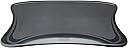
The Mobo Chair Mount Ergo Keyboard and Mouse Tray System by Ergoguys is a lightweight, ergonomically designed accessory that mounts directly to your chair, providing a comfortable and space-saving solution for keyboard and mouse placement. Measuring 2.5 x 12.5 x 7.5 inches and weighing just 2.72 kg, it installs quickly and supports improved posture, making it ideal for professionals managing back pain or seeking a streamlined home office setup.
| ASIN | B002YERS32 |
| Additional Features | Ergonomic |
| Antenna Location | Office |
| Brand | Ergoguys |
| Color | Black |
| Compatible Devices | Laptop, PC |
| Connectivity Technology | USB |
| Customer Reviews | 3.5 3.5 out of 5 stars (360) |
| Global Trade Identification Number | 00851905146696, 00855205002003 |
| Hand Orientation | Ambidextrous |
| Item Weight | 2.72 kg |
| Keyboard Description | Ergonomic |
| Manufacturer | Ergoguys |
| Mfr Part Number | MECS-BLK-001 |
| Model Number | MECS-BLK-001 |
| Number of Keys | 1 |
| Number of Sections | 3 |
| Style Name | Modern |
| UPC | 851905146696 855205002003 168141467936 857829049877 132017613154 872182827160 799198897225 163121415938 172304312735 172302692129 821254731041 796487147054 |
| Unit Count | 1.0 Count |
T**C
I could go on an on about how fabulous this tray is… but our 5 stars should say enough. My Husband has spinal stenosis at L5 & L4 with bilateral fractures, and Spondylolisthesis at L5 & S1 - this tray was literally a miracle for providing him with comfort while working in his home based office. Leaning forward to reach his mouse or keyboard put my Husband in constant risk of slipping his disk. If you need a better computer set-up due to back pain / back injury, DO NOT hesitate to buy this tray. Don't think that you'll be able to rig something up on your own - we tried it all! This tray took minutes to install, and it does everything it claims. Can't believe that there aren't distributors in Canada for this product. We weren't sure how he was going to be able to continue working - and this tray made a HUGE difference to his comfort level, and reduced the number of times that he needs to get up to decompress his spine. We hesitated due to the price, and after one day of using it (we've had it now about 6 months) we were so sorry we didn't buy it the second we stumbled across the website!!! I don't need it, but I love sitting at his desk too - you feel like you are at the command of the Star Ship :)
S**3
This thing is a game changer for me! I have a degenerative disk disease issue, and it gives me considerable neck pain for which I refuse to take pain meds. And, I write at a desk for many hours a day (I'm a graduate researcher, and writing research is my main job). I spend at least 5 hours per day at my computer, and I often sit there for 10 hours at a time when I get in a zone. But my neck pain was making this a serious problem. Enough so that I was considering surgery just so I could continue doing what I love. So, I started searching for solutions. I knew part of my problem, which was pain and numbness, was due to reaching for my mouse and typing on a keyboard on a desk that was less than ergonomic (you should see grad student desks! It's a joke!). I started looking for things to bring the keyboard closer to me. However, there are drawers on the front of my desk, so I couldn't mount a keyboard tray. So, a lap desk or doing something with the chair was all I could think of to do. That's when I stumbled upon this. I was pretty skeptical for a couple of reasons. First, other reviews stated it was built with inferior materials. Second, considering those reviews, the price seemed steep (grad student pay is even worse than the desks!!). Considering that this solution seems obvious, I am surprised other manufacturers haven't made a cheaper item like this. I only found one other similar item, and it was more costly than this one, and the mounting options were more restrictive. So, I bit the bullet and bought this one. I do not regret it. I can confirm that in 2016 when I bought this, the materials are still plastic, which probably is inferior considering that there are stronger materials out there. So that hasn't changed. But, I have not had a problem with that to date. The arms on my chair are very weird. They curve a little, and have an uneven surface for mounting this item. But that wasn't a problem. They send so many different size screws with this that I can't see how it wouldn't fit on a variety of chair arms. Additionally, if a chair has a steep curve, they provide some additional hardware to correct for that. I didn't need that, but I kept it in case I need it in the future. Mounting took me a little bit of time. I mounted them once, and then determined I used a set of screws that were too long. That didn't appear to be a big deal until I snagged my new shirt on the part of the screws that were sticking out of the bottom of the mount. So, I changed those out. Getting everything lined up with my weird chair arms was the time consuming part, but I think it took less than 30 minutes in total. Since I got everything squared away, I couldn't be happier. When getting up and down from your chair, you do have to find a place to put the tray that holds your keyboard. I don't mind that, but some might. But, when sitting down and using it, I am completely satisfied. The area where the mouse sits (and it's also the tray holder) flips out and folds in for when you get up and down. It has a nice, non-slip surface that has been comfortable for me to use and my mouse doesn't slide around unnecessarily. The tray is a bit slick, but I have an older mouse pad that is quite big (roughly 15" x 15"), and it sits under my keyboard. Now that it's there, I have no problems with the tray. Because of the surface for the mouse area and the non-slip area thanks to the big mouse pad, I can even use the reclining function of the chair and lean back to type! It's a huge relief for the arm pain and numbness! I don't walk away from my work each day feeling like I've tortured myself! I do use a wireless keyboard and mouse (Microsoft Sculpt wireless with mouse), and I highly recommend that. If you're going to free yourself from your desk, it's best to not have cords that can be yanked out of the computer. I've had no trouble with wrist pain from the position of the tray or the mouse. I type fast, and sometimes the tray gets some bounce. But it hasn't hindered me in any way. If you find that annoying, it may bother you, but I barely notice it. I can see where you could accidentally snap the mouse area/tray support if you don't remember to fold them up when you get up from your chair. I use a bit of cognitive trick (I'm a research psychologist), to remind me to fold those up. I only get up from the right side of the chair (the mouse side), and I've repeatedly reminded myself to fold the arm when I move the mouse to a different surface. It becomes a habit after a while. Just try to remain cognizant of the fact that you should fold those up every time you get up. Eventually it will be a habit for you, too. I purchased this item through a seller (MegaRetailStore), as it wasn't eligible for Prime. For the record, I have no complaints regarding the seller-everything was exactly as described. I couldn't recommend this item more!! It has been worth every cent I spent on it and I would live on ramen noodles for a month just to get this kind of relief!
C**O
Muy bueno, es necesario ajuste durante los primeros usos para que quede perfecto, pero es muy sencillo y no causa problema. Excelente solución.
M**8
I got the Mobo Chair kit because I was looking for a more comfortable keyboard mouse solution than a keyboard drawer. Currently, I have a Microsoft ergonomic keyboard and its width made most drawers useless, and forget about the mouse! So I bought this after about a month of shopping and got it a few days ago. I originally mounted it on my existing chair which I had bought at a office supply retailer. I couldn't get it to mount level, fit right, or comfortably. This is the chair I tried first: Serta Executive High-Back Chair, Black It worked, but if you leaned back everything was so tiled it was almost unusable. I tried the inserts, etc. I happened to have another chair in my office that I used to use so I mounted it to that. *Perfection*. The difference in the chairs was the arm-rest. In the first chair, the arm rest arched and had padding while the second's arm rest was padded but mostly flat. My advice: If your chair has curved arm rests, be prepared to invest some time mounting it. Additionally, if the arm rests of your chair move with the back, mount it tilted slightly forward if you tend to lean back. Additionally, on the right arm rest the padding was carelessly installed. It lipped up on the inside and was further away from the outside edge. I have a Microsoft Comfort 3000 laser mouse and it is mostly OK with the pre-glued padding but sometimes looses track of where it's at. This was especially noticeable when I leaned back and the paddles were tilted. My plan it use a larger, thinner mouse pad and an exacto knife to build exactly what I want... if necessary. Overall - I am so far happy with this. The keyboard is practically in my lap and the space for the mouse is less than I'm used to but not too much so. Update (1/14/13) - One thing I've noticed is make sure you have a place to put the tray when getting up. Also - make sure you have everything you need before sitting down. :) I've found myself forgetting my coffee or something. - REALLY want to find a *GOOD* wireless keyboard and mouse. I type fast and have read that some of them loose key strokes. Update (1/22/13) - It broke last night (left paddle). I'm not small but not huge either (5'11 - 210lbs) but I guess I am too much for it. It's a shame because I liked having my kb in my lap. I looked on the manufacturers website and a replacement left paddle + shipping is almost $60(!). I could buy a whole new one and have spare parts for only $20 more. Anyone have one and the right paddle is broken and want to split the cost with me? :) It's not cheap plastic - but it's still plastic. IMHO if they were smart they'd have something on the base that extends outward to support the paddles.
E**.
So the concept is good but i dont understand why there is no foam on the arm rest? Its hard as rock, so it can hurt with time... Also the tray where you put the keyboard is higher than the arm rest therefore your wrists are always a bit lifted. A lot of place for improvement, still wondering if ill keep it or return...
Trustpilot
2 weeks ago
3 weeks ago