Buy anything from 5,000+ international stores. One checkout price. No surprise fees. Join 2M+ shoppers on Desertcart.
Desertcart purchases this item on your behalf and handles shipping, customs, and support to Italy.
🖨️ Print smart, live vibrant — your home office just got an upgrade!
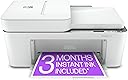
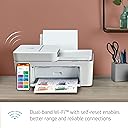
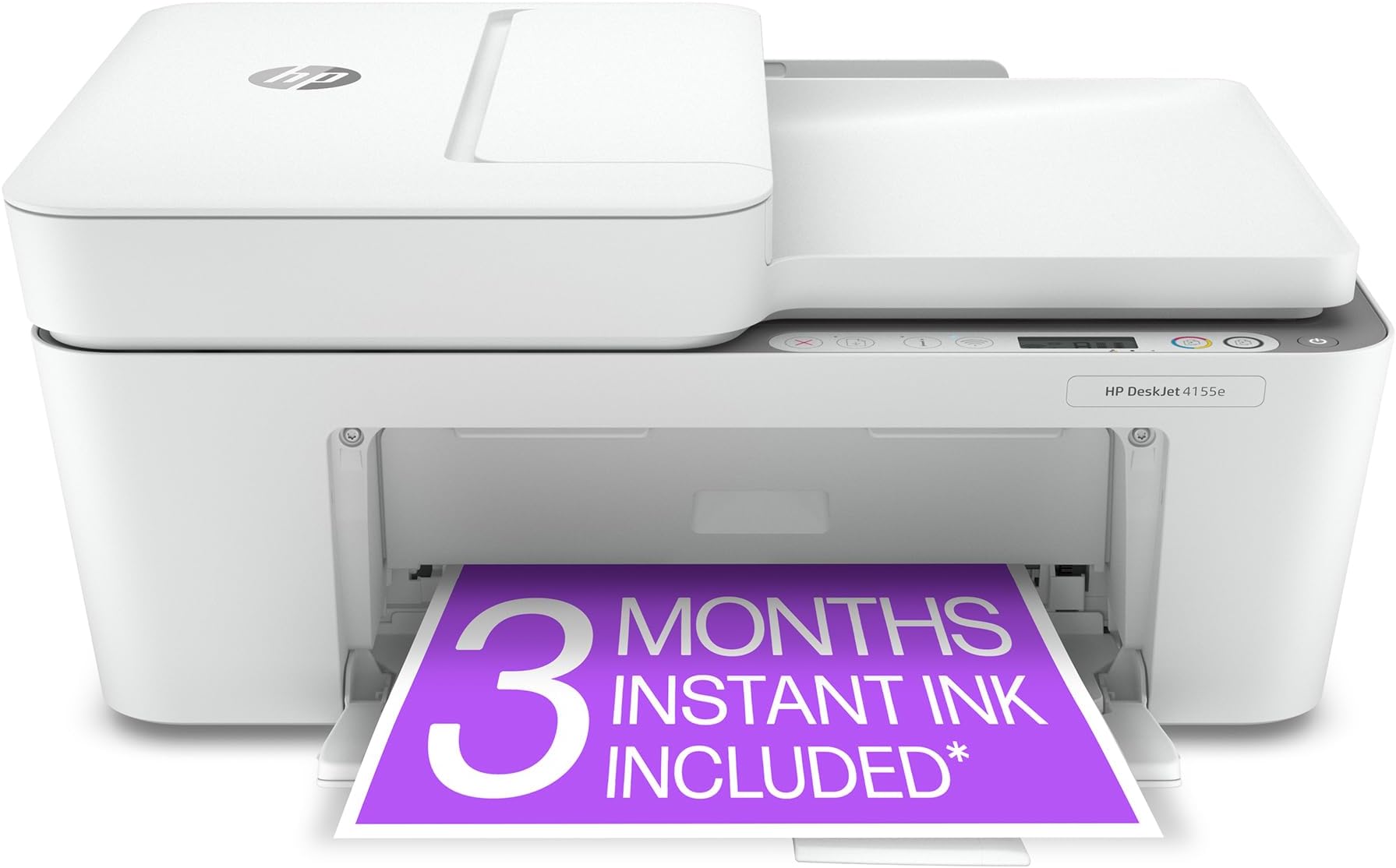
The HP DeskJet 4155e is a compact, wireless all-in-one inkjet printer designed for home use, offering up to 8.5 ppm black-and-white and 5.5 ppm color printing speeds. It features a 4800 x 1200 dpi max color resolution, dual-band Wi-Fi with self-reset, an auto document feeder, and mobile printing via the HP Smart App. Included is a 3-month Instant Ink trial for hassle-free ink delivery, making it ideal for millennials balancing productivity and convenience in a stylish white design.


| ASIN | B08XYRDSL7 |
| Additional Printer Functions | Copy, Scan |
| B&W Pages per Minute | 8.5 ppm |
| Best Sellers Rank | #57,644 in Office Products ( See Top 100 in Office Products ) #95 in Inkjet Computer Printers |
| Brand | HP |
| Built-In Media | 26Q90A HP DeskJet 4155e All-in-One Printer; HP 67 Setup Black Cartridge; HP 67 Setup Tri-Color Cartridge; Regulatory flyer; Setup guide; Reference guide; Power cord [For ink volume and page yield information, visit http://hp.com/go/learnaboutsupplies] |
| Color | white |
| Color Depth | 24 bpp |
| Color Pages per Minute | 5.5 ppm |
| Compatible Devices | Laptops, PC, Smartphones |
| Connectivity Technology | USB, wireless |
| Control Method | Touch |
| Controller Type | Android |
| Customer Reviews | 4.0 out of 5 stars 26,488 Reviews |
| Display Type | LCD |
| Dual-sided printing | Yes |
| Duplex | Manual |
| Hardware Interface | USB 2.0 |
| Ink Color | Dye-based |
| Item Dimensions D x W x H | 13.07"D x 16.85"W x 7.87"H |
| Item Type Name | Inkjet Printer |
| Item Weight | 10.6 Pounds |
| Manufacturer | HP Printers |
| Maximum Copies Per Run | 9 |
| Maximum Copy Resolution Black and White | 1200 x 1200 dots_per_inch |
| Maximum Copy Resolution Color | 1200 x 1200 dots_per_inch |
| Maximum Copy Speed Black and White | 8.5 ppm |
| Maximum Media Size | 8.5 x 14 inch |
| Maximum Print Resolution Black and White | 1200 x 1200 Dots Per Inch |
| Maximum Sheet Capacity | 60 |
| Maximum print Resolution Color | 4800 x 1200 dots_per_inch |
| Model Name | 4155e |
| Model Number | DJ 4155e |
| Model Series | 4100 |
| Number of Trays | 1 |
| Other Special Features of the Product | Auto Document Feeder, Cloud Print Enabled, Energy Star |
| Output sheet capacity | 25.0 |
| Paper Size | 3 x 5 to 8.5 x 14 |
| Print media | Envelopes, Glossy photo paper, Labels, Paper (plain) |
| Printer Connectivity Type | USB, wireless |
| Printer Output Type | Color |
| Printer Type | Inkjet |
| Printing Technology | Inkjet |
| Resolution | 4800 x 1200 |
| Scanner Type | Flatbed, Auto Document Feeder |
| Series Number | 4100 |
| Special Feature | Auto Document Feeder , Cloud Print Enabled , Energy Star |
| Specific Uses For Product | Home office use, remote printing, printing basic color documents |
| Total USB 2.0 Ports | 1 |
| Total Usb Ports | 1 |
| UPC | 195161618147 |
| Unit Count | 1.0 Count |
| Warranty Description | HP standard 1-year limited warranty, extended to 2 years with HP+ registration |
| Warranty Type | limited warranty |
| Wattage | 2.5 watts |
P**L
Not a good printer
This printer is a total waste of money. It no longer works, and I am really disappointed in the quality. I purchased this printer for my home office it worked fine for about three months. I didn't use it every day, however after about 3 months it stated getting an error message and it would not print. I had to reinstall the printer about three times and it would work perfectly. Now it does not work at all. I have turned the computer off and not use for weeks at a time just to see if it would reset itself, but it won't it just keep displaying the same error message. I am so sick of the printer. I did not purchase a warranty; I will make contact with HP to see if they will replace with something better.
G**M
Seems perfect for my limited color printing needs
EDITED 01/28/2025 TO ADD: I purchased this printer on March 21, 2022 (less than 3 years ago). It worked fine, until recently when a EE error code popped up and all the lights started flashing. I could reboot the printer and it would work again, for a little while. Then I started getting messages from the HP InstantInk people about my printer not being connected to the web. Tonight, I talked with HP Tech Support. Bad news! My 2.75-yr-old HP 4155e color inkjet printer is terminally ill. If it were still under warranty (which it is not), the rep told me they would just replace it because of this error. I'm thinking about it as if the motherboard got fried on a PC. Nothing to do but give it a decent burial. Dang it! This is a very serviceable printer. It did what I asked of it, until it didn't. HP Tech Support was straight-forward with me. But no joy. It kills me that I'm gonna have to pitch this in the garbage. I hate that about modern technology. "Just trash it." If you buy a HP4155e, I strongly recommend you buy any extended warranty or service plan such as Asurion Protection in hopes they will repair or replace your printer once the original warranty expires. ---------------------------------------- I don't usually need to do much, if any, color printing but my new "venture" as a Square Foot Gardening certified instructor has changed that. I need to print handouts for classes and doing color printing at Office Depot, UPS, etc. is extraordinarily expensive. Did a fair amount of research and determined that the HP 4155e would likely fit my needs just fine. Really glad I picked this particular model because it comes with SIX MONTHS of ink (no shipping costs) for free. I was excited to see, during setup, that I can do up to 700 pages of color printing per month during this six-month period. Thereafter, I can reduce my plan to as little as 10 pages a month for $0.99 and the option to "buy" additional copies as needed or to change my ink plan. Set up was easier than I expected based on some of the comments left below. Fortunately, I didn't have any issues at all with the install. I can now print wirelessly from my phone, my PC or my husband's PC. All in all, this printer has all the features I needed and I think the pricing for ink resupplies is reasonable, given my limited needs. Also, it arrived right on time (two-day delivery).
J**B
DISGUSTED WITH HP... DO NOT BUY THIS GARBAGE PRINTER!! GO TO DELL, BROTHER, ETC INSTEAD!!
UPDATE 4/28/2024: Although this printer was beyond the return period from Amazon, after I got the replacement printer which still was not working, I told HP that I did not want anything to do with that printer model and that I was requesting either a full refund or a different model printer. They offered me a credit towards a different model but wanted me to pay the difference. At that point, I did not want to invest any extra money in a HP printer so asked for the refund. The HP Escalation Team was very reasonable and communicated with me throughout the whole process of sending me a check for the exact amount I originally paid to Amazon and then asking me to send back the original printer and just discarding the defective replacement. This took a lot of phone calls from me to get to the Escalation Team but I was so done at that point once the replacement was not even working. So, I stand by the original review to AVOID this printer but HP does have excellent customer service and, in this case, they did everything I requested to make this situation right and give me some closure. I wouldn't write off HP as a company but maybe get a less flimsy and completely inept model. If you do get really stuck, contact HP because they did do their best to find a resolution and genuinely seemed to care after I kept insisting for a refund or different model printer. If you do contact HP with any issues, I recommend asking for a supervisor or referral for your case to the escalation team if it's something really serious or frustrating. Typically, you have to deal with customer service via a chat platform but you can request a supervisor there. The empathy I received from HP helped to defuse the situation and restored my respect for the company. Technically, I was beyond the return window and HP didn't have to do anything at all, but they listened t my concerns with sincerity. They first tried resolving it by sending a replacement printer and then supported my subsequent decision to get the heck out of Dodge and abandon ship. Thank you, HP! You truly do stand by your core values: "We are a technology company born of the belief that companies should do more than just make a profit. They should make the world a better place." ================================================= ORIGINAL REVIEW FROM EASTER 2024: This is the worst printer I have ever bought in my entire life! The first model had the top snap off from the tiny plastic hinge which held it, then I contacted tech support for HP and was told by the representative that they couldn't help me since it was a "customer induced" problem! I attached pictures; you can see the one cheap plastic that is supposed to bear all of the weight of the heavy cover -- feels like at least 2 pounds as it's lifted up and down. Then I explained that was inappropriate, accusing me of basically breaking the printer on purpose and calling me a liar! Finally after another hour of insistence, the representative agreed to send me a replacement printer which I JUST GOT delivered on Friday!!! Now it is EASTER SUNDAY and was just trying to photocopy a simple document to bring with me to the family gathering and am spending it with HP support again -- they want to troubleshoot why there are BLINKING RED ERROR LIGHTS and the printer keeps making humming sounds, moving around, not printing or photocopy, and now none of the buttons do anything when I press them! I contacted support, requesting a REFUND or a DIFFERENT MODEL and the representative just keeps saying they want to "troubleshoot" and do technical support!!! I never wrote a bad review on Amazon like this after almost 20 years of ordering on here. But this is RIDICULOUS, I never had so many ISSUE because of a PRINTER! No wonder why Amazon is offering it right now for 40% off, down to $60 from the $99 I paid for it!!! DO NOT GET THIS PRINTER, you will REGRET IT.. It is Easter and I am just so frustrated by this device! Why can I not click the PHOTOCOPY button like I have with every other printer I ever owned in my life and watch the printer spit out a simple black and white page? Even the PIXMA which I had for over 5 years never did this, and that seemed pretty cheaply made too! But the cover never broke off, and it never let me down! I've had DELL, BROTHER, CANON, EPSON.. none of them had the cover bust off just from trying to scan a document! Now I just get a replacement and then I can't even make a basic one-page photocopy? And then I have to spend HOURS trying to get support, entering my phone number 5 times to finally get to a live agent? YOU WILL RUE THE DAY YOU BUY THIS PRINTER!! DO NOT MAKE THE MISTAKE I DID! I am on the verge of just throwing this printer into the DUMPSTER for the satisfaction of being FINISHED with it this complete waste of $100 if HP does not give me a refund or send a different model!! I WISH I BELIEVED THE POOR REVIEWS ON HERE.. they are TRUE! I wish I had listened... please save yourself this complete mental stress and feeling of BETRAYAL that what I thought was a reputable brand, would let me down in SO MANY WAYS!! If you do choose to ignore my warning -- and again I have never left a review like this and do not think I even have left any negative reviews -- then when it BREAKS on you and you realize what a total piece of JUNK this is with its CHEAP lightweight PLASTIC and apparent electronic issues... then just remember this review.. and then you'll be in my position, leaving a negative review.. saying to yourself, "Darn, I really should have listened to that guy... he was RIGHT!" I've had a BROTHER laser printer for five years... it never let me down.. HP has let me down twice now in the space of FIVE MONTHS! Good luck.
N**H
Works...when it wants to
I'm a LONG time HP printer LOVER. I only buy HP printers. This is probably the worst printer I've owned yet. It has the WIFI option, which, to be honest, almost never works. It worked a couple times from my phone and laptop, but then it just decided it just doesn't want to work consistently. The scanner works marvelously, and if you hook it up directly to your computer, it prints pretty well. The amount of paper you can put in it at a time is like 10-15 sheets tops, else it gets jammed. A lot of times when I'm printing a multi-page document, it lights up so you have to press the page button for every page. Not sure why that happens randomly. Printer cartridges are super expensive (which I already figured) but they are available almost anywhere, which is nice. Definitely get the 67XL cartridge. The regular one doesn't last long at all.
J**D
Easy and affordable
For years, I relied on work printers for anything I needed printed or copied, but that changed when I got a Cricut machine, which really needed an inkjet printer. I didn’t want to keep abusing the office printers, so I turned to Amazon and found the HP DeskJet 4155e. I was a bit nervous after seeing some negative reviews, but I decided to go for it anyway. Honestly, I haven’t owned a printer since way before Bluetooth was a thing, so I wasn’t sure what to expect when I unboxed it. But the setup process was a breeze—thanks to the app guiding me step by step. I didn’t run into any connectivity problems, and the printer walked me through the alignment. Before I knew it, I was printing away! The print quality really impressed me too—the colors are vibrant, the lines are sharp, and while it’s slower than the big commercial printers I’m used to, it’s definitely fast enough for home use. I appreciate that it also scans and copies; I’ve been digitizing documents for years, so having that feature at home is fantastic. My only wish is that it could scan legal-sized documents instead of just letter size. As for the ink situation, I’m trying out the three free months of Instant Ink. I’m not sure I’ll need a subscription since I only print a few times a year, but the cartridges seem affordable, so I’ll see how quickly I go through them. Bottom line: This printer is a great deal for a name brand that does it all—color printing, scanning, and copying. Being able to manage everything from an app on my phone is a big perk too. And so far, I haven’t had any connectivity issues like some other users mentioned, so I’m hoping that continues!
A**L
Everything I hoped for!
I know some reviewers had issues setting this up so I was a little worried. But it was super easy! I'm old fashioned and I guess you can't get a printer that isn't wireless very easy anymore. I was worried about it being wireless...we've all had issues with internet, wifi, or phone issues since back when it it all began. I was hesitant expecting issues with signal, communication between printer and phone, iPad,etc. WOW! I am VERY happy with this printer/scanner!! I cross stitch and buy a lot of PDF patterns. I can just download to my phone and print! Also, the patterns in my magazines, I can scan and print only the patterns i want, and keep my magazines on the shelf. When I buy a paper chart/pattern, I can scan it for my working copy (so I can use a highlighter or pen to mark on it), and sell the original, or give it away and not have to ruin the original by marking it up or bending it with lots of use. I use the XL ink cartriges and print in 'draft' mode which saves ink, but prints just as good as normal mode. If you're printing photos you would want the better quality print mode of course. The app is super easy to use! I've had no issues with internet or communication from any device. The ink that comes with it prints quite a bit depending on the settings you choose for draft or quality print, and if you're printing a lot of color pages, the ink does go quickly. I put a new color and black XL cartridges in and printed 70 pages that were full pages of dark browns and dark colors filling each whole page. My ink levels are low but still printing all colors and black with no lines or fade looking color like it will when you are at the end of your ink and keep printing till its so faded its time to change ink. Yeah, I get my moneys worth out of my ink...I first print what needs to be clear and perfect and when ink starts looking light, I print what isn't so colorful, and doesn't have to be perfect just able to actually see it or read it until it prints that page that is a 'I can't tell what's what on the page' or it starts getting really light and makes weird line breaks in the color. Over all, this is a great printer/scanner! I am very happy with it. Take your time setting it up and do every step properly as you go. One tip I learned a couple days ago: if you change your wifi password, you will have to remove the printer from your app, and reset it up as you did out of the box...but it only takes a couple minutes. The most frustrating part of that was the time I spent trying to just go into the app and change my wifi settings for a password change. I couldn't find anything for that, and I'm not too fond of 'tech support' no matter what item,brand,service,etc. So there may be a way to do that without removing it and resetting it up, but that worked for me without having to deal with tech support.
B**N
Frustrating , always a different issue
I purchased this to replace an old HP printer that was starting to have problems after a decade or so of use . Setup was a nightmare , my PC was a Lenovo mini PC running Win10 and it has built in WiFi as well as LAN . It absolutely wouldn't connect to the printer and it turns out that you can't connect to the printer if you have the LAN connected , and this is every time you want to print something you have to disconnect the LAN . I get it all set up and it seems to work okay , I used it once to print an all black return label for something and it goes fine . Then I get a new HP mini PC running Win11 and have to set it up again on that . It had the same issue that you have to disconnect the LAN to connect and when I do , the printer is telling me that the color printer ink is empty after never using it . So I shut everything all down and try it again and recalibrate the printer , and the color printer ink isn't communicating . They are so worried about selling you more inks and so worried that you'll use another brand of ink that everything is over monitored and an issue . Not recommended . ** Update 3rd time that I used it , it wouldn't print again , imagine that . This time it showed up as Ready in the app , but wouldn't show up as an option in the actual print window , I could only download and save to PDF . The app diagnosis was that there was no driver , windows said that it was the proper driver so I removed the printer and reinstalled it from the device manager and that finally got it to work . And my final gripe is that every time that I've printed it's also automatically doing a printer alignment and calibration which prints out a calibration page which wastes your ink and your time . It doesn't ask if you want to do it , it just does it on its own . NOT recommended . **Final Update - Fourth time that I've tried to print a simple shipping label and it won't work again . The app says it's ready to go , of course it has to print an alignment sheet and do an ink and paper wasting alignment before I can start which somehow it manages to do fine every time , but when I try to do my actual print it said that it was out of paper , which it wasn't . I took the paper out and replaced it and now it just prints blank pages . It currently says that it has ink and makes all the usual printing noises , but it just spits out blank pages when it's not having paper feed problems . I did a printhead clean and removed the black ink and given it a good shaking and reinserted it and done test page prints and still no black ink . I believe the still new black ink has stopped working , I am going to buy a printer of another brand and take this HP outside smash it with a rock , it's not worth buying another ink to try . It's the most useless piece of e-waste that I've ever purchased hands down . -Ordered a Canon MegaTank , it couldn't possibly be worse than the HP , it is several times more expensive though .
D**7
Shop around, this is a super deal on Ink Cartriges.
Bang for the Buck, this is a great product at a great price.
C**L
Free Ink? Yes please!!
This is absolutely the best deal you can get for a color printer, first off the printer is an amazing price, secondly it comes with 3 months free ink! (The first shipment takes a bit of time after signing up, but after that the ink just keeps on coming!!) Plus if you stay subscribed you pay as little as $1.5 a month for ink! The quality of the printer is perfect and I've printed well over 100 pages already. So happy with this purchase. Only issue was the setup took a while, the printer doesn't have the best UI so if there is printing issues it's difficult to debug. When in doubt, power off and power on (sometimes it takes up to an hour after turning back on to reconnect to all services).
J**A
Origen del producto
Al comprarla no cheque su origen USA y he batallado mucho para conseguir los cartuchos de repuesto en México ese modelo no lo manejan
O**N
Great product for a great price
I recently purchased the HP printer from Amazon and I'm very happy with my purchase. The setup process was easy and straightforward, and I was up and printing within minutes. The print quality is excellent, with clear and sharp text and vibrant colors. The printer is also fast, delivering pages at a quick pace. I appreciate the ability to print from my phone or tablet using the HP Smart app, making it convenient to print from anywhere in my home. One thing that I really like about this printer is its compact size, which makes it easy to fit on my desk without taking up too much space. The paper tray can hold a decent amount of pages, and the printer is compatible with a variety of paper sizes. Overall, I highly recommend the HP printer for anyone in need of a reliable, high-quality printer that is easy to set up and use.
L**E
Beware of the free ink scam
The printer was easy to set up and works well over wifi. The only reason I’m writing this review is because of the stupid free ink deal. So yes, you register to get the one month of free ink. Sign up with the hp website and give your credit card information and they send you out a new set of cartridges! Woohoo! Where I went wrong was saving my ink and not using it all up as fast as I could, you know, be reckless in these expensive days! Well, I turned off my auto renewal because I did not need the $9/month services they provide. After all, 2 new cartridges would last me a while as I really only ever print return labels and the odd thing for my high schooler. After my 30 days ended, and I had already run out of ink, I decided to stop being cheap and finally put in the new cartridges. Hahahaha! Joke was on me! I went to print and got an error code with flashing everything, it printed off a sheet… telling me I had to renew my payment information or insert a store bought set of cartridges. But why? I have 39 days worth of free ink right here! No no. You had 30 days to use your free ink or lose it forever! Yes, that’s right. The technology is so advanced now that your printer can read the info on the cartridge and know that it was from an expired subscription and refuse to use the sweet sweet nectar trapped inside. So what did I do? I did what I always do, I open my Amazon app and bought more ink, and luckily it was on sale, so i could print off a return label to send something else back to Amazon. What do I do with the useless ink cartridges? I’m sure you’ll be pleasantly shocked to learn they recommend mailing them back to HP to “recycle” them. Nope. They’ll go down in flames with me, for that is MY ink, and I will not give them the satisfaction of using them to their advantage. So my friends, if you’ve made it this far.. do not repeat the error of my ways. Live a life of luxury and print any and all things your heart desires. Go hard and get your moneys worth.. for in this instance, it does not pay to be frugal. TLDR: use your free ink immediately before your “1 month free” expires, because they will no longer work despite how much remains. Freaking awesome, I know.
A**S
Ink didn't work - dried up and new catridges won't work. I think I was sent a dud.
I bought this printer a while ago and just got around to setting it up. Both my the inks that were included are dried out so now I have to wait to use it until I am able to get new ink sent. One of the perks of buying a new printer is that it comes with ink. I have now received the new ink and it is still saying that there is a cartridge error. I have been unable to print anything :) I would like a refund or to have a new printer sent to me. I have instaink services so I am now paying for services that I cannot use. Very disappointed.
Trustpilot
2 weeks ago
2 weeks ago