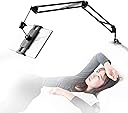
🛏️ Elevate your chill game—hands-free, hassle-free, and totally binge-worthy!
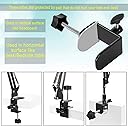
This adjustable tablet stand features a sturdy aluminum arm with 4 joints and 360-degree rotation, supporting devices from 4.7" to 12.9" up to 1500g. It clamps tool-free onto surfaces up to 52mm thick, making it perfect for bed, desk, or any vertical/horizontal setup. Compatible with the latest iPads, iPhones, Switch, Kindle, and more, it offers versatile, ergonomic viewing with a 3-year warranty for peace of mind.


| ASIN | B07P8YHKLF |
| Best Sellers Rank | 3,498 in Computers & Accessories ( See Top 100 in Computers & Accessories ) 37 in Tablet Stands |
| Guaranteed software updates until | unknown |
| Item model number | VFD684RR |
| Manufacturer | Samhouse |
| Package Dimensions | 42.79 x 16.1 x 6.2 cm; 930 g |
M**S
Sturdy and adaptable
I purchased this to hold an iPad which I use as camera 2 into Zoom when teaching guitar. It can be positioned easily and quickly and also works with an iPhone. It is well designed and sturdy and very versatile. It is attached to my computer desk and folds/swivels out of the way when not in use. It is also very easy to remove and refit so is no hassle to store away when not in use. The price is very reasonable considering the build quality. I’ll be buying another one to add a camera 3.
A**S
One of the best tablet stands - highly recommended
Over the years, I’ve had a few stands for my tablet/Kindle but this is a standout one that’s admired by many visitors. Firstly it’s very well made from strong materials; fully adjustable in all directions; robust and sturdy in use; and can be moved out of the way in a trice. The second point, and one of the most important in my view, is it’s manoeuvrability. There’s a world of difference in weight and size between my iPad Pro and my Kindle, but this stand copes with both with no difficulty. It grips both well with virtually no change of them dropping, and it almost flows in it’s movement when you want to adjust it. I like that you can fit it to a vertical or horizontal surface and, as my preferred spot (as you can see from the video) is on the side of a cup stand on the arm of a soft leather armchair. Because of the fittings, there is no chance of damage to the chair’s arm and if I remove the stand, there are no marks left in the leather. The reason for this is that it uses plates rather than round screw ends to hold it in place, causing no damage to the surface. I cannot recommend this highly enough! - superb!!
J**9
Ugly but perfect for laziness
Loved the idea of this and while it's great for laziness 🤪 it's bulky and heavy. Rather unsightly BUT it's good quality, holds my kindle paperwhite perfectly and alsonmy samsung tablet.
A**L
Daily use and a product image that is honest
I have to admit, I was quite surprised by this product. I have an old iPad air 2 that I solely use for sticking YouTube on the fall asleep to. This iPad has spent its life in one of those metal "love mei" cases, which I think has helped it live as long as it has. After falling asleep and dropping this on myself a few times, I knew something had to be done. This is the third tablet holder that I have tried for this setup, and I can safely say that I am yet to have the iPad fall on my head. The build quality is sturdy, with additional thumb screws that let you add extra tension to joints. The numerous joints allow for the tablet to be angled in every direction I have needed while tossing and turning. But the biggest positive point - the tablet is held very securely, and is easily slipped in an out (enough space in the gripper to hold my tablet securely and leave room to get it out without having to force it). The only downside of the design is the main screw securing the base - I imagine they've designed this for thicker tables or surfaces. With this being attached to my headboard, and there not being enough space behind the bed for the screw; this has lead to some close calls with me not paying attention. A small price to pay in comparison to the ease of use, and grip it provides.
S**E
Arm is loose
It sort of works .... It does hold a phone or tablet, But when you try and bend the arm to position your tablet to watch the arm is loose and just drops back down every time.
L**D
Tablet holder
This is an excellent tablet holder. much more sturdy than my old one. still moves a little when typing, but very manageable.
G**M
Totally adjustable
Great for both tablets and phones, it firmly holds both and is easy to remove them too. Easy to charge your phone or tablet while in place. It really is adjustable to any angle and you can easily adjust the tightness of each angle joint for perfect viewing.
P**L
Sturdy item
Great for the price. It’s sturdy and well made. My only warning is, if you have a metal bed frame and not a square edge frame. The clamp will not hold on a circular frame. I’ve used the bedside table to secure it instead. Works fine.
D**E
Updated December 2023: 1st unit still holding up as good as the day it was bought. I Just bought a 2nd unit for my home, for all the original reasons stated below in the original review. These tablet arms are incredibly handy and useful, I found myself constantly moving mine around to different rooms where I needed it. Decided to buy a 2nd one (I'll probably buy a few more yet eventually). Bought this for holding an Amazon Fire HD8 Tablet and a portable 13" secondary flatpanel monitor screen holder. The product is EXACTLY as the promo images display. This review might be a bit on the long side however i'll cover several uses i've found to be really handy that nobody sofar has mentioned in their reviews. I'm very impressed by the build quality All metal frame, springs and bolts, including the whole bracket clamp. Only non metal parts are the plastic knobs ends on the tension-bolts, the spring loaded tablet clamp grip assembly, and tightening nut at the back of that clamp grip assembly, and silicon pad on the bracket clamps themselves as to not damage or leave marks the finish on any choice of furniture you chose to mount the base on, whether it be it a bedside night stand, headboard, coffee table, countertop, table, glass top table or glass-top coffee table or wall shelf; or just about anywhere else you can think of. The base bracket clamp has 2 socket mounting options to clamp onto - horizontally (ie: table ledge) or vertically (ie: headboard), and the clamp has a full minimum 1/4" to 3" maximum clearance to accommodate some very thin (glass top coffee table) and thick mounting applications like a headboard. The tablet stand is very sturdy, while priced affordably. The Tablet stand has 6 tension-bolts: - one for the clamp plate adjustment screw, a good sized thick round knob with 5 deep finger sized indentations that allow you to firmly grip and tighten the clamp to the surface/ledge/etc spot you have chosen. It doesn't matter if you have small or large hands, thin or thick fingers, or wearing gloves, you'd have no problem or issue getting a solid grip on this knob. - one on the base clamp bracket with 2 holes - one for each orientation which will secure the tablet stand, preventing from swinging to either side if you prefer or require a "fixed" placement of the arm. - three on the remaining arm hinge joints (base, middle end), which lock the 2 arm sections in the position you want them - one on at the very end that connects the end of the tablet arm with the 2 sets of short metal rods, with one of the rods ending in a ball-joint to the backplate of the tablet gripper assembly. The tablet arm comes neatly folded inside a small box, with a easy to understand set of instructions, Assembly is very minimal, and that covers both the horizontal or vertical orientation of the base bracket clamp, and the attachment of the spring loaded tablet gripper holder assembly - which is a plastic nut and a ball-joint / ball-joint socket. Setup of the tablet arm is very simple, once choosing an adequate spot/surface/ledge to tighten the base clamp onto attaching that tablet gripper assembly and inserting the tablet arm into the rod, it's merely a matter of positioning the tablet arm and tightening those tension knobs, and lastly your tablet or display device between the pair of padded grip holders. As advertised, the spring loaded tablet clamps will accommodate devices within 5 3/8" to 11" size, as the clamps extend just a little past 11". - Both clamps measure at 2 5/8" wide across. - The rubber padded lip has a full 5/8" of depth for gripping onto whatever phone, tablet or screen that will fit within the 5 3/8" to 11" measurement. - Both top and bottom lips are slotted across inside to accommodate most usb charge cables and headphone cables, The slot measures about 1 3/4" wide by 3/8" deep, should the device your using (a phone or tablet) require charging; and/or should you want to plug in your headphones - The springs in those clamps have a considerable amount of tension 'clamping force' that will keep your device/tablet/screen securely in place if it gets accidentally bumped. Testing and using the tablet arm, I use this tablet arm with 5 different devices, in several different setups: 2 brands / sizes of smart phones, one of them being 'phablet' in size with a 6" screen, both phones with protective cases on. I found removing the cases was unnecessary. The phones are held in the typical portrait mode, and the usb cables I have on hand, do have enough clearance through the inner lip slot, and also able to comfortably fit 3.5mm headphone cable as well. Amazon Fire tablet HD8, in both portrait and landscape modes, the spring loaded grips extend wide enough to hold the HD8 on both long or short edges (8 1/8" x 5 5/8"), and the spring tension has enough to hold the tablet snug and firm, even while the tablet is within its case. Alternative Pc / Laptop display mount: For people who use their laptops while laying down in bed and get tired of constantly bending their neck down to look at the screen, I tested a 15" portable monitor (Amazon has a bunch in the store here - just search for 'portable monitor' ), the only caveat here is you'd need to have a hdmi + power cable extension or single usb cable long enough to reach said computer / laptop / video source and use zip-ties to fasten the cables neatly along the length of the arm to keep things tidy. That being said, this Tablet Stand is a very unique and convenient solution, allowing the person to comfortably lay back in bed and keeping their neck in a more neutral posture position. No more sore necks, and your neck will thank you. Alternatively, this Tablet Stand works great clamped to the side of the computer desk or livingroom end table to mount a portable 15" monitor for use as a secondary or third display screen when desk space / workpace is cramped, limited or simply unable to fit an extra display screen. A person could buy and use 2 of these and have a 3 monitor display spread on a desk/workspace that's only big enough for a single monitor or laptop. I've tried this and it works wonderfully in my livingroom - sitting at the end of the sofa or in the arm-chair with an end table off to the side, I'm able to use the laptop with a second screen, and have the second screen positioned exactly where I want / need it. This is also true when needing a third arm and spare hand to hold your cell phone or tablet while working in tandem with your laptop. Its a great hands-free device holder and mount. I also have a 2-in-1 convertible 11.6" sized chromebook (brand unimportant, 11.6" is a common chromebook size), that has a touch-screen and the screen lid folds a full 180 degrees to the other side / backside of the keyboard converting from laptop to 'tablet mode' . The outer dimensions of the chromebook is 8 1/8" x 11 3/4", and the tablet arm grippers does accommodate the 8 1/8" 'landscape' orientation without issue. There's enough 'lip' on those grippers, and this tablet arm is rated for up to 1500grams (1.5kg / 3.3lb), which is within the weight of the chromebook i have. The Chromebook is arguably the heaviest of the devices I tried, and once those tension knobs are tightened, there's only a slightest bit of jiggle/wobble if tapping the screen with your finger using one of those android screen styluses. The ball-joint socket at the back of the tablet gripper assembly is also quite sturdy, I'm able to tighten the nut enough so that the gripper plate is stiff and holds the position you set it to, wile at the same time still able to tilt / adjust whichever device I'm using to a comfortable viewing angle.
M**M
Struggling with this product since i received it. Does not secure the tablet enough and wobbles all the time. How to return it??
M**N
It does its job well. So well in fact, my dad wants one too. So I ordered a second one! Installing was easy. Great for watching videos handsfree and reading novels with auto scroller/remote. The phone stays in place without moving. However it does shake quite a bit if you do intend to touch the screen by hand so definitely would recommend one of those phone remotes/controllers or something similar.
O**A
Tengo un Smartphone rugerizado no apto para las dimensiones de este dispositivo ya que tiene un grosor de 18 mm pero aun así lo sujeta bien aunque por lo mismo, no puedo conectar su cable de carga, tambien sujeta muy bien una Nintendo switch sin los joycon
M**Y
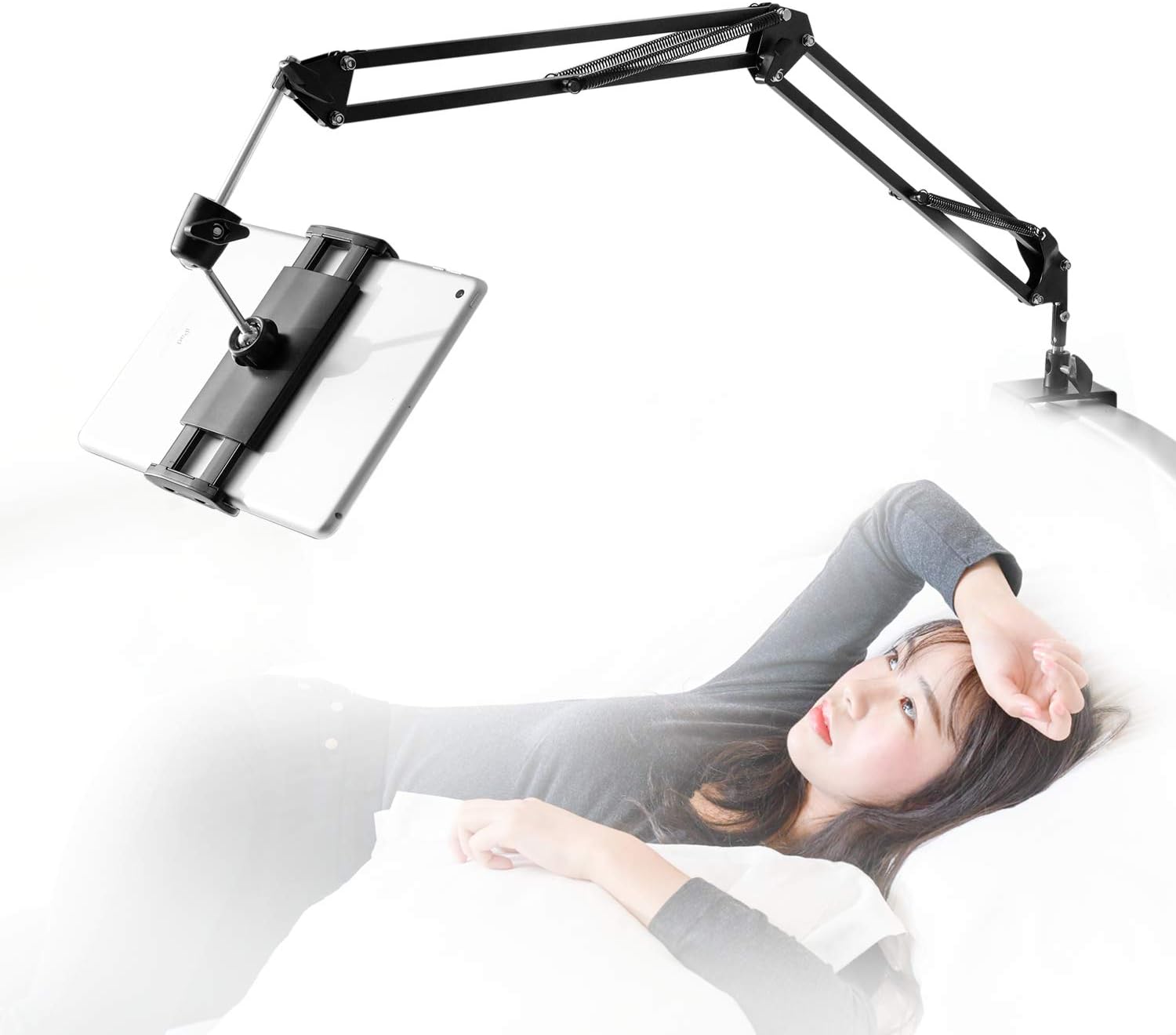
Let's start with some basics so you understand if this review is for you or not. I use an iPad Pro 12.9", and I use it mostly for reading technical material. So any sort of "holder" that I utilize has to support that level of weight, and has to support the iPad in portrait mode. Out the box this is a mediocre stand, just like others I have tried. For example the gooseneck stands can't really support the weight of the largest iPad and are a hassle to maneuver into place every time you use them. So how did I convert mediocre to perfection? Look at the photos! The first step (thank you some other reviewer who gave me the idea!) is to deal with the iPad mounting. The mounting that's supplied by the manufacturer is a pain in the ass to use, requiring an effort to slide the iPad in and pull it out on every use. Solution is to get a magnetic mount. Amazon is kinda weird about including URLs, but look for "ORASANT Strong Magnetic Tripod Mount". That supplies the "head" that's at the very end of my setup, holding the iPad. How do you connect it? Well look at how the mount connects to the arm that you have just bought. At the very end, the mount that holds the iPad, has a little neck, a screw ring, and a holder that holds a mini-ball-head thats connected to the final metal rod you see just before the iPad. You unscrew that ring and can pop the mount off the ball head. A similar setup connects the magnetic part of the ORASANT mount to the plastic holder that it sits on. And (yay standards!) they are identically sized ball heads. So just swap the one for the other! If you look at my second photo, the focal point of the photo, the black magnetic mount in the lower third of the picture, is the ORASANT mount connected to the rest of the arm that you've bought. At the very end you see the three-fold magnetic head, then right behind the head you see a black ring. Unscrew that ring and you have the ball-head that connects to the rest of the arm. Step two is your need your iPad to hold onto the magnetic mount, meaning you need to attach some thin iron sheets to its back, as you can see in the photo. I attached two "sections" of iron sheet, the upper section is for holding the iPad in portrait mode, the lower section is better for holding it in landscape mode. Since I use a Smart Folio as my iPad cover, it's very easy to pull the Folio off the iPad (it's connected by magnetism around the edge of the iPad Pro) and pop the iPad onto the magnetic mount, then to pull the iPad off the mount and pop its cover back on. You will obviously think this so, yes, I tried some obvious short cuts! Is the magnetism around the iPad edges (used by the Smart Folio or the Magic Keyboard) strong enough to hold it up if you bought maybe a cheaper mount with just an iron based? IMHO that's unsatisfactory because you can't really position the iPad nicely with it hanging by its edge. Just buy the magnetic mount, it's not expensive! Can you stick the iPad to the mount with its Smart Folio on? Not very satisfactorily! You can kinda just get it to work, but the magnetic strength through the additional thickness of the case is weak enough that the slightest wrong touch makes it fall off. But without the case the connection is very satisfactory and does not feel at all fragile. You can find the sorts of thin iron plates you need by doing a search for "Metal Plates for Magnetic Car Mount". OK, at this stage we now have a great connection from our iPad to this mounting arm. What's the next step? You will see photos showing various mounting options (and to be fair, the vice clamp that the arm comes with is pretty damn well designed, very flexible and capable of clamping onto a lot of different things. But I found that all the obvious options I tried (variants of nightstand on the side, or behind the headboard) were all unsatisfactory. The nightstand angles were always wrong, and clamped to the headboard the iPad was a few inches too close to my eyes for comfortable reading. This may not matter to you depending on your eyes, or whether you are watching movies lying down, rather than reading while somewhat vertical. But to me it made the product so close but still useless :-( Hence the last stage. You'll see I mounted a bracket on the wall that projects about ten inches over the bed, then I clamped the arm onto the end of that bracket. (This was just a bracket I had lying around, I'm afraid you will have to look for something similar in your garage or at Home Depot.) It's obviously not QUITE ideal -- you can (and I do) swing the arm all the way around to against the wall when it's not in use, but you still have that bracket sticking out ten inches, and if you share a bed that may be problematic. But for my use of the bed I have not found it to be a problem, mounting it as I did towards one side of the bed (not the middle). In the last photo you see the arm rotated away against the wall. The payoff for all this (about $50 in parts and half an hour with a stud finder and a drill) is a system that feels astonishingly good. The arm is robust and stiff, the iPad sits still where it should, and it's very easy to position the iPad exactly where I want it so that I can read for a long time without getting tired.
Trustpilot
2 months ago
1 day ago