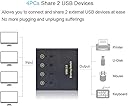
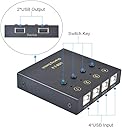
Edit/Addition: The more I use this device, the more I like it. While this device lacks the video switching of a true KVM (my solution to that is a separate HDMI switch for sharing the video), this hub does appear to handle all my USB switching needs. And to get around the limit of 4 "device" ports, I was able to put a 7 port USB hub (with individual port on/off switches) on one of the device ports of this hub/switch. By using the hubs this way I now have 10 device ports vs the 4 that came with the hub. This is more than enough device ports to make a very useful "docking station" for 4 different "computers" in my home office. FWIW: I am currently using 3 of the "computer" slots on this hub (to a Chromebook, an XBox, and a USB docking cable for my cell phones) and plan to hook up the 4th computer slot to the Raspberry Pi I am in the process of building/configuring. As to devices this hub switches, I currently have hooked up: a keyboard, a mouse, the 7 port hub, a headset, a webcam, a game controller, a USB flash drive, and a USB printer. With all these devices hooked up to any "computer" on this hub, I see this hub as a very useful "docking station" for my devices (with additional free USB ports available for future expansion). ------------------------------------------------------------- I got this because I'm about to add a 3rd "computer" to my home office (I've got a raspberry pi on order), and therefore my 2 computer USB switch will no longer do the job. I like this model, because it is rated for USB 3 speeds (whereas a lot of these USB switches are slower USB 2 only), is powered (i.e. has an option to add additional power to the USB hub), and lets you switch 4 USB devices among up to 4 "computers" (whereas a lot of these USB switches only allow for 2 computers). And as an added bonus, any of those "computers" will see an extra USB sound device, that you can send the sound to (i.e. this "hub" even has a built in USB "sound card"). I just got this hub today and hooked it up a USB keyboard, a mouse, a web cam, and a USB headset on the device side of this hub. I then had the "computer" side hooked up to my chromebook and my XBox. When I tested on the chromebook (with the hub switched to the chromebook) all 4 devices were seen and function (and I even got a new sound output device on the chromebook, which correctly sent the sound to this hub's sound support). And when I tested it on the XBox, both the keyboard and mouse were seen and functioning (I didn't expect the sound devices to work on the XBox, because the XBox doesn't have drivers for USB sound). So all the tests I could do with my currently equipment were fully functional! Since I have no reason to believe the other two "computer" connections on this hub won't work (it is after all rated for up to 4 computers), I plan to hook this hub up to the raspberry pi I'm getting soon (so the pi will be the 3rd "computer" on this hub). By using the switch this way, I can avoid having redundant USB devices use up the limited space in my home office while still having access to these devices when needed. NOTE: I did run a brief test of plugging a 2nd (unpowered) hub into the device side of this hub, and it seemed to work. Specifically my chromebook still saw and used all 4 of my devices, even though they were now plugged in via a 2nd hub. So it looks like I'll be able to use that option (of daisy chaining USB hubs), should (in the future) I get more USB devices I wish to share between my various "computers".