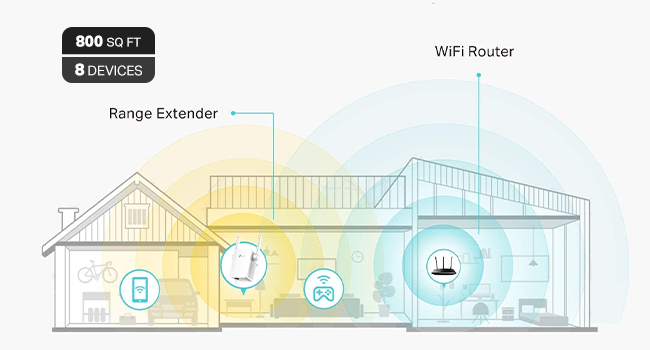
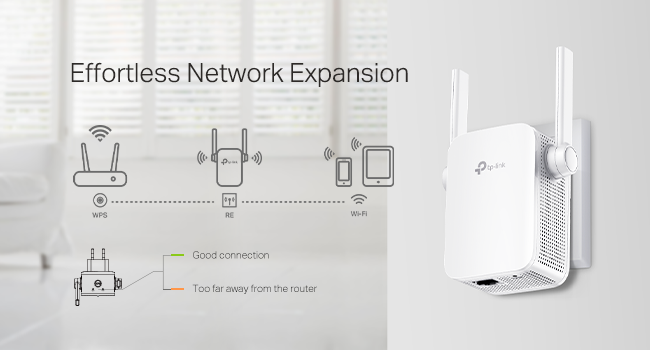
So everyone: I just read an online article about WiFi. It was from a very popular gadget blog. It listed several things that people with WiFi problems should NOT do. High up on the list of things not to do is try to solve a WiFi problem with a WiFi extender. A WiFi extender is a device that accepts a weak WiFi signal and amplifies it, thus extending the signal further than the router originating the WiFi signal does. The article instead recommended that you replace your old router with a shiny, brand-new one. Maybe one of those new mesh systems, or one with WiFi 6! I've been noticing a lot of articles like this recently and sometimes that advice is good. It depends a lot on your situation… which is different for everyone. What I am here to tell you about is, when it is time to call bullshit on this. Practically all of these blogs have an interest in you buying equipment through a link they provide. In exchange, they get a small cut of whatever you buy. It's not a big deal— it usually doesn't affect the objective information they provide— but sometimes it is obvious that it increases the pressure to sell devices or equipment that you really don't need. In my 1000-square-foot condo, I am using Apple's Airport Extreme router. It's 5th generation, introduced in 2011. I bought it used from a UW student in Seattle. It was fine until we moved into this condo and got a bunch of voice-activated, "smart" devices like lightbulbs and cameras, all connected to the router's WiFi signal. Many of the devices were installed through multiple walls or otherwise distant so they got weak WiFi signals from the Airport Extreme router. I wound up running an Ethernet cable under baseboards and over doors from the router at the back of the condo to the front. At the farthest end, I installed a switch and a very cheap hardwired access point (AP). At the time it cost about $60 total and about 1 afternoon. It was fine until I installed WiFi cameras in and outside the garage. The garage cameras and Google speaker were at the edge of the Airport Extreme's WiFi range, even with the access point at the front of the building. I decided to get another WiFi extender to daisy-chain the AP's WiFi signal to the garage. Then, last weekend, I came across the article I mentioned. Right at the top of the list it said, Don't Use WiFi Extenders. Instead, it urged buying (admittedly good) new routers or mesh systems to replace your old router. That sent me soul-searching about whether to replace my old, used Airport Extreme with a Google Nest mesh 3-component system (on sale for $140) or to go with my original idea: an $18 WiFi extender from Amazon, plugged into an outlet in the garage and using my existing AP's signal. I finally went with the $18 approach. I installed it in the garage yesterday, then did a status check afterward with a WiFi app on my phone. The results knocked me out. The WiFi signal-to-noise ratio on my network was suddenly the best I could receive in the garage. The network congestion is terrible in my neighborhood. Previously, my next-door neighbor's WiFi came through clearer in my garage than my own network. But installing that extender meant that my network's signal sliced through nearby foreign networks loud and clear. The link speed on the farthest device (mounted just outside the garage door) is 130 MB/s. That is a lot less throughput than a new router would provide, but it is more than fast enough for my streaming cameras and that Google speaker. The signal analysis picture I uploaded shows the extender using the AP's wireless signal through two interior walls, but only about 3-4 yards (2.4-3.7 meters) apart. Now, I admit: I would like to buy a new router with all the bells and whistles. But man. It's hard to turn my nose up at such an inexpensive solution that works so well. The garage camera video streams now pop up instantly on my network feed, and all's right with the WiFi world.