Buy anything from 5,000+ international stores. One checkout price. No surprise fees. Join 2M+ shoppers on Desertcart.
Desertcart purchases this item on your behalf and handles shipping, customs, and support to Italy.
🎥 Capture the Past, Share the Future!
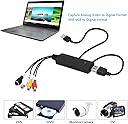
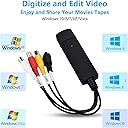
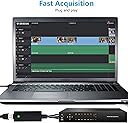
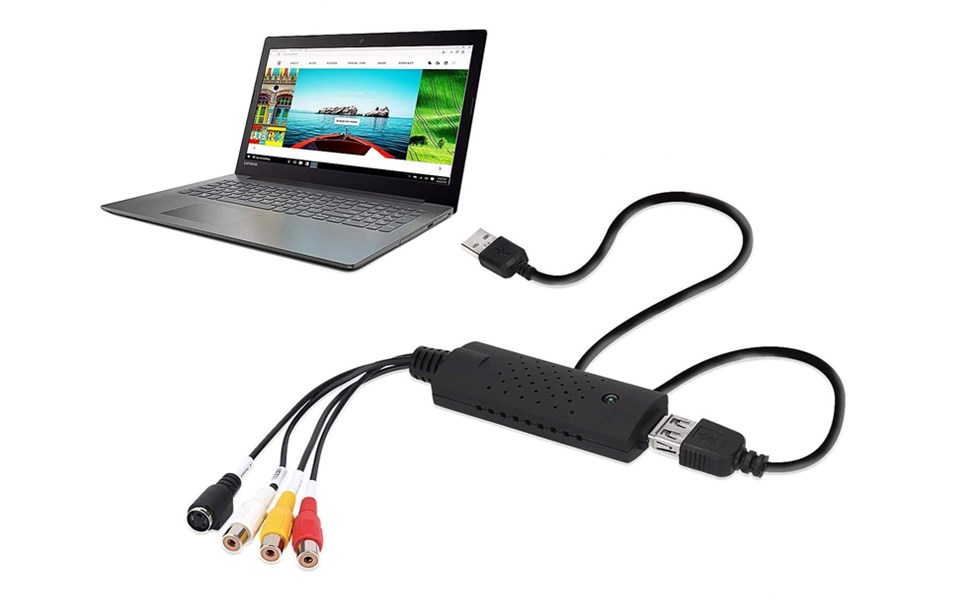
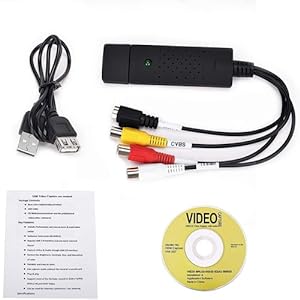
The USB Audio Video Converter allows you to easily transfer and digitize video and audio from a variety of analog sources, including VHS, VCR, and DVD, directly to your Windows PC. With a user-friendly plug-and-play design, it supports multiple video formats and offers adjustable settings for optimal quality. Perfect for preserving your favorite memories in a modern format.


| ASIN | B08C9T5M37 |
| Best Sellers Rank | #228 in Video Converters |
| Brand | TCNEWCL |
| Compatible Devices | Virtual Reality Headset |
| Customer Reviews | 4.0 out of 5 stars 1,439 Reviews |
| Hardware Interface | USB |
| Item Dimensions | 3.46 x 1.1 x 0.71 inches |
| Item dimensions L x W x H | 3.46 x 1.1 x 0.71 inches |
| Manufacturer | TCRAYCH |
| Mfr Part Number | VC149B |
| Model Number | VC149B |
| Operating System | Windows 7 |
| Platform | Windows |
| UPC | 783914036524 |
| Unit Count | 1.0 Count |
E**D
Helped me Digitize Home Video
I used this adapter to move old videos from a handheld camcorder to my PC. Windows 11 recognized it right away and I had no issues hardware-wise. Still need to have the right software for your project. If you have video you want to move to hard drives or the cloud and the other device has RCA or S-Video out, this adapter works great.
M**A
AMAZING PRODUCT
worked like a charm!! i was a bit confused at first but definitely following the instructions helped!! i was able to recover a lot of vhs videos!
J**M
Good Enough
I’ve never used one of these devices before, so my opinion should be completely disregarded by anyone with any level of intelligence. “I haven’t always been like this. Flabby and weak and full of self doubt. When I was 18 I was strong and lean and didn’t take crap from anyone. I wrestled my way across the state of Georgia, leaving a trail of defeated and deflated opponents in my wake. Did I mention I was the starting goalkeeper for all 4 years of high school? We went undefeated my senior year until finally losing our first game in the state semi-finals. I could punt a soccer ball 70 yards like there was nothing to it. Why are you looking at me like that? Are you laughing at me? I can prove it, it’s on these tapes!!” My 7 year old daughter giggled at me as I struggled to open the package that had just arrived containing the generic, no-name video capture device that would finally set free hours of glorious VHS and 8mm footage of her dad in his glory days. Not surprisingly, my daughter had no idea what I was up to. The concept of a magnetic tape containing ancient video of her even more ancient father when he was no older than her big brother was nowhere near her well of practical knowledge. But she is very sweet, and she loves her dad so she sat patiently and a bit curiously to see what I would do next. As I finished making the necessary connections between the creaky, dusty 8mm camcorder that somehow still turned on and the capture device now snugly inserted into a USB port on the side of my MacBook Pro, QuickTime displayed a small blue window with the word “Play” appearing all pixelated and analog in the upper left corner. I was recording this window and it was showtime. I pressed play and held my breath. And it worked. No fiddling with settings or downloading software. QuickTime recorded what was on the tape with ease, creating massive .mov files on my desktop that were easily imported to Adobe Premiere Pro for editing and cleaning up. The video is only as good as the camera it was recorded on and there is a lack of detail that is unavoidable, but with some careful manipulation in Premiere to correct the color balance and “upscale” the low resolution source material I’ve been able to put together some thoroughly watchable and enjoyable home videos that have been lost for decades and would have been lost for good otherwise. All thanks to this little generic, no-name device that costs less than a #1 at McDonald’s. Pros: other than the fact that it works exactly like I hoped it would, I have no idea what pros it possesses Cons: sometimes the video seems extremely desaturated and has sort of a rainbow shimmer over a portion of the screen. If you rewind and try again after ejecting the tape, quitting and restarting QuickTime, and giving the camcorder a good whack, the image will sometimes correct itself and import beautifully. I don’t know if this is a problem with the capture card, the camcorder, or the tape but I’ve read that one way to fix it so it never happens is to run your video signal out of your camcorder into the input on a vcr and then run the video out of the vcr to the capture card (the audio can bypass the vcr and just go straight to the card like normal). Apparently something about the way a VCR outputs video through RCA agrees with capture devices more reliably than a camcorder does. I haven’t tried it so your mileage may vary.
V**B
Garbage, you will never get your time back
I spent literally all day on this thing. I had to use their software and download the online capture software - it still did not work and I only got a blank "capture" screen and no audio. I tried everything, uninstalled, reinstalled, changed settings, etc., to no avail. I finally decided to try a second computer, again, hours wasted to only get downgraded from color to dark, black and white grainy video with rainbow striped horizontal lines. It is unusable. We can get better reproduction playing the videos on our TV and using our phones to record that! It was cheap - but you get what you pay for and I do not want lousy. Worse, I can't get my time back. Total waste of a Saturday.
A**E
This is the bomb!
We have many hours of VHS movies of family and friends that were in boxes in the attic. It was way past time to figure out a way to digitize them or lose them forever. After researching the subject for a bit, sending them off to a commercial outfit for thousands of dollars was a no-go. I purchased a VHS player and started looking for a way to do it myself. I tried a couple of other ways that were unsatisfactory and then found this cable at Amazon and figured I would give it a try. It worked like a champ on Windows 10, easy set up and use. It comes with the software it needs to do the job. One downside is I wasn't able to get it to function on my Linux machines but Windows was basically plug and play. Happy with the purchase and the results.
S**.
Beware: software/driver is on a 3" CD
What can I say? If you're capturing video from VHS, you're already old school. This digital video converter is only slightly less old school than VHS. First off, it doesn't work with Mac. It says that in the description, but I didn't read it. My bad. Luckily, I also have a 12 year old PC laptop with Windows on it. So, I dragged that thing out and connected it to the VCR with this cable. Oh yeah...I have to install a driver. Hello, what's this? One of those goofy 3" CDs! I haven't seen one of these things in 15 years. If you're enough of a nerd to still have a CD drive, it had better not be a slot-loader or you'll be SOL. Good thing I'm a super nerd and my old Dell can handle this. Installing the driver/software was a surprisingly slow process. Then it asks me for a software key. The instructions, parts of which require a microscope to read, say the key is on the CD envelope. Nope. Nothing there. Found it on the packaging. Finally got it typed in correctly. And what is the reward? Some of the clunkiest software I've used in a long, long time. I managed to get some video captured, but I'm not up for the frustration of trying to edit it with this software. I'll move over to the Mac for that. All in all, it did the bare minimum of what I needed it to do and it was cheap, so 3 stars.
G**E
Value for the Price is excellent
Does the job at an affordable price.
R**W
Great way to convert VHS to MP4!
I was amazed at the quality of my videos as I transferred them to my computer. Since I didn't have an adequate video card in my computer, I couldn't use the full features of the product, but I was able to record the screen with another program (Wondershare screen recorder) as it played using the video capture device. Couldn't be more pleased, especially for the price! The product doesn't come with many directions so you'll need to do some digging to figure out all the features of the software. Other reviewers had blue screens, black screens and all kinds of other technical glitches, but I didn't have one single issue. Update: My computer updated and added the necessary drivers so the converter records now with amazing quality. I can't believe that I can convert all of my VHS tapes with professional quality for under $10!
S**E
Does the job
Great product for the price .. I got about 11 hours of miniDV video (oldest being from 25 years ago) converted to quicktime (*.mov) format (with OBS software) without any problem .. plug and play.. very easy to use
O**R
Bild OK,aber Ton nur mono
Der Stick ist nicht teuer,liefert eine recht gute Konvertierung was das Bild anbetrifft.Die Software ist einfach nicht gerade die neueste,funktioniert aber auch.Leider sind keine Treiber auf der Minidvd .Bei mir installiert Win10 den Treiber automatisch aber hier ist der Ton nur mono ,16bit und unsinnige 96000Hz.Ich habe es mit anderen Treibern probiert,ohne Erfolg.Jetzt importiere ich den Ton dann einfach mit einem anderen Audiokonverter bzw über die interne Soundkarte.(kann man in der Software ändern)
ز**ت
Good enough!
good enough. Saves files on drive or on dvd. First You have to insert the associated disc, install the application on pc, enter the product code, then you can use it. The size of the recording is only limited to the storage space you have available and your storage file system. The editing feature is useless, but you can simply edit the video externally. The ui shown in the above images does not exist. The burn feature is not needed; recordings are automatically saved to drive. Only real problem is that sometimes it arbitrarily stops working, and you have to close the app, then unplug it, then plug it back in. By the way, this is the only vhs converter product that exists. No alternatives.
O**F
Easy use
True Plug & Play, works perfectly. Recognized by VLC and other video software, connectors seem better than some. Very good value for the $, perfect for converting video tapes to digital, or analog security cameras to digital. Not HD, but that's not an issue, as I don't know of any analog sources, that require HD.
S**B
Utile per convertire videocassette su pc
I cavi funzionano bene, sono durevoli e resistenti. Semplice istallazione; capita che il programma sul pc faccia il video da convertire solo in un rettangolo che non si piuo ingrandire, ma non è un grande problema perché comunque il video viene registrato sul pc perfettamente. Io l’ho acquistato in abbinamento ad un cavo scart per videoregistratore con uscita a 3 colori.
Trustpilot
3 weeks ago
2 months ago