We remain fully operational. Our teams are working around the clock to ensure your deliveries continue safely.

DOWNLOAD THE APP


Customer Services
Copyright © 2025 Desertcart Holdings Limited
DOWNLOAD THE APP
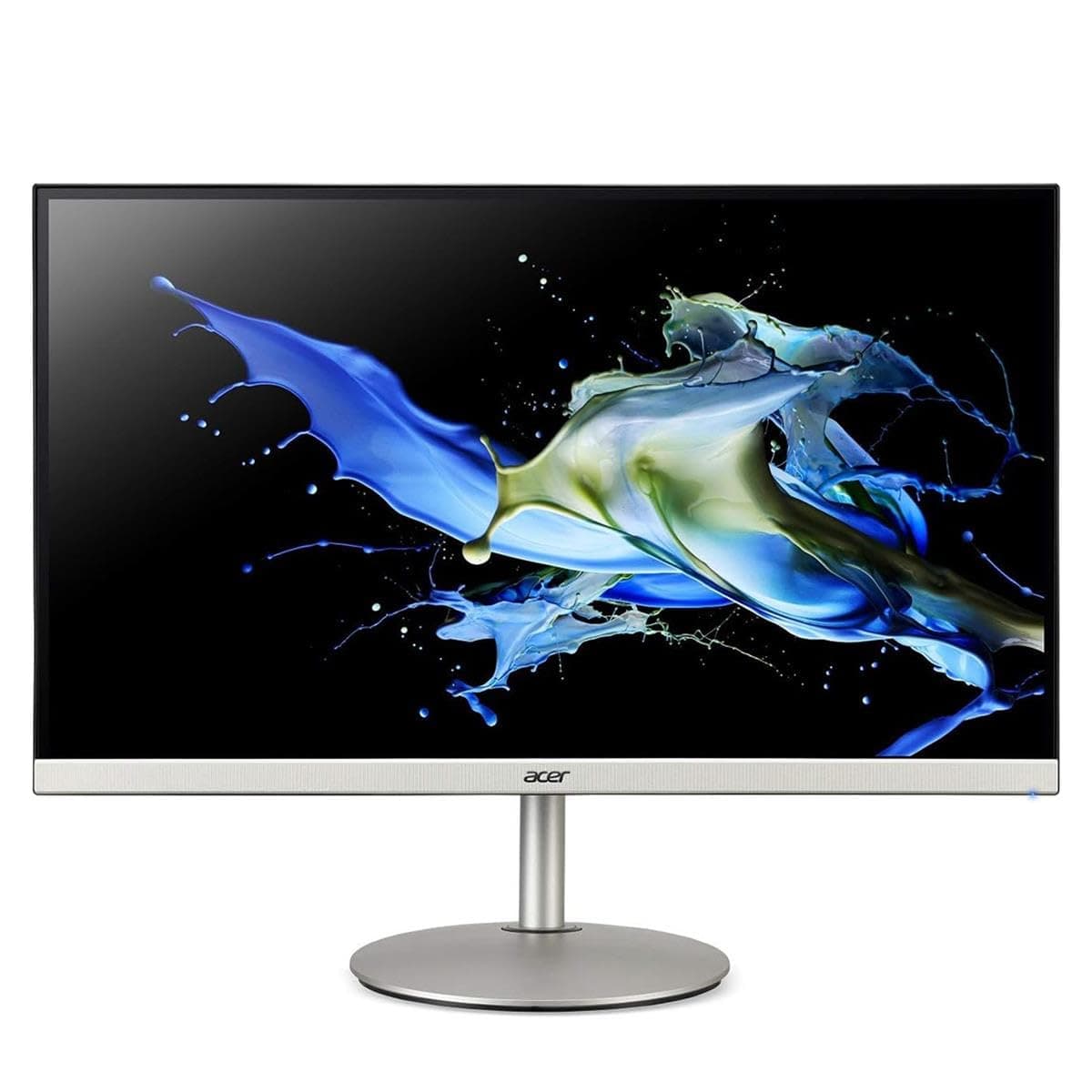



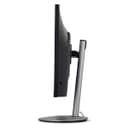
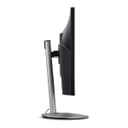
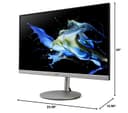
🖥️ Elevate your workspace with 4K precision and seamless style!
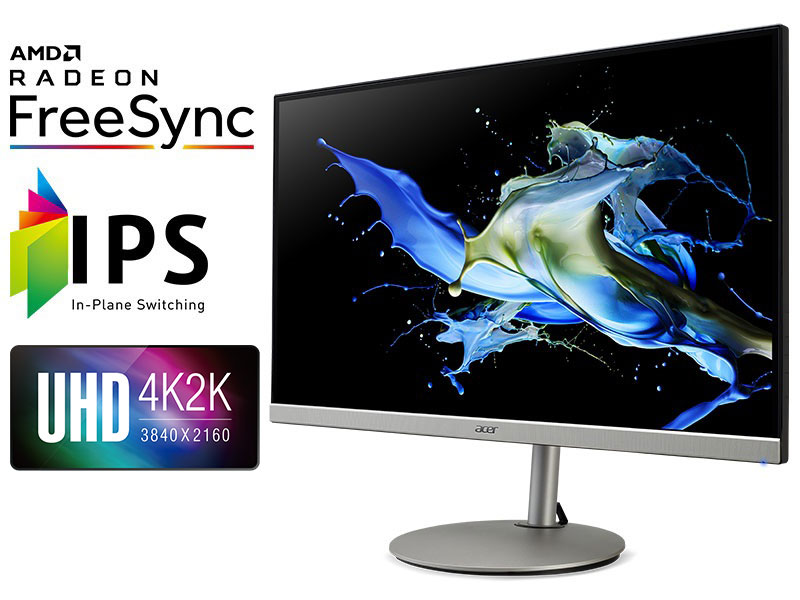
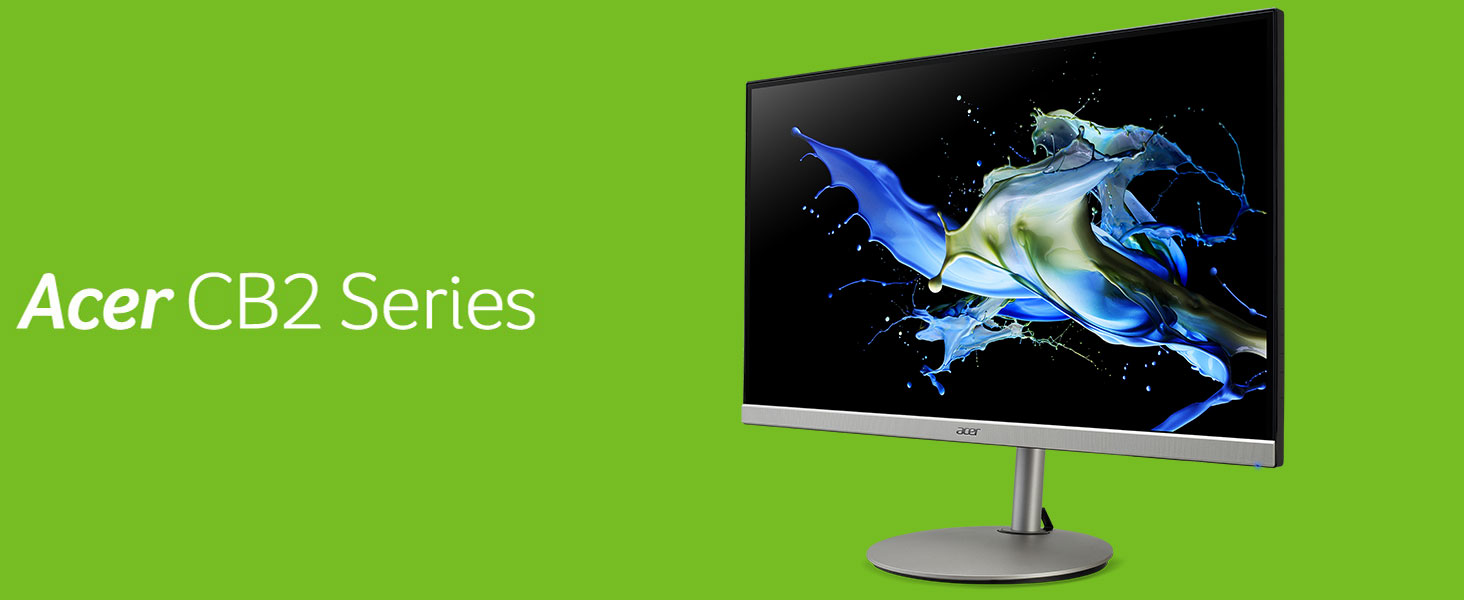
The Acer CB282K smiiprx is a 28-inch UHD 4K IPS monitor featuring a zero-frame design, 4ms response time, and 90% DCI-P3 color gamut. Equipped with AMD Radeon FreeSync for smooth visuals and an ergonomic stand with tilt, swivel, pivot, and height adjustments, it’s perfect for professionals seeking immersive clarity and comfort. Connectivity includes DisplayPort and two HDMI 2.0 ports, making it a versatile addition to any home office or creative setup.






| ASIN | B087GS7188 |
| Adaptive Sync | FreeSync |
| Additional Features | Height Adjustment |
| Aspect Ratio | 16:9 |
| Best Sellers Rank | #384,920 in Electronics ( See Top 100 in Electronics ) #7,555 in Computer Monitors |
| Brand | acer |
| Brightness | 300 cd/m² |
| Built-In Media | 1 x Display Port,2 x HDMI 2.0,HDMI Cable |
| Color | Black |
| Compatible Devices | Laptop, Desktop, Gaming Console |
| Connectivity Technology | DisplayPort, HDMI |
| Contrast Ratio | 1,000:1 |
| Customer Reviews | 4.3 4.3 out of 5 stars (213) |
| Display Resolution Maximum | 3840 x 2160 |
| Display Technology | LED |
| Display Type | LCD |
| Hardware Connectivity | HDMI |
| Has Color Screen | Yes |
| Item Dimensions D x W x H | 10.59"D x 25.08"W x 20"H |
| Item Type Name | Monitor |
| Item Weight | 7257 Grams |
| Manufacturer | Acer |
| Model Name | CB282K smiiprx |
| Model Number | CB282K smiiprx |
| Mounting Type | Wall Mount |
| Native Resolution | UHD (3840 x 2160) |
| Number of Component Outputs | 3 |
| Picture Quality Enhancement Technology | AMD FreeSync |
| Pixel Pitch | 0.16 |
| Power Consumption | 2 Watts |
| Processor Count | 1 |
| Refresh Rate | 60 Hz |
| Resolution | 4K UHD 2160p |
| Response Time | 4 Milliseconds |
| Screen Finish | Glossy |
| Screen Size | 28 Inches |
| Series Number | 282 |
| Shape | Rectangular |
| Specific Uses For Product | Gaming,Office |
| Total Number of HDMI Ports | 2 |
| Total Usb Ports | 5 |
| UPC | 193199687630 |
| Unit Count | 1.0 Count |
| Viewing Angle | 178 Degrees |
| Warranty Description | 3 year parts and labor |
| Warranty Type | 3 Years Manufacturer Warranty |
D**L
Very nice monitor for graphics
I do a lot of graphics work, and this monitor delivers. It's crisp and clear, and it was easy to calibrate with a Spyder X. The only minor issue is an anemic set of speakers, but that was not even a consideration when I bought this. Controls are relatively easy to use, and the VESA mount works fine. Good value for video and graphics work.
D**J
This is one of the best monitors I have ever used!
Disclaimer: This is just my personal experience with the monitor. I have been using it for the last few days. This CB282K monitor doesn't cause much eye strain even after long hours of coding. I use it at 1080p (since 2160 is an integer multiple of 1080) for sharpness and a decent text size. The backlight appears to be flicker-free (doesn't use PWM for dimming) when seen through a phone's camera. The AR coating is really good - does its job without spoiling the picture quality. For best results when using with MBP 2019 (running Monterey) via DP: - To solve the high CPU fan speed issue and to prevent the refresh rate from being reset to "Variable (40-60Hz)" every time the monitor wakes up from sleep, turn off FreeSync in monitor settings and set the refresh rate to the fixed value of 60Hz in the MacOS display settings. Make sure you're using a USB-C-to-DP cable that supports at least 4k@60Hz. - Turn off HDR in MacOS display settings.
D**N
Great for the price.
The 4k and color range connected to a Mac Mini give you a feeling like you're working with those expansive iMacs. That said, I noticed minor inaccuracies in colors that I'll need to focus on calibrating further since color accuracy is super important to me. The biggest downside is the glitch where the screen doesn't wake up for some reason, this can be very frustrating at the wrong time. Two tricks that helped me shorten this glitch is setting the monitor's auto-input feature off and manually turning the screen off and on when my computer is waking up. Would have rated lower if it weren't for the bargain.
B**E
Great for business use
I really like the resolution and size of this monitor for business use. I use virtual monitor software that makes it easy to divide this monitor into multiple virtual monitors (Microsoft free PowerToys, FancyZones utility. There are other commercially available virtual monitor SW packages but this free one from Microsoft works great for me) . I run this 28" 4K monitor as two monitors, slit in the middle, so two 1920 x 2160. I use my laptop keyboard and monitor with this 28" 4K monitor sitting right behind my open laptop monitor. So, I effectively have 3 HD monitors.
J**.
These are great if you know what to expect and get them at the right price.
I have seen these range in price from $249 to $349 depending on worldwide availability, but the consistency in quality and functionality keeps me buying them at all prices. I use these for workstation setups in a financial and construction office and every single user loves them to death. These are one of the most budget-friendly 4K displays with all of the height/pivot/rotate features one could want. We have a mixed Win/Mac environment and these displays function great with both systems. These come with an HDMI cable and a power cable ONLY. **For M1 Macs and really ANY MacBook running macOS 13 or greater:** THIS $150 HUB IS 100% REQUIRED FOR 2 OR MORE DISPLAYS TO WORK AS YOU ARE EXPECTING THEM TO: https://www.amazon.com/gp/product/B07CRSH25X/ref=ppx_yo_dt_b_search_asin_title?ie=UTF8&psc=1 **For Windows machines**: All you need are HDMI and DisplayPort connections.
B**L
Do not use High Dynamic Range on Mac
When I first plugged this monitor into my Macbook Pro, the display look really washed out. Everything was way whiter than it should be. No matter what monitor settings I adjusted, I just couldn't get it to look good. Just before I was about to give up, I noticed a setting in Mac System Preferences -> Displays. There is a checkbox labeled "High Dynamic Range" that was checked. I unchecked it and everything looks great.
A**F
Works but has lots of unnecessary problems
Pros: * Good consistency and no dead pixels. * High resolution and large amount of space * Height-adjustable stand * Wide color * Refresh rate goes over 80 Hz, even though it’s only advertised as 60. Cons: * Flimsy construction. The buttons on the back feel like they could easily cave in, and it creaks and pops a lot when warming up and cooling down. * Menu color mode system is confusing and buggy: You can’t even simply change the brightness or some other settings in some modes, for example: changing them switches back to normal mode, and then you have to go deep in the menu and save to the desired mode every time for it to work. The sRGB mode, which claims to be calibrated, is especially useless because it defaults to “warm” color temperature (which is specifically against the sRGB standard), and attempting to change the color temperature and save it makes it say that it’s the new setting even though it’s the same. Expect not to use this at all, and to need OS color profiles if you want to keep things from being over-saturated. * Takes an annoyingly long time to wake up from no signal - even longer than it takes to turn on with a signal already present. If using a custom refresh rate, it’s even worse, taking over half a minute (tried with both underclocked and overclocked refresh rates, and with and without input auto-switching enabled), so it’s literally faster to turn it off and on than to move the mouse and wait. * The screen surface is neither glossy nor matte, but a strange in-between. It doesn’t eliminate mirror reflections but slightly blurs them and adds a large halo around them. It’s called “anti-glare”, but compared to both a glossy screen and a truly matte screen side-by-side, I would say it actually makes glare worse. * It makes a faint low-pitched droning hum. In a room with other noise it might not even be noticed, but it’s there, and noticeable especially with a system that idles fanless. It sounds like a mains frequency hum and probably is, since changing the refresh rate or modifying other settings has no effect on it. It’s not coming from the speakers, which do hiss when the volume is not set to 0. Nothing I tried seemed to prevent it. In the end I returned it, mainly because of the hum. It’s kind of disappointing to send back the perfectly working panel, and I would probably work around the other cons, but if I could get a refund these problems are not something I would want to keep using for a long time.
L**R
El monitor es una maravilla, personalmente me encantó de inicio a fin, llegó sin problemas, la caja era directamente la del monitor, un poco golpeada pero por dentro viene bastante bien cuidado. No presenta ningún problema en sus 2 semanas de uso. Lo utilizo para jugar consolas next gen, como ps5 y xbox series s, en ambos casos las imágenes son buenas. El tiempo de respuesta es de 4ms, para ser un monitor grande me parece excelente, en juegos multijugador va genial. Dependiendo de los juegos y la consola, la calidad es realmente asombrosa y muy atractiva. Contiene bocinas integradas que no son de la mejor calidad, pero realmente hacen bien su trabajo a secas. Sin ser el mejor sonido del mundo ni tampoco un volumen apantallante, sirven en cuestión de juegos o peliculas que no quieras ver con audifonos. Los controles son algo complejos al principio pues parecen de un televisor cualquiera, cuenta con un joystick que permite manejarte por los menús y configurar a la medida que tu desees el monitor. Cuenta con HDR que al momento de activarlo se pone una configuración predeterminada y hace que todo luzca espectacular! Además cuenta con diferentes configuraciones predeterminadas como para lectura, para la noche y para ahorros de energía. Es muy configurable en cuanto a imagen pero personalmente no he logrado una configuración que me encante al igual que el HDR. Tiene unas cuantas fugaz de luz, pero no me parece que afecten a la pantalla ni a la imagen. En el apartado de diseño, es muy hermoso, cuenta con una base redonda color plata, un brazo bastante extenso en el cual va montado el monitor, el cual si cuenta con VESA. Dicho brazo hace que la instalación sea realmente sencilla y además permite el subir y bajar el monitor acorde a la altura que deseemos y girarlo para colocarlo en vertical u horizontal. Personalmente estoy encantado con el monitor, lo recomiendo ampliamente, es un buen precio y un buen monitor para adentrarte al mundo de las next gen. Por ultimo mencionar que cuenta con 2 puertos HDMI 2.0 que permiten tener un par de dispositivos y cambiar de imagen con los botones y joystick del monitor. Además cuenta con salida de audio. Ojalá que esta reseña ayude a todos los clientes que quieran o tengan algún interés en el monitor, ya que todas estaban en inglés.
H**N
Quality control issues
R**O
Compré este monitor por $5000 pesos mexicanos, por ese precio es una oferta incredible con las especificaciones que tiene. - Es un monitor de resolución 4k por lo que la nitidez de la imagen es excelente y aun mejor en pantalla que no es tan grande como los televisiones. - Cuenta con FreeSync por lo que no veras barras horizontales mientras juegas debidas a un desfase vertical de las imagenes. - HDR, veras mas colores que un monitor normal puede reproducir lo que te permite apreciar mejor los degradados y colores vivos. - Panel IPS, colores vividos combinados con excelentes angulos de visión. Personalmente estaba preocupado por pensar que 28 pulgadas eran muy poco para 4k para usar sin scaling, pero no me arrepiento, se ve de un tamaño bastante adecuado. Sin embargo no lo recomendaría si no tienes una vision muy buen y quieres trabajar sin scaling. Respecto a los problemas que enfrentan algunos con MacBooks, no he tenido ningún inconveniente con un MacBook 2020 de 16 pulgadas, tanto en doble pantalla así como usandolo como pantalla principal. Es cierto que tarda un poco en reconocer los sources, especialmente con mi MacBook pero no ha pasado de 6 segundos. Algunos comentarios hablan sobre que No hay activación cuando se suspende y quieres despertar el Mac con perifericos externos. Sin embargo esto es un problema inerente del thunderbolt 3 de tu Mac. Es un problema que se pretende solucionar con thunderbolt 4. Por lo tanto es culpa nuestros Macs, No es culpa del monitor, pueden buscar mas información al respecto de esta manera "thunderbolt 4 wake from sleep".
R**O
El monitor es excelente y de gran tamaño con una calidad de imagen increíble, mi única queja o sugerencia a quien compre este monitor es que se tienen problemas de interoperabilidad con equipos MAC, compre dos monitores y en ocaciones de "desaparecen" las aplicaciones y la única forma de volver a acceder a estas es reiniciándolos. Quitando este tema, muy buen producto.
A**M
He intentado usarlo con 3 computadoras al menos. * Con una ultralight, no daba imagen * con una macbook pro, no daba imagen * con una MSI Creator con tarjeta grafica, si da imagen, pero limitada, si intento subir el frame rate, la imagen se distorsiona y se ve todo verde. En las computadoras que no da imagen, he probado usar hdmi-a-hdmi, hdmi-a-displayport, usb C-a-displayport y ninguno funciona bien.. ahora tengo una coleccion de cables por culpa de este monitor. Pesimo funcionamiento para un monitor que deberia ser muy bueno.
Trustpilot
4 days ago
2 days ago