We remain fully operational. Our teams are working around the clock to ensure your deliveries continue safely.

DOWNLOAD THE APP


Copyright © 2025 Desertcart Holdings Limited
DOWNLOAD THE APP




Buy anything from 5,000+ international stores. One checkout price. No surprise fees. Join 2M+ shoppers on Desertcart.
Desertcart purchases this item on your behalf and handles shipping, customs, and support to Italy.
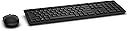
⌨️ Elevate your desk game—wireless, sleek, and built to perform!
The Dell KM636-BK-US Wireless Keyboard & Mouse Combo offers a compact, chiclet-style keyboard with 84 keys and a precision optical mouse, both powered by long-lasting batteries and connected via a unifying RF receiver that supports up to six devices. Designed for professionals seeking a clutter-free, comfortable, and efficient workspace, this combo blends modern aesthetics with reliable wireless performance and up to 12 months of battery life.


| ASIN | B012DT6HWA |
| Antenna Location | Office |
| Are Batteries Required | Yes |
| Best Sellers Rank | #2,113 in Computer Keyboards |
| Brand | Dell |
| Color | Black |
| Compatible Devices | Personal Computer |
| Compatible Operating System Family | Windows |
| Connectivity Technology | Radio Frequency |
| Customer Reviews | 4.3 out of 5 stars 1,194 Reviews |
| Global Trade Identification Number | 00884116184188 |
| Hand Orientation | Ambidextrous |
| Item Type Name | Keyboard & Mouse |
| Item Weight | 1.6 Pounds |
| Keyboard Description | Wireless |
| Keyboard Layout | QWERTY |
| Manufacturer | Dell Marketing USA, LP |
| Mfr Part Number | 6PM08 |
| Minimum Required Operating System Version | Windows 7 |
| Model Number | KM636 |
| Movement Detection | Optical |
| Number of Batteries | 2 AAA batteries required. (included) |
| Number of Keys | 84 |
| Operating System | Windows |
| Other Special Features of the Product | USB comes in Mouse battery compartment |
| Power Source | Battery Powered |
| Special Feature | USB comes in Mouse battery compartment |
| UPC | 884116184188 884116193340 884116184140 |
| Unit Count | 1.0 Count |
| Warranty Description | Information Not Available |
D**T
One of the best keyboard combos I've found, AND very cost effective!
I love these Dell keyboards... I currently have 5 of these in use and have no complaints. They have a great touch for touch, they don't require much space, and eliminate all of those crazy cords. The mouse works on any type of surface EXCEPT for glass, which is not an issue for me but could affect some users. There's no software to install... simply plug in the tiny USB receiver into an available port and you're ready to go. I also use these with docking stations; you can plug the USB receiver into the docking station and use them with your notebook without any problem. My only complaint is that they keyboard has a Num Lock key... most modern keyboards have eliminated this and effectively lock the keyboard into numeric mode upon boot. That's not the case with these, and I've found that even adjusting the system's registry to force Num Lock on boot doesn't consistently work. Maybe that's a minor complaint, but it is something that the manufacturer (Logitech) could improve upon in future versions.
A**K
Highly suggest this combo
THE KEYBOARD: I really like this keyboard so far. What is important to me is that it gets every character! I have tried two keyboards before this one and both dropped letters, especially when typing fast. This one does not! Also, it is easy to push the keys, which was apparently a concern for users of another Dell keyboard model. As for the physical type, they are like Macbook keys but a bit taller. It has actual lights for the Scroll Lock, Num Lock, and Caps Lock where as I have not found another wireless model to do this. To sum up, this is an all-around good keyboard. THE MOUSE: The mouse is good so far. Its shape is a little weird (doesn’t quite fit my hand the way I was used too). I believe I will have no problem once fully used to it. The cursor movement is solid with no jitter. I had this problem with another mouse. OVERALL (KEEPING IT SHORT): For those looking for a new wireless keyboard and mouse combo, I highly suggest this one. It has solid performance and great keys if you like Macbook style.
B**D
Good, could be better.
The keyboards themselves have great key response so long as the receiver is in range. A few of these were to be used in Conference and Training rooms where the computers are a good 20 feet away or so. The receivers do not work well with distance. For the ones installed at user stations, they work flawlessly so long as you don't put the receiver in a USB hub. Granted many users will just have these directly in a computer USB port and close up they will work great in the majority of setups. Bottom Line: Don't purchase if you need range or use a USB hub. For a normal setup they are top notch.
A**W
Absolutely Love It!
I am in love with this keyboard and mouse. The key feedback is great. The chiclet design makes it super simple to type quietly and efficiently. Less error when typing compared to standard keys. The only small issue is that the keyboard is not incline adjustable. It's a fixed incline although the angle is very low and I haven't experienced any pain using it like that even after being used to a flat keyboard. The mouse is also great. Fits in the palm nicely and is shaped so you don't get hand cramps always trying to hold on to the mouse. I've found that with other big name combos similar to this. Also it's very, very difficult to find a keyboard that is wireless and has the inidicator lights for number lock, caps lock and scroll lock. What gives?! But this keyboard has that and it's great. Keyboard is smart to turn off the indicator lights to preserve battery when they keyboard is on but a key hasn't been pressed in a while. Wakes up quickly as soon as you start typing; no lag or missed entries. Mouse is the same, goes to sleep when not using and comes back on when you move it. Fantastic feature that both of the devices turn off when the computer source shuts down. Don't be worried if the indicator lights don't turn on when you turn on the keyboard; they keyboard has to be connected to a computer that is on for them to illuminate. Great feature in case you leave the keyboard switched on and shove it a backpack or bag. I love this keyboard combo and would definitely buy it again. Nicely done Dell and Logitech. Bought 2! One for work and one for home! Update 4/23/16 I continue to love this keyboard endlessly! I am going to buy a third one for my father for Father's Day! Please never discontinue this keyboard combo Dell!
M**Y
Gets the job done
I was looking for a wireless keyboard for work and passed on another keyboard that was on my wishlist. The reason why I opted for this one is because the picture shown on the description looked just like my wired keyboard complete with cap and num lock lights. I figured I was already used to my keyboard so why not stick with what I know. The keyboard that arrived didn't have any lights whichwas a great disappointment. I don't understand why this isn't a standard feature especially since it's so often intertwined and desired in a wireless keyboard, but I digress. It does come with instructions on downloading onscreen notification of the cap lock but you only see it at the time you are locking or unlocking. To me if I've been on calls, pulled stray or have just come back from a meeting and have to type to see if the cap lock is on what's the point of my downloading the program? I've made it work. On a high point there isn't a num lock which for me is very convenient. Sometimes I would overeach thereby turning the function off but wouldn't realize until after i looked at the screen. Now I don't have to deal with that frustration. Add for the most I want sure about it because I had another I had for years and liked. I notice the difference in the two but it isn't major enough to be a concern. I noticed a number of complaints over the mouse so I will say this, the u.s. since drag vs smooth movement with the mouse wheel. It's something you will notice if your current mouse isn't like that but just takes getting used to. I can only see this being an true inconvenience if this is your main function with your mouse and do a lot of scrolling. I admit originally i was very disappointed with my purchase. I took my time selecting a new wireless keyboard and did a lot of research before ordering. I was so disappointed the features i wanted went included included and kept putting the keyboard back in the box ready to return it but would take it back out again. This happened 3 times before I finally decided enough was enough and kept the shipping materials on my desk to give the keyboard/ mouse a trial period for a week before making a final decision. I came to realize it really wasn't all that bad a product once I got over my initial disappointment and realized my little world wouldn't implode without a cap lock light especially since I no longer have num lock frustration. Alls well that ends well!
M**Z
A nice keyboard
I'm typing with it and so far, so good. I'm glad at least one other reviewer mentioned an on/off switch, because there was absolutely nothing about it in the quick start guide. Shame on you Dell! How hard would it have been to include the line "Don't forget to turn it on" with a little picture of the switch? It was only after I discovered that it wasn't working and after fiddling with the batteries that I remembered reading something about an on/off switch. Also, a light to warn that cap-lock is on was something that was important to me. There is a light, but it wasn't where I was expecting it, which is on the caps-lock button, which is where it make sense. The tiny light is on the upper, right-hand corner, so you have to look for it. Not the ideal place, but at least it has one. Otherwise, I like the feel of the keyboard very much. I've never used the new, curved ergonomic keyboards, and I have enough trouble with my typing to take a chance on something so different, so I'm happy with this nice, simple, old-fashioned keyboard.
M**N
No frills keyboard and mouse but work great!
Don't let the word "DELL" fool you - this is really a Logitech keyboard and mouse with Dell markings. As such, it works great. I mean, Logitech is one of the best keyboard and mouse manufacturers out there. This keyboard types well for me but others may not like it. The feeling of the keys is somewhere in-between a laptop keyboard and a standard keyboard - the strokes are relatively short but crisp. One thing I do not like is that the keyboard is not adjustable in height - it's fixed. Mouse works well but is otherwise a standard mouse. Comes with a low-profile USB receiver/antenna (I'm assuming its bluetooth, but I'm unsure). Both the mouse and keyboard have on/off switches but they turn off automatically after a period of no-use. If you want/need a no-frills keyboard and mouse combo, this is the right package for the price.
P**S
Great value, but purchase the KM714 if you prefer quieter keys and a sleeker design
I have the KM714 keyboard and mouse combo, which works very well, but I went with the KM636 to save some money and test it out. The 636 doesn't have the same feel nor is as quiet as the 714, but it does the job. Compared to the 714, the 636 is much lighter overall, and I have not had issues with the keystrokes. I do prefer the 714's sleek look and chiclet keys, though. For the price, which at the time was $12, it's a great deal for the full functionality of a keyboard and mouse combo. Note: Contrary to some complaints, the caps lock does have a light feature, it's just on the top right above the number pad.
Trustpilot
5 days ago
2 weeks ago