Desertcart purchases this item on your behalf and handles shipping, customs, and support to Italy.
๐ฎ Elevate your Arduino game with precision control and vivid display!
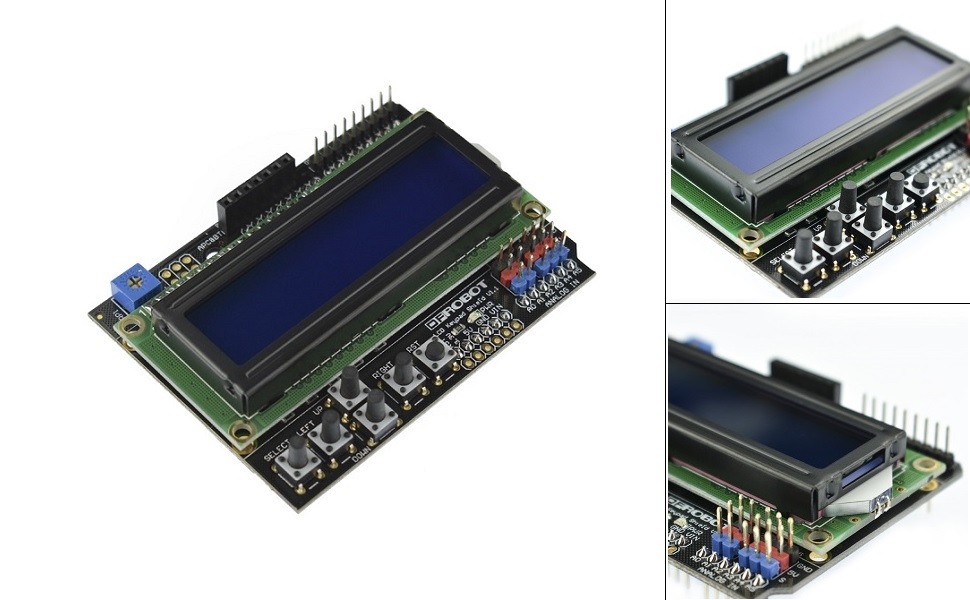
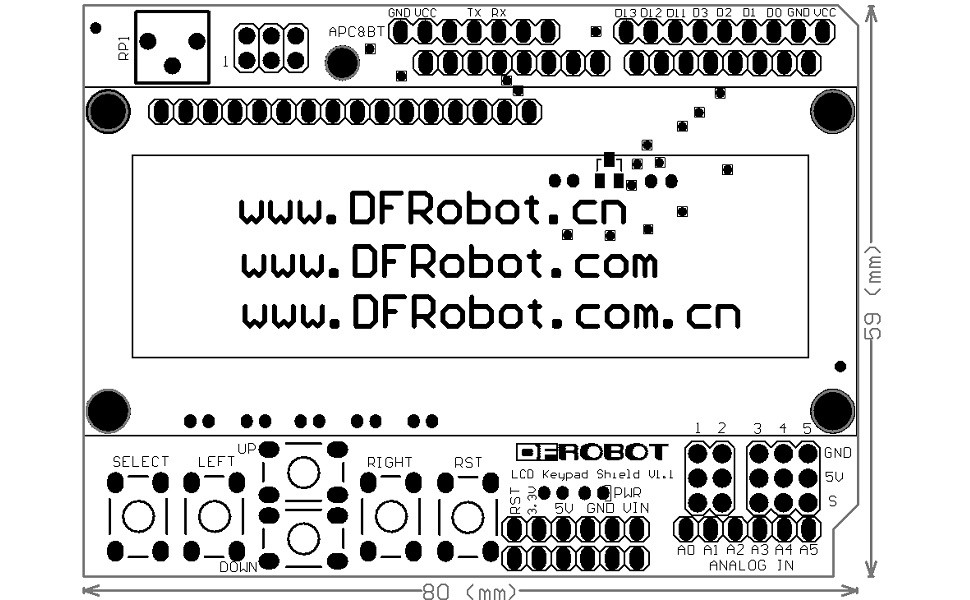
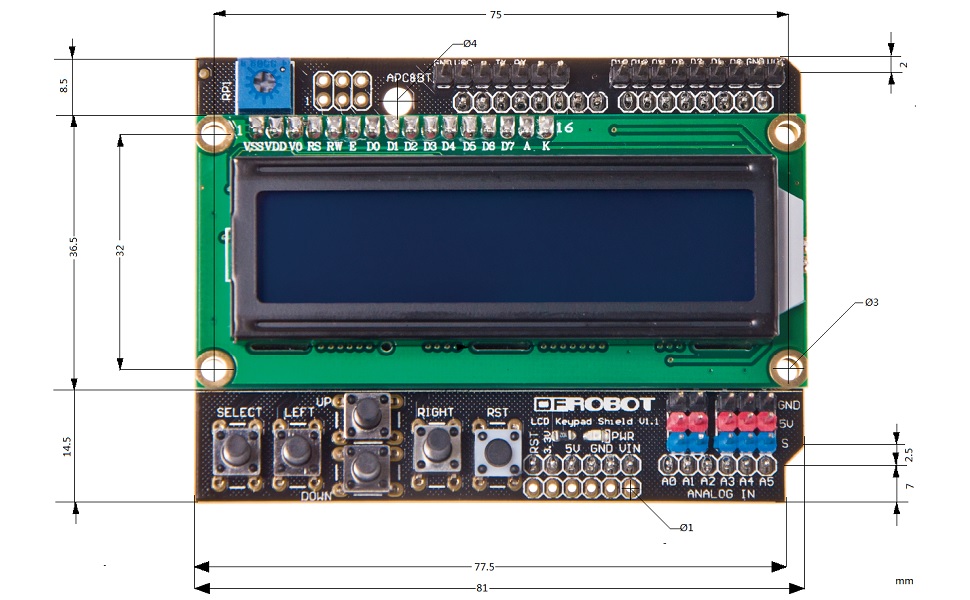
The DFROBOT-DFR0009 Gravity 1602 LCD Keypad Shield is a 5V-powered, Arduino-compatible accessory featuring a 16x2 HD44780 LCD, 5 push buttons plus reset, and an integrated potentiometer for backlight adjustment. Lightweight and easy to integrate, it offers a professional-grade interface for custom menu control in embedded projects.


| ASIN | B006D903KE |
| Additional Features | Backlit |
| Antenna Location | Gaming |
| Best Sellers Rank | #6,454 in Single Board Computers (Computers & Accessories) |
| Brand | DFROBOT |
| Built-In Media | USB Cable |
| Button Quantity | 6 |
| Color | Original Version |
| Compatible Devices | PC, Arduino-compatible devices |
| Compatible Operating System Family | Windows |
| Connectivity Technology | Bluetooth |
| Customer Reviews | 4.7 out of 5 stars 110 Reviews |
| Enclosure Material | Plastic |
| Hand Orientation | Ambidextrous |
| Item Weight | 2 ounces |
| Keyboard Description | Gaming |
| Keyboard Layout | QWERTY |
| Manufacturer | DFRobot |
| Mfr Part Number | DFR0009 |
| Model Number | DFR0009 |
| Number of Items | 1 |
| Number of Keys | 16 |
| Number of Packs | 1 |
| Power Source | USB Powered |
| Recommended Uses For Product | Gaming |
| Special Feature | Backlit |
| Style Name | Contemporary |
| Switch Type | Mechanical |
| UPC | 091037095268 710205135062 793519572242 |
| Unit Count | 1 Count |
| Warranty Description | 1 year manufacturer |
J**B
Works great with the Nucleo F401RE
Appears to be very good quality. Crisp silkscreen and nice soldering. LCD has no problem with the 3.3v logic level. All buttons are readable with distinct analog values, and the reset button works too. Using mbed OS 5 and the TextLCD library to drive it. And since the Nucleo is 5v tolerant on all pins, the 5v vcc breakouts can be used without a level converter. Kind of ironic that the mbed ecosystem has a more Arduino-compatible ARM board than the Due or Zero.
K**N
As advertised, well-built. I wish the pins were longer.
This shield delivers everything it's supposed to deliver. It's easy to integrate into a project, and it responds as expected. The build quality is excellent. I will say that the stacking header pins are quite short. This makes it difficult to stack the display with another shield, such as the Ethernet shield. This is easily fixed with a second set of stacking headers inserted in between; be sure to order these at the same time if you plan to stack this on anything other than the bare Arduino.
G**E
Super Clean LCD/Keypad at a great price!
The product is as advertised.....beautiful 2 x 16 white/blue LCD display - software was easy to setup from the web and it works as advertised!
R**O
Universal prototype
This shield will allow me to develop code for my existing project but can be used in a breadboard fashion to develop sketches before committing to a Schematic and PCB design.
R**H
internal resistors not assigned 2 correct buttons.
When writing the code, the buttons have an assigned pin out. Then each pin out has an internal resistor that is a specific value. So when entering values to assign the buttons you have to just use trial and error to determine the values of each button. Otherwise when you push the button labeled left, up is displayed on the LCD and when you push button labeled up, right is displayed on the LCD. And so on. Also button labeled select showed displayed nothing. only 1 button was correct so that was my starting point. So you just need to troubleshoot one button at a time to have the buttons properly addressed. In the end it did work. Up, down, left, right and select all show correctly on the LCD display when pressed. Once that was resolved assignments of any button to then perform a task, for example โpress up to command on relay 1 which turns on fanโ is now possible and can also be programmed show that fan on is successfulโ. Cool gadget.
U**N
Funciona bien con Arduino Uno Rev 3
Funciona bien sin problema, ademรกs de que tiene pines en la parte superior, lo que posibilita compartir con otros sensores.
M**P
Works perfectly right out of the box
Works really well with the standard Arduino liquid crystal library; I had a sample program displaying text and handling button presses up and running in just a couple of minutes.
M**N
overall a nice addition?
My review should be pre-empted by that fact that I am very new to Arduino and this may have some effect on the outcome for me, so far! I was able to, after installing additional libraries, get the demo program to scroll 0-9 across the screen top line then to the bottom line and repeat. After playing with it (sketch) I was able to modify the program to display a message but not very well. I could not get the top and bottom lines to sync or for that matter to get them to scroll . Documentation for these modules at best suck and just require head bashing to learn how to make them function. The example presented does not even attempt to explain the code and would assume that it represents all that is needed to know. Again I am a beginner, so maybe after a few years of programming I will not have such a difficult time. A strong YouTube account is required for further understanding of the quick to market products.
A**T
Price is a little steep
A little pricey compared to other online sources, but love the quality and appearance is much better than other brands. DFRobot is definitely the way to go
N**9
Work Great Recommended !
A**R
Acceptable
Product as described.
Trustpilot
2 weeks ago
3 days ago