



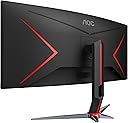
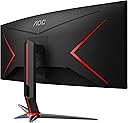
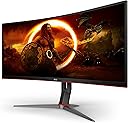



CU34G2X
Product ID: 163896595
Details
- Aspect Ratio21:9
- BrandAOC
- ResolutionQHD Ultra Wide
- Screen Size34 Inches
- Screen Surface DescriptionGlossy
⚡1ms Response Time
🔄144Hz Refresh Rate with Adaptive-Sync
🖥️34" Ultrawide Curved Display
Desertcart purchases this item on your behalf and handles shipping, customs, and support to Italy.
🔥 Elevate Your Game with UltraWide Immersion and Lightning Speed! 🖥️
The AOC CU34G2X is a 34-inch curved ultrawide gaming monitor featuring a 3440x1440 QHD VA panel with a rapid 1ms response time and 144Hz refresh rate enhanced by Adaptive-Sync technology. Its 1500R curvature and 3-sided frameless design deliver immersive visuals with vibrant colors covering over 115% sRGB and 98% Adobe RGB. Ergonomically designed with a height-adjustable stand and backed by a 3-year zero dead pixel warranty, it offers a premium, smooth, and comfortable gaming and productivity experience.


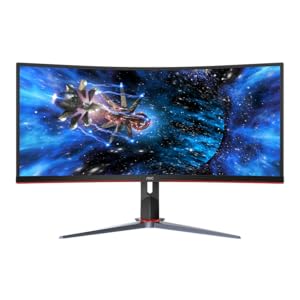


| ASIN | B07ZB2TNZZ |
| Adaptive Sync | FreeSync |
| Additional Features | Curved, Flicker-Free, Ultrawide Screen |
| Aspect Ratio | 21:9 |
| Best Sellers Rank | #285,923 in Electronics ( See Top 100 in Electronics ) #5,932 in Computer Monitors |
| Brand | AOC |
| Color | Black/Red |
| Color Gamut | 98 |
| Connectivity Technology | DisplayPort, HDMI, USB |
| Contrast Ratio | 80000000:1 |
| Customer Reviews | 4.4 out of 5 stars 2,321 Reviews |
| Display Resolution Maximum | 3440 x 1440 pixels |
| Display Technology | LCD |
| Display Type | LCD |
| EU Spare Part Availability Duration | 3 years |
| Global Trade Identification Number | 00685417722587 |
| Hardware Connectivity | DisplayPort, HDMI, USB 3.0 |
| Image Contrast Ratio | 80000000:1 |
| Included Components | HDMI Cable, Monitor, Power Cord, User Manual |
| Item Dimensions D x W x H | 9.34"D x 31.82"W x 20.79"H |
| Item Type Name | computer monitor |
| Item Weight | 4.7 kg |
| Manufacturer | TPV Technology |
| Model Name | G Series |
| Model Number | CU34G2X |
| Mounting Type | VESA Mount |
| Native Resolution | 3440x1440 |
| Number of Component Outputs | 2 |
| Picture Quality Enhancement Technology | Adaptive-Sync, Color Enhancement, Game Color and Shadow Control |
| Pixel Pitch | 0.23 |
| Power Consumption | 37 watts |
| Refresh Rate | 144 hertz |
| Resolution | QHD Ultra Wide 1440p |
| Response Time | 1 milliseconds |
| Screen Finish | Glossy |
| Screen Size | 34 inches |
| Screen Surface Description | Glossy |
| Shape | Curved |
| Specific Uses For Product | Gaming, Multimedia, Personal |
| Total Number of HDMI Ports | 2 |
| Total USB 2.0 Ports | 1 |
| Total USB 3.0 Ports | 4 |
| Total Usb Ports | 4 |
| UPC | 685417722587 |
| Viewing Angle | 160 degrees |
| Warranty Description | 3 Year Zero Pixel Guarantee |
| Warranty Type | Manufacturer Warranty (3 Years Zero Pixel Guarantee, 3 Years Advance Replacement, 1-Year Accidental Damage) |
M**W
34" UltraWide QHD Curved (Update 7/4/2025)
I rate this monitor three stars. It's big and spacious. You really get to see the 'whole picture' when gaming or just browing the web or multi-tasking. I was really excited to use this monitor when I got it. I've had it for a few weeks now and the biggest issue I have is the flickering. I've tried updating the drivers, changing the settings on the monitor, googling solutions but none of them work. It's a really good monitor but man the flickering is really damn annoying. Luckily it only happens with certain games and scenarios I'm just not sure what's really going on. The second problem I have with the monitor is that the buttons to configure the brightness, contrast and basically all the settings are underneath the monitor panel. They are really flat buttons too so you're really just touching and feeling and trying to figure out what you're about to press. Most of the time when I'm trying to open the Menu, I accidentally power off the monitor instead which is really annoying. I don't know why a $450 monitor doesn't come with a remote to access those settings, especially when you put the buttons in such a wildly inconvenient place. The buttons have pictures on the front of the monitor but because they're so dark and engraved you'll need a flashlight or to be in a really bright room to see them in the first place. If picture quality, flickering isn't an issue for you and you just want size to browse the web or big picture gaming this would be the way to go. Otherwise look for something else, it's just not worth the trouble. Update: Having owned it since May 2021, I'm bumping up from 3 stars to 5 despite adding to this review another issue. When the monitor loses power or turns off because you shut down or what have you some settings are lost. Specifically the Picture Boost which brings more color to the monitor. Combining this with the fact that I have to find the invisible buttons under the monitor to access the settings means this thing is quite literally a pain in the ass. If I could go back in time and stop myself I would have saved up and bought something that had a remote and memory system for my settings. But for the price I'm not sure you could get a curved ultrawide like this one so I'm going to say it's 5 stars for the price point. You get what you paid for.
R**S
First time I haven't missed my old Sony Trinitron!
Wow... wow wow wow. Ever since I first switched to flat screen panels, I've always felt like they can never live up to the color reproduction or clarity of my old Sony Trinitron. It was a giant white plastic cube with flat glass that felt like it weighed more than I did, but that monitor has always been the gold standard for me. No flat screen I've used since has been able to match it. This is the first time a flat screen monitor hasn't left me feeling like the game I'm playing would have looked better on that Trinitron. This is also my first experience with a VA panel, or with a monitor this large in general, but I am honestly shocked by the quality of the image this monitor produces. You definitely need a video card with sufficient power and memory to get this monitor to do 144 hz.. I am using an 8-year old GTX 680 lightning and while it is still a capable card in some respects (I use it for an oculus rift with no problems) its 2Gb of VRAM lack the memory bandwidth required to push 3440 x 1440 at 144 hz. No worries here though, because I'm upgrading my card to a new Radeon 5700 xt with the money i saved by buying this direct from Amazon. (Amazon is the only retailer not price gouging and sells this monitor for 459$ when they have it in stock so be patient!) I will update my review after testing it with my new card because reviewing it without testing 144 hz at 1440 is premature, but right now I couldn't be happier. It's nice to be bottlenecked by my system for once. Considering your monitor is the peripheral that you spend all your time starting at, it should be as robust as the system you're pairing it with. This is my dream monitor and it feels good just looking over and seeing it on my desk even when it's turned off. I'm surprised no one has mentioned how classy and solid the stand seems or how clean the overall styling of the monitor itself is. The legs are a work of art and the stand goes up and down so smoothly.. it's impressively easy to lift up and down considering the weight of the monitor. This thing is far better engineered than the Asus, Dell or ViewSonic flatscreen monitors I've used in the past. Contrary to what I read in the reviews prior to my purchase, I was pleasantly surprised by the out of box settings. I thought I would have to tweak it a lot after reading the other reviews. This might only apply to the 34-inch version of this monitor since it's the flagship, and might be finer tuned than the other panels during production. It also arrived just as promised with no dead pixels.. and I love that the company offers a 3-year guarantee on that. Though I doubt I'll ever have to use it. I mentioned this above, but it's worth noting you can get this monitor for way less than the 900$ currently being demanded by some retailers. I think the high number of people stuck at home during quarantine upgrading their toys is driving prices up.. after almost buying this for 900$ I kept checking and sure enough Amazon got a couple in stock the other night for $459. They also had a few of the 32 inch non-curved displays for 259 but I went ahead and splurged. My wife gave me permission cuz it's my anniversary present... She's the best. Amazon shipped it to my door in just a couple days and I couldn't be happier. *Edit after upgrade to 5700 xt* 5/19/2020 Holy moly I'm in love with this monitor. The colors are wonderful and I can finally push this monitor to it's full 144 hz in a lot of games. It's worth noting a lot of older games don't scale to ultrawide very easily but if you mod Skyrim it's amazing to behold in 3440 x 1440.. especially at 144 hz. If you can get this monitor without being price gouged, jump on it.
F**R
Reviewing for out-of-the-box experience...
Needing a replacement for my damaged ultrawide monitor, I picked this one as a step up. It's NOT full 4K, but given the 1)size, 2) curve, 3) relative price, this monitor seemed like a good value. Also, I have owned AOC (not the Congressperson) products before, so I was not expecting to be blown away or anything, and to have some complaints, but also I was expecting something that did the thing it was supposed to do. Quick takes: 1) Not an ultra-precise display for color or all viewing angles (I mean, if you need ULTRA perfect), but if you're looking for that, you wouldn't consider this price-point anyway 2) 100% great for general desktop use and gaming-- sitting at the center, color and brightness are uniform from edge-to-edge, and normally-imperceptible color variation from top-to-bottom (you will see it with some colors during a manual calibration, but not normally otherwise) 3) Be prepared to make a lot of adjustments to the monitor's settings in order to get the picture where you want it-- AOC does themselves a disservice shipping it the way it's set, as many out-of-the-box users are going to be confused and disappointed, I expect. So, out of the box, the monitor is pretty substantial-- it has a heft and build quality I'm used to seeing in more expensive monitors. Setup is as easy as you'd expect for any monitor these days. I used DisplayPort, but the monitor also has HDMI inputs also. Right away, though, I could see something was off about the monitor's settings, which isn't a huge deal, because you can just change the settings, right? Well, yes, but... this monitor insists on having the MOST HORRIFIC combo of on-screen display and small, identical-feeling, hidden control buttons. Getting around the OSD menu is a nightmare of accidentally exiting menus, turning the monitor off, and paranoia about pressing the wrong buttons. One thing, right off the bat, that was extra-confusing is that (despite what some of the listing info says above this monitor DOES have HDR). However, turning it on in Windows immediately makes the picture entirely washed out, giving me a new starting point to calibrate and to question the sanity/value of HDR (honestly, with it turned on in Windows and on the monitor, I can't see a big difference, but just some odd behavior in games sometimes.. not even sure why). I'm not a pro at calibration, but I get the basics and, walking through some online manual (as in, by-hand) calibrations, I both learned a lot about the display, and got the picture to a decent place-- it's annoying the default settings didn't start closer. I was able to get it to a place I like-- others have said things about the brightness, but I've had no issue-- I've had to turn my brightness down a bit to get it to a comfortable place. Anyway, I recommend it, just know what you're getting into.
G**E
I love the monitor, but have different opinions on the AOC support-side of things.
I am an average user that has only had basic monitors, but since I built this PC primarily for gaming/part-time productivity and spent so much on it's components I had no choice but to purchase a monitor to match. This was it, and the colors look amazing when compared to a 4yr old Dell that I have dual mounted. I followed a couple different tutorials on how to set this specific monitor up for G-Sync but it does flicker a lot. With G-Sync enabled, the screen would also periodically go black for a few seconds so I had to turn it off. However, I paired it with a 9900K/2080Ti, maxing out frames in almost all games, and I do not experience any screen tearing or notice any type of draw back that makes me regret not buying an officially supported G-Sync monitor. For the negative side of things, I only had the monitor for two months before it went dead and would not turn on. Just a black screen. I filled out a RMA form and was issued a refurbished monitor in its place, but it took a long time before I received the replacement monitor. From the time I submitted the RMA form to receiving the replacement, almost five weeks had passed. Thankfully I had an old Dell to get me through. The first contact from them only took about 48hrs like their RMA submission form stated, but it took 2 weeks without any form of communication from them and a complaint to Amazon Customer Service before they contacted me to proceed with the RMA. The RMA submission process was very third-rate, in that I felt like I was speaking to someone that was enjoying their meal at a restaurant, and with very little info (and no troubleshooting) was very quick to say that the monitor needed to be returned. The entire time spent on the phone with support was less than two minutes before they determined it was a bad monitor. I gave four stars because the monitor is really great at a $450 price point, but left off one star because of the lack of communication and lengthy RMA process. So if you're in the market for a new monitor or wanting to purchase your first gaming monitor on a medium budget....this is a really great monitor for that. I honestly would buy again even though the first time around was not perfect.
R**B
There is no better deal
If you've been wanting to make the plunge to 21:9 Ultrawide but don't want to spend 700 to a 1000 (entry, some are double the price), this is the monitor. I got mine for $370 on black friday, but the mid $400's they are current asking is still a steal. First off, the specs are out of this world and they hold true. 3440 x 1440p is the best resolution you can get without going 4k, and with 4k you need a proper rig to run games at decent FPS. Check your CPU tho, if it's older it might struggle a bit with this res, but not much. 1ms response time is pretty much best available, the 1500R curve is simply the best balance between a nice curve and not feeling like you are surrounded. It's not flat, but appears somewhat flat while viewing, but there's just the right amount of curve. The colors are nice, very accurate. Doesn't quite pop like an IPS panel, but it looks fantastic. Even in mid 2022, 1440p gaming is still considered the sweet spot unless you've got the budget for a $300 CPU and $1,200 GPU, not counting RAM, MOBO etc... The onboard controls could be a tad better, and are difficult in low light until you memorize the button patterns, but that is easily forgivable. The brightness is well bright, I never go over 70 even in a well lit room. Overall, I can't say enough about this monitor, AOC really hit it out of the park with this model. It's kind of been glossed over by the thousands upon thousands of dollars for an LG or Samsung, and that's a shame, because AOC should be praised for what they've done here. No dead pixels, everything has been beyond smooth, easily the best monitor I've ever owned, I'll NEVER go back to a flat panel. Oh and did I mention this thing is 34 inches? Most monitors with these specs are 1080p 27 flats, or maybe a 32 if your are lucky. As a gamer for over 20 years, I promise, do yourself a favor and pick this bad boy up.
M**.
Solid monitor
lasted nearly seven years bright colorful and smooth. cause of death, backlight died.
E**N
Works great for 6 months
This monitor checks all the boxes for a gaming monitor at a great price that also doubles as a productivity enhancing second screen for work. Curved display is functional at this width without being too severe. Default settings need to be adjusted for best display. I can easily have two browser windows open side by side without them being too narrow. Games look great. The first one only lasted 6 months. Powered up, but zero display. Not even the "no input" message window. AOC support said it was defective and it was covered under warranty, and instructed me to contact them via support form on their site (seems simple enough). I did so, and received an email asking for some info about the monitor. I responded, then nothing. I responded to the same email several times, and nothing. So I called back and was told to follow the same process. In the end, I had to call 4 additional times, and send another support form, which required me to resend all the same information. From the time the monitor broke to the time I finally got my shipping label it took almost 2 weeks. Once I finally received it, I needed to go to a UPS store and pay another $30 out of pocket to have the monitor boxed and sent back. The shipping was covered, but not the packaging. If only I knew I would need it 6 months later, I would have kept that enormous box it came in and saved myself $30. After I shipped it out it took 3 and a half weeks to then receive a replacement monitor. That amount of time isn't too bad considering, but it sure was a hassle to make it happen. So far the new monitor looks fine, no dead pixels. We'll see how long it lasts. In the end, I paid about $450 for a monitor that worked great for 6 months, then had to jump through a ton of hoops, deal with some seriously unfriendly support folks, pay more money out of pocket, then wait another few weeks to finally get back to where I started. It's a good monitor, but at this price, it's not worth taking the risk of getting a dud.
A**R
Great for gaming and work. Use the DisplayPort cable, not HDMI.
This review is for the 34" CU34G2X UltraWide QHD 3440x1440 monitor. Used for about a week before writing this. This is the best monitor I've ever seen with my own eye's! The curve is perfect, not too much, not too little. It's really immersive for gaming in particular. And for reading online and working for long durations the curve still looks great and is not distracting. Looks amazing on its own, even without content! Solid metal stand and wide metal feet. Very sturdy. The metal feet have lots of solid, grippy rubber pads on them so it stays right where you put it. The screen isn't too glossy or too matte. The red trim is well placed and not over done. It looks very modern and professional, but still calls attention to itself like a gaming monitor should! Refresh rate does indeed go up to 144hz no problem in games and in Windows 10. Color reproduction is really good to my eyes. They include a printed sheet with the color calibration results for your specific monitor with serial number, so AOC really is going the extra mile to prove that these really are high-end monitors. This is a super low latency "VA" type panel. So it is the best looking panel type from a technical and color reproduction perspective. IPS panels traditionally had lower refresh rates than VA panels, but this monitor proves you can have the best looking VA panel type, AND super low 1ms refresh rates. Games look amazing in the ultra-wide format. Halo on PC for example actually gives you a full field of view with this monitor, same with Rocket League. So you do actually get an advantage in some games. You literally can see more of the field of play with the ultra-wide aspect ratio 21:9, than anyone else stuck on the 16:9 ratio that most 1080p or 4k monitors use. Brightness is great, even too bright at highest settings unless your in a really bright room. So that's nice to have if it's needed. All brightness and contrast settings and even gaming profiles are adjustable through physical buttons under the monitor, but also through the G-menu software. So using the G-menu software you don't need to fiddle with the physical controls of the monitor at all to fully adjust and control the monitors settings. G-menu even has hot-keys so you can change your monitor settings to different profiles almost instantly. You can download the G-menu software from AOC's support website. Make sure to use the included DisplayPort cable with this monitor. The HDMI ports don't have the same capabilities as the DisplayPort connectors. To get freesync, 144hz, and native 3440x1440 resolution all together; you MUST use either of the two DisplayPort connectors on this monitor. AND make sure your not just converting from HDMI at the source to DisplayPort. The source signal from your PC also needs to be DisplayPort. There is also a usb3.0 cable included. You can use it to hook it to your computer, then you can use the monitor as a USB 3.0 hub. Power Delivery is off by default on the USB 3.0 ports, but you can enable it via the monitors settings menu, or through the G-menu software. Amazing monitor, highly recommended.
E**A
Superó mis expectativas
Excelente monitor que ha superado mis expectativas. Recién adquirí una RTX 3070 y tenía curiosidad por estos monitores Ultrawide más panorámicos y su tecnología AdaptativeSync en el caso de Nvidia. Tenia temor por el issue conocido de parpadeo en ciertos juegos y pantallas de carga pero no he tenido ningún problema y la tecnología Sync have que los juegos se sientan más estables y fluidos en cuanto a FPS, y esto no pasaba con mi anterior monitor convencional 4k a 60 hz. Yo compré aparte un cable DP 1.4 ya que no estaba seguro si lo traía el monitor, si lo trae pero solo es 1.2 así que si lo quieren usar a máxima resolución y 144 hz les recomiendo comprar uno de máxima calidad. Cómo área de trabajo es enorme!! Vengo de un monitor de 28 pulgadas u de inmediato se nota la diferencia y se presta para acomodar nuestras herramientas de trabajo juntas. Para obtener la mejor calidad de imagen busquen configuraciones para implementar el Picture boost y activar el ASync. Super recomendado a buen precio ($10800)
S**R
Great for gaming and work
I've been using this monitor for the last few months now (bought in August, reviewed in December) and think I can now properly list its strengths and weaknesses. Pros: - Massive amount of screen real estate. - Great for work when you need to have multiple windows/apps open side by side. I work in software QA and amount of space as certainly made a positive impact. - Gaming is a good bit more immersive thanks due to not only the wider image but also the slight curve. - Fast response time and 144Hz refresh rate make everything feel smoother. It's really hard to go back. - Editing photos, the colour gamut and accuracy out of the box are decent and certainly good enough for an amateur photographer like me. - Comes with all the cables you need for the full resolution and frame rate experience, just make sure your video card supports DisplayPort - Supports AMD free sync and also works with G-sync for Nvidia cards (GTX1060 in my case) Cons: - It's weird when you're sharing your screen on a call and everyone gets confused by the size and aspect ratio, same goes for full screen screen shots :) - Not every game supports the ultrawide format and finding the right compromise of resolution and black bars left and right can be tricky. - The default colour depth is only 8-bit and I am pretty sure I noticed that during my first photo editing session when colour transitions looked a bit rougher than I was used to. A quick online search revealed that the panel does actually support 10-bit depth but you need to force it through the video card (Nvidia in my case) driver. - The curve and aspect ration take some getting used to. Especially on a browser window, the curve threw me off and I kept missing information on either side since it was too much in my peripheral vision. By now, I am well used to it though. - Viewing angles are not great for someone coming from an IPS panel but they're decent for a VA panel. And since it's only me looking at it straight on, it's alright. - It does generate quite a bit of heat at the top and the bottom corners - might be an issue for stuffy (home) offices in the summer In short: You get a great monitor with plenty of space and features. The support for free and G-sync and the 144Hz refresh rate are tough to beat at this price!
M**E
Amazing monitor for the price
Be careful when reading the reviews here on Amazon this page has several monitors on it, I'm reviewing the 34 inch 21:9 CU34G2X. I compared this monitor side by side with the LG 34GP83A-B, Samsung C49RG90 and Acer XB273K, it has by far the best quality per dollar. The only area the other monitors were noticeably better in was brightness, this monitor is bright enough but just not super bright like those 3. I work in a very bright room and it's good enough, the bright frame feature helps a lot here. There is a great description of how to calibrate all the settings on Reddit by collective_dysentery, just search for "cu34g2x calibration" and you'll find it. I recommend using that as a starting point then tweaking to what works for you. The colors were also better on the other 3 out of the box, especially the LG and Acer which are IPS, but I found that it was pretty easy to use the controls to get them close to the same level. This monitor has much better contrast than the LG of Acer which I found made a much larger difference to image quality. The Game Color feature is nice for giving colors some extra pop for games, for work I found leaving it at the default 10 to be the best however. This monitor has by far the best anti-glare of the 4, I do not notice any significant blurriness on small text. It seems to be a tiny bit less sharp but nothing worth worrying about. The XB273K was much sharper of course as it's 4K. I found the 1500R curve to be really helpful for making the edges of the screen useable and the curve only took a few hours to get used to. Even though the XB273K is not as wide and 16:9 it was noticeable how far away the edges are on it. At 34 inch 21:9 a flat panel would have unusable edges. Shadow Control works really well for adjusting how dark/light the shadows are in a game, if you want that dark game ambiance with deep blacks and tons of contrast just drop the Shadow Control down one or two notches. I have not noticed any brightness flickering from G-Sync in games, it did happen in Amazon Workspaces that I use for work but that's easily solved by turning off windowed G-Sync or temporarily turning it completely off. There is absolutely no reason to use G-Sync in work applications like Workspaces. The build quality is very good, the best of the 4, although they were all well made. All 4 of the monitors I tried are great units I would recommend any of them to anyone, for me the AOC CU34G2X just made the most sense even mostly ignoring the cost. If the Samsung C49RG90 was $800 or less I would have went with it because of the extra screen space of 32:9 and higher brightness but even at that price it would be close. It's not curved enough so the edges aren't usable and it's just massive.
I**Z
EXCELENTE MONITOR !!
ES el primer monitor que tengo en formato ultra ancho o Ultra wide y la verdad esta genial, lo uso como complemento en mi escritorio como pantalla principal ahora y es una delicia los colores para nada son feos o pobres o faltos de brillo como había leído en otras reseñas, es una chulada y mas todo lo demás el Freesync, los 144Hz, etc hacen de esta pantalla un verdadero disfrute y por el precio que aunque no es un regalo fue muy accesible en comparación a otras marcas con las mismas características. totalmente recomendado!! aah por cierto es súper fácil de instalar no hay que hacerse bolas con nada solo ensamblas el soporte le das vuelta un tornillo con lengüeta para darle vuelta y apretarlo y listo!
L**O
Excelente monitor.
Excelente monitor para jugar a un precio muy asequible, los juegos se ven geniales y en mi caso muy fluidos con la tecnología FreeSync (AdaptativeSync) de AMD. Tuve que ajustar los colores de manera manual ya que los perfiles predeterminados no me agradaron mucho. Para el trabajo diario me gustó mucho, puedes tener dos ventanas en la misma pantalla con un tamaño que te permite trabajar de manera cómoda. Una excelente opción si lo que buscas es mayor comodidad para trabajar y una mejor experiencia para jugar. Cabe mencionar que no todos los juegos soportan el formato 21:9, pero aún así vale mucho la pena.
Trustpilot
1 month ago
1 week ago