Desertcart purchases this item on your behalf and handles shipping, customs, and support to Italy.
⌨️ Elevate your workspace with comfort, security, and style — because your hands deserve the best!
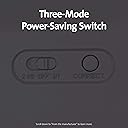
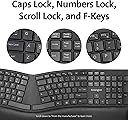
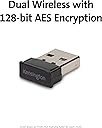
The Kensington Pro Fit Ergonomic Wireless Keyboard (K75401US) combines advanced ergonomic design with dual wireless connectivity and military-grade spill resistance. Featuring 128-bit AES encryption, quiet keys, and a three-mode power-saving switch, it’s engineered for professionals seeking comfort, security, and durability in a sleek black package.



| ASIN | B07X7GL76R |
| Additional Features | bluetooth |
| Antenna Location | Office |
| Best Sellers Rank | #216 in Computer Keyboards |
| Brand | Kensington |
| Built-In Media | keyboard, aaa baterry |
| Button Quantity | 104 |
| Color | Black |
| Compatible Amazon Tablet Models | Amazon Fire 5th Generation, Amazon Fire 7 5th Generation, Amazon Fire 7 7th Generation, Amazon Fire 7 9th Generation, Amazon Fire 7 Kids 5th Generation, Amazon Fire 7 Kids 7th Generation, Amazon Fire 7 Kids 9th Generation, Amazon Fire HD 10 5th Generation, Amazon Fire HD 10 7th Generation, Amazon Fire HD 10 9th Generation, Amazon Fire HD 6 4th Generation, Amazon Fire HD 7 4th Generation, Amazon Fi… |
| Compatible Devices | Chrome OS, macOS, Windows |
| Compatible Operating System Family | ChromeOS, MacOS, Windows |
| Compatible Tablet Computer Models | Samsung Galaxy Tab S7 FE 12.4" |
| Connectivity Technology | wireless |
| Customer Reviews | 3.8 out of 5 stars 1,727 Reviews |
| Enclosure Material | Plastic |
| Global Trade Identification Number | 00085896754015 |
| Hand Orientation | Ambidextrous |
| Item Dimensions L x W x H | 18.98"L x 9.92"W x 1.5"H |
| Item Weight | 2.2 pounds |
| Keyboard Backlighting Color Support | Single Color |
| Keyboard Description | Wireless |
| Keyboard Layout | QWERTY |
| Manufacturer | Kensington |
| Mechanical Keyboard Switch Model | Linear |
| Mfr Part Number | K75401US |
| Minimum Required Operating System Version | ChromeOs 134, Mac OS 14 Sonoma, Windows 11 |
| Model Name | Pro Fit® Ergo Wireless Keyboard |
| Model Number | K75401US |
| Number of Batteries Required | 2 |
| Number of Items | 1 |
| Number of Keys | 104 |
| Number of Packs | 1 |
| Number of Sections | 2 |
| Recommended Uses For Product | Office |
| Series Number | 75401 |
| Special Feature | bluetooth |
| Style Name | wireless keyboard |
| Switch Type | Linear |
| Theme | Computer Accessories |
| UPC | 085896754015 |
| Unit Count | 1 Count |
| Warranty Description | 3 Year |
| Water Resistance Level | Water Resistant |
E**H
Takes a little getting used to, but works great!
I think any time you switch keyboards, particularly from non-split to split, it takes some getting used to. And the first day, my typing speed on this was awful. But as I've adjusted to the keyboard feel and gotten used to a split keyboard again after using the laptop keyboard for a couple months, I really enjoyed this. It's definitely an improvement over the laptop keyboard (shown in photo), even if I do miss the Thinkpad nib in the middle of the laptop keyboard from time to time. I use Bluetooth to connect them, and it's been working great - no issues with idle unless I'm gone for like an hour, and even then it's only the first keypress that is occasionally lost as they reconnect - it's been pretty seamless. I can't speak to battery life yet, but as far as typing goes, all the mistakes are mine and are legitimate, at least now that I'm used to the feel. One minor annoyance - the Fn key and the Ctrl key are opposite of my laptop's setup, which means switching back and forth between the two keyboards drives me a tiny bit crazy. I do sometimes wish the calculator key was a little further away from the backspace, as I seem to hit it a little two often on accident, even after using the keyboard a few weeks. Because of my setup - I use stands to set my laptop screen at a more comfortable height and have it a bit closer, so it actually sticks out over this keyboard - I'm getting a USB-powered light to help see the F keys on this keyboard, as sometimes I miss going by feel, and it's just a bit dark with my configuration. I wouldn't need that if the keys were backlit, but that would add cost and suck battery life, so I'm happy to go without. I doubt too many folks will run into the same problem. I love the ability to raise the front of the keyboard up a little to rest the palms on. I don't always use it, but it's a great option to have. I'm a few weeks in now, I think, and it's comfortable, no sticky or broken keys, and no serious complaints. I prefer it to the Logitech wave keyboard I used at work. UPDATE - JAN, 2020, 5 months later - still using the first pair of AAA batteries, and it's running great. It took some time to get used to the backspace key and the calculator key that's just above it - I still occasionally open the calculator instead of backspacing, but that's pretty rare now. And after not really using my laptop keyboard all this time, I expect the difference between the CTRL and fn keys won't bother me until I go back to using my laptop keyboard some day - perhaps by then I'll need a new laptop? I do notice the bluetooth disconnecting from time to time, but it's always been a fast recovery and I can usually predict when it might be a concern and watch to see if the first key I press shows up. At this point, if this keyboard were to break today, I'd buy another one without hesitation.
M**A
Good letter key spacing
I love this keyboard, it does take some learning to get used to an ergonomic board but I like the spacing and how cushy the wrist pad is.
M**A
After using for a while, I like this just fine (was I got spoiled by the Microsoft Sculpt keyboard
UPDATE 3/31/2023. After using this for a couple of months, I'm completely used to it and I like it just fine. I solved the problem of constantly hitting the lock button and the calculator button (placed just above the backspace button) by prying the keys off and taping over the holes to keep dust out. Now it's pretty much perfect. Since I had to remove some keys to make it more like a regular keyboard, I can't give it a full five stars, but I'll definitely upgrade to four stars. And, I'd gladly buy it again, even knowing I'll have to remove the keys. ORIGINAL CRANKY REVIEW BECAUSE I KEPT HITTING SCREEN LOCK My good old Microsoft Sculpt ergonomic keyboard died, and I needed a replacement. Kensington has name recognition and a lower price, so I tried this instead of a new Sculpt. It's not the keyboard's fault that it's not a Sculpt. I don't like the keyboard action much--the keys are a little too squishy for me--but I got used to that pretty quickly. I have a bad back and work in a recumbent position with an ergo keyboard on my lap. Because the Sculpt didn't have the ten-key numeric keypad, I could have it centered on my lap, but the Kensington feels slightly out of balance because there's a lot of overhang on the right. Again, not it's fault. I don't like the placement of the lock button and the calculator button above the backspace key. I use the backspace key a lot and on this keyboard, I keep bringing up the calculator (and the focus goes to the calculator, so I lose my train of thought for what I was going to write) or locking the system (which is an even bigger interruption of my thought process.) But the worst thing is that on day 2, it's developed weird latency, letter skips and letter repeats when writing in Word. I'm not having that problem here in the Amazon text entry, so I don't know if it's because I stop writing frequently to think stuff out and it's going to sleep, or if it just can't handle large amounts of editing with Track Changes on, or IDK what to attribute it to, but it's unworkable for me. I also ordered a Nulea wireless keyboard (a brand that barely exists) and I liked the key action on the Kensington marginally more, so I figured I'd return the Nulea. Based on work today, I need to try to the even mushier Nulea on a big Word document to see if it doesn't skip or repeat letters after I stop typing for a while. Honestly, I should probably just buy another Sculpt, but I'm sufficiently annoyed with the way that it died that I'd like to give some other options a fair shot. (The Sculpt works for a few seconds after reboot and then dies. Uninstalled and reinstalled drivers. Did everything that an average citizen can do, which means I didn't crack it open and try to figure out whether it just stops sending over the 2.4 Ghz wireless or if something weirder is going on because I DON'T KNOW HOW TO DO THAT and for a consumer product, I shouldn't have to.)
Z**G
UPDATE: Does not work.
UPDATE: I really wanted to like this keyboard. In the short amount of time that I had it and it worked it made a big difference in my carpal tunnel pain. Sadly, that didn't last. Initially, it started as random keys not registering (not related to the keyboard going to sleep). Then it steadily became more noticeable. Within a couple of days it had gotten so bad that no key was working for significant portions of the time. Out of trying to type for 3 - 4 minutes, only one key stroke registered. I contacted support, did what they suggested and it worked for all of 30 seconds before the keyboard crapped out again. Ultimately, I had to return the product. I don't know if it's just shoddy quality control or the keyboard is just that bad (since I've noticed others reporting the same issue). But I'd say save your money and try a different one. If you want to take the chance anyway, I hope you get one that keeps working. When it does work, it's quite nice - as long as you don't have big hands. Then the keys are a little cramped. Leaving my initial review below for reference. ================================================== This keyboard is comfortable, fast, and makes a big difference when it comes to handling the pain from carpal tunnel syndrome. I type a lot for work and the pain had been building up over the past year. My old ergonomic keyboard died a long time ago and I'd been trying to make do with a regular keyboard. Finally gave up and ordered a new one because the pain was just too much. Have been using this keyboard for only a couple of days and the pain is already much better. Linear key switches, good ergonomic layout with a split and tilted keyboard, and raised wrist area (front of the keyboard is lower than the back) means you're in a good position for removing a lot of pain points. I'm a touch typist so it's quite easy to type on this, only takes a little bit of time to readjust to the key layout; that said, I do keep hitting the b instead of the v, and the keyboard itself is a little small. J through ; is a little squished due to the arch of the layout. The keyboard itself is also not backlit but that's a small price to pay given the price point. Happy with the flexibility on the connectivity. Also, it also sleeps after a while so if you're not used to that you may get irritated with missing the first keystroke when you wake the keyboard back up. I have my num lock on so if I don't see that light on I know the keyboard is asleep and I just hit a key to wake it up. Not an issue.
N**G
Feels super cheap
I was really excited by the idea of this keyboard. Over the years, I've had a few Kensington peripherals and I never had any complaints about them, so I figured I'd be safe with this one as well. I was wrong. When I first went to lift this device out the box, I immediately noticed how light it felt. I mean, it's super light. This keyboard does not feel like something that's made of quality materials. Instead, it reminds me of the ultra lightweight and plasticky feeling keyboards you get free with new computers nowadays. Nothing about the weight of this thing reminded me of quality. What's worse is that when you attempt to twist the frame of the keyboard with a minimum of force, it bends quite easily and makes loud creaking noises in the process. That might be fine for a $10 keyboard, but not for one that costs $50. The action of the keys is pretty decent. I'm more of a mechanical key switch kind of guy, but this was decent enough for a apologetically plastic membrane device. I'm able to type pretty near my normal speed on it, so I can't complain about the action of the keys. What I don't like about the keys is their completely flat nature. There is no beveling whatsoever. It's not the most comfortable shape for the fingertips. I'm also not a fan of the layout of the keys. The right hand has a fairly normal layout, but the left hand is best described as non-conformist. The bottom two rows of the left hand are basically set up in straight columns, and the top row of letters is not very far off from that. The funny thing is that I'm a Kinesis Advantage owner, so I'm used to this sort of layout for both hands on my main computer. Here though, it's really strange because it's only on the left hand. The right hand has a normal layout. I'm not a fan of how close the function/shortcut buttons sit to the top row of letter keys either. Quite a few times I've been typing and accidentally opened the calculator app instead of hitting the backspace key. That's very annoying. In summary, this is not a terrible keyboard. It has a generally decent typing feel to it, and it supports both 2.4Ghz wireless and Bluetooth. But, the construction of the keyboard is extremely cheap. It's not worth the $50 being charged for it. It would be a steal at $30, but $50 is way too much for this item. Pay a little more and get yourself something better. I'm definitely going to be returning this one.
M**N
I love this keyboard and want another one
I bought this keyboard to replace the regular keyboard I was supplied with at work. I was worried about whether or not I would like this keyboard because of the reviews about the keys, but I love it. It's super comfortable and I like that the part near the wrist can be raised instead of at the top like normal keyboards but it doesn't raise it too high. The keys, as others have mentioned, do not have a curve to them. That is an adjustment, but one I made very quickly and does not affect my typing. This keyboard is also not as large as other ergo keyboards which is awesome when you have a small desk. That could be because the keys are pretty close together and similar in size to laptop keys, but since I have small hands, this works very well for me. I can see how someone with larger hands may make a lot of mistakes while typing on this keyboard though. Another thing I like is that the layout is the same as "normal" keyboards. Usually with ergo keyboards the delete key is small or in a weird place, but these keys are where I'm used to them being. And the best feature: it's QUIET! The keys are much quieter than any other ergo keyboard I've used. I have no cons for this keyboard and want to get another one to use at home.
Q**N
Exactly what I was hoping for except ...
My old Microsoft 4000 keyboard was so noisy that my family couldn't sleep when I was working in my home office. The space bar was particularly offensive. So I ordered this one in hopes of still enjoying an ergo keyboard but having a little less clatter-clatter. And it came quickly per the delivery date promise. Packing and item were all in perfect condition. Getting the USB into my old Windows 7 box took about five minutes, but I would have done better if I'd paid attention to the well-written instructions that came with it. The only drawback I find is of my own habit. I used the old keyboards for so long that I have become accustom to finding the F keys split five on the left and the other seven on the right side of the keyboard split zone. So I always reached for F9 by putting my index finger over the F6 key. On THIS keyboard, the split is the more logical six on each side. So the F9 key is now only three away from the split. And this is actually a hassle for me to overcome. We males are such slave to our habits! For those of you wondering about other perceived differences, I'll mention the overall impression that this behaves a bit more like a laptop keyboard. The key travel up and down is shorter and the keys are just a little bit smaller. They have flat tops (not the curved kind we have been accustomed, in my experience at least, with desktop keyboards. I can live with this more easily than I can with this infernal F-key arrangement! LOL. So there are some trade-offs depending on how rigid you are in your expectations. Maybe these warnings will help you develop better expectations. The keyboard works really well, it's nice that it's quieter, and it's nice that it doesn't need a cord. So the keyboard deserves all points possible. The user could up his game a little, though.
B**S
Disappointing, oddly designed, unresponsive wake-up feature and keystrokes
This was a pretty disappointing keyboard. Firstly the design is really weird. There are legs in the front but not in the back. So I ended up having to use a coaster to boost up the back of of the keyboard. Also this keyboard has a really bad habit of missing key strokes every now and then. Sometimes key hits just won't register... Also very frustrating is the auto off/on. They keyboard goes to sleep after a period of activity, which is fine, but the amount of time it takes for it to come back online after keystrokes is WAY too long. In the end this was a product I bought that I'm making use of because I already spent my money and it can't be sent back. But I wouldn't ever buy it again, look elsewhere.
L**E
Highly recommended!
One of my all-time favorite keyboards. Unfortunately, the last one spontaneously spewed coffee, began to speak gibberish and had to be put down. Overall, highly recommended when one doesn't experience the odd coffee issue.
C**S
Not that good at all
Long response time when a key is pressed, keys get stuck for no reason and constant double spacing of text. Im not impressed
C**A
Muy buen producto!!
Es un teclado muy cómodo y práctico. Muy fácil de conectar. Incluso lo puedo utilizar con el teléfono.
E**O
Teclas duras.
Aqueles que estiverem acostumados com teclados mais macios vão estranhar, pois as teclas tendem a travar caso não se pressione exatamente no meio da mesma. Um pouco decepcionado em relação ao valor X qualidade. Mas funciona corretamente, é ergonômico e muito prático após algum período de adaptação.
L**N
Returned within one day
Got the keyboard with the USB wireless connection and experience horrible lag time. So bad I couldn’t work and reverted back to my wired keyboard. Returned it straight away.
Trustpilot
1 day ago
1 month ago