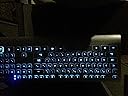
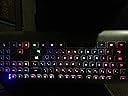
🌈 Light up your productivity with style and silence!
The Azio Prism USB Keyboard KB507 is a sleek, backlit chiclet keyboard featuring 7 vibrant color options and a mixed color mode. It offers a simple USB plug-and-play setup, quiet keypresses, and a durable 20 million keystroke lifespan. Designed for professionals seeking a stylish yet functional typing experience, it balances aesthetics with reliable performance in a lightweight, modern form factor.


| ASIN | B00I9V8D92 |
| Additional Features | Backlit |
| Brand | Azio |
| Built-In Media | USB Cable |
| Button Quantity | 104 |
| Color | Black |
| Compatible Devices | Laptop |
| Compatible Operating System Family | Windows |
| Connectivity Technology | USB |
| Customer Reviews | 4.0 out of 5 stars 736 Reviews |
| Hand Orientation | Ambidextrous |
| Item Dimensions L x W x H | 17.6"L x 6.3"W x 0.8"H |
| Item Weight | 2 Pounds |
| Keyboard Description | USB |
| Manufacturer | Azio |
| Mfr Part Number | KB507 |
| Model Number | KB507 |
| Number of Keys | 104 |
| Special Feature | Backlit |
| Style Name | Contemporary |
| UPC | 782386485045 872182784616 851104001048 012302287058 787461596463 796594210764 809200117552 731215282522 |
| Warranty Description | 1 year |
T**G
Highly Recommended: Azio Prism Keyboard
First, I should say that I'm not a programmer or computer professional, so my thoughts on the Azio prism keyboard are those of a lay person. I've been using a laptop since 2004, and I've basically used it with a lap tray, sitting on my couch, for 10 years. In 2010, I had to have surgery for a bulging cervical disc, that was likely caused by the positioning of my neck, and the way I was sitting while using the laptop. I changed my laptop setup by getting a computer cart, which helped; however, earlier this year my neck started hurting again. It was time for a bona fide, grown up computer desk! I got a nice computer desk and got it all set up. The laptop went onto a riser, so my head and neck would be in the correct position to read and type; subsequently, I needed a keyboard to attach to the laptop so I could type properly (see photos -- you'll get what I mean). I chose the Azio prism for several reasons. First, I absolutely had to have a back lit keyboard, which the Azio is. Second, the Azio is reasonably priced, especially compared to brands like Microsoft. Third, I had never seen a keyboard with rainbow-colored lighting and I thought it was quite pretty. Fourth, the Azio had decent ratings. Shipping was great -- I received the keyboard within two or three days of ordering. When I plugged the keyboard into the laptop it lit up immediately and worked perfectly - truly plug and play. I really like the way the keys feel under my fingers. The keyboard has just the right amount of tension in the keys and I make very few typos (as I might if the keys were too loose or too tight). I do have to move the keyboard about four inches to the right because I don't need the number keyboarding section. If I were to change anything it would be to have the little raised ridges on the F and the J keys -- they're not always obvious enough and I misplace my fingers on the keyboard. The rainbow-colored lights are awesome and very pretty. They do tend to glow not as bright in the daytime than at night and that's something I wish were different. At times the keyboard doesn't look back lit at all, especially at the height of day; this is something that, while I wish it were different, doesn't bother me or change the effectiveness of the keyboard. You can change the color of the keyboard from rainbow to a single color of your choice, such as red or orange and all the colors look very attractive. I recommend the Azio Prism keyboard and hope your experience is as good as mine has been! UPDATE 5/26/15 -- I'm here to attest to the fact that this keyboard cannot survive an accidental 20 ounce coffee spill. However, I absolutely love this keyboard, and I just finished ordering a replacement. I still heartily recommend the Azio keyboard. Just watch where you put your coffee :)
B**E
Beautiful, but not so nice to type on
I was pretty excited to get this keyboard; it had good reviews, it looked beautiful and pretty amazing, and it was a soft touch keyboard. First out of the box and plugging it in, I was still excited, it is an awesome looking keyboard and you can change the lighting with just the click of a button on the keyboard. It is an easy as it sounds, no having to go into keyboard settings on the computer to change the back-light color. However, then I started typing on it and I was hit with disappointment. It is pretty quiet to type on, but the feel of it just wasn't for me. I prefer the feel of my laptop keyboard. Now maybe that is just me and that is how the keyboard is supposed to feel and maybe I will get used to it. It does work, it types alright, it just doesn't feel as smooth to type on under my fingers. It is hard to explain, but I want to say it almost feels like pushing on Styrofoam or something like that, where as the keyboard on my laptop has a more tactile and responsive feel to it. To address some things mentioned by other reviewers: Brightness- I would agree that the keyboard back-lights could be a little brighter. If you look at the photo I put of the whole keyboard you can see that the 'Del' key and the "Left arrow' key on the right side of the keyboard are a bit brighter... if all the keys were that bright, it would be perfect in my opinion. Someone suggested being able to adjust the brightness, but that may make things just a tad bit more complicated. As it is right now you just plug in and go. Not a bad keyboard but I really just cannot get over how it feels to type on it. That is the one thing that really brings this keyboard down for me.
A**Y
Overall the pros outweigh the cons for me. Nice Keyboard!
I have to admit, i shopped around a lot and originally wanted a wireless lit-up keyboard but settled for this. Everything else seemed so expensive with little options and only one to two light options or didn't even have a number pad, which i definitely use a lot. I ended up reading the reviews, comparing this to others on here, ordered this and it came, very easy to plug in, drivers automatically detected, then you press the light button and choose your color. You definitely can't make out the key colors in a lighted room and at first when i tried it in the dark i thought the keys weren't bright enough. But after using it for an hour or two I liked it that way because otherwise it would be too bright in my peripheral vision when looking at my computer screen, so i love the semi-dim brightness. Just fine! I also noticed after a few days it seems to have gotten brighter, don' know if that's just mine or not? I also love the fact that this is way more compact on my desk than my older microsoft keyboard. Kind of just wish it were wireless but i thought to myself do i really need that, no? This keyboard is perfect but I am only taking one star off because of two things. First, I think there should be a brightness adjuster button or key or something and Two, most importantly the keys ARE kind of odd (chiclet key style vs regular keyboard style); making it a little odd to type with this keyboard vs a regular style keyboard that i am used to...noticing i was goofing up my letters a little bit more, but not much, guessing I'll get used to it. I don't do that much typing at home anyhow, just surfing the net mostly and minor things here and there, so no big deal breaker for me. Overall the pros outweigh the cons for me. Pros: has number pad nice price no drivers needed compact design lightweight plenty of colors to choose from can turn lights off anytime very quiet and soft! Cons: chiclet style keys make getting used to not wireless no brightness adjustment Overall i love this keyboard and it's very nice! Serves my purpose wonderfully.
T**S
A Fantastic and Inexpensive Keyboard
I've been using a cheap keyboard that came with my computer for quite some time, so I figured that I was due for an upgrade. I wasn't looking for a high end keyboard, but I did want it to be backlit since I'm predominantly a semi-casual gamer. When I came across this particular keyboard, it seemed to match my criteria. It was fairly inexpensive and had multiple backlight settings. I would like to say that this keyboard is leagues better than what I was used to. The construction is plastic, but it doesn't feel too cheap. The keys are nicely spaced and the feel of pressing the keys is quite pleasant. It's also extremely quiet, so that is definitely an added bonus for me. Installation was as easy as plugging in the USB into the computer. But the main reason I got this keyboard was the backlight functionality, which I feel this keyboard excels at for the price. There's many colors to choose from including the "prism" setting and it's bright enough to look distinguished in a dark room and not too bright to disturb your peripheral vision. However, there is not an option to adjust the brightness and this may deter some, but I feel like the default brightness is perfect. Changing colors is also as easy as pressing the dedicated color setting key. Overall, I am very satisfied with my purchase and I would recommend this keyboard to those who want an inexpensive, backlit keyboard with very quiet keypresses. If you're a hardcore gamer looking for a mechanical keyboard, then this is most likely not for you. Pros: Easy to install Exceedingly quiet keys Multiple backlight colors Good key "feel" and spacing Cons: Unable to adjust brightness for the backlight Some colors are dimmer/brighter than others (though this may be a good thing depending on the person)
L**A
Not What I'd Expected
Pros: + The keys are smooth and feel really nice. + I have to press harder on the keys than I would on a "normal" keyboard. This is good if you're the type of person who is a loud typer. + Has 8 adjustable colors. Cons: - There are extendable clips on the back that raise the angle of the keyboard, but they aren't very high and I like my keyboards to have a little more of an angle. The clips are not adjustable. - The keyboard doesn't switch off on its own and it does not have a dedicated power off button. Instead, in order to turn it off, you have to cycle through every color until it turns off. - Keyboard is not very bright and some colors are brighter than others. For example, blue and red are the brightest colors on here. You would need to be in a practically dark room in order for this keyboard to be useful. - It'd be nice if the space bar was backlit. It's the only key that isn't so it looks slightly out of place. Recommended? No, and here's why: I bought this keyboard because I wanted a backlit keyboard that I could use to see better in a moderately dark room. However, the lights aren't nearly as bright enough as I'd hoped and having to cycle through several lights in order to shut it off, manually, is not appealing. I regret not reading through the reviews and simply buying the product off of its description, stars, and pictures.
S**N
Great for writers, too (not just gamers)
6/4/2014 I wanted a keyboard to replace my stock HP keyboard that came with my desktop PC. I spend a great deal of time at my desk, so I tend to do a significant amount of research on a product before I buy it. I wanted something well-manufactured with chiclet-style keys as well as backlighting. I found all of these and more in the Azio Prism. This keyboard is super quiet--so for those of us who aren't too keen on the clicky-clack sounds of mechanical keyboards, this is perfect for you. The keys feel very nice and, while they are quiet, there is enough of a satisfying click when each key is pressed you won't feel as if you've messed up. There is a nice, even spacing between each key, which reduces the frequency of mistypes--even for someone like me with small hands. I think it's obvious that this keyboard is meant to target the gamer crowd ( a glance at the rest of Azio's products confirms this) but this is a nice keyboard for those of us who write a lot. The backlit feature is really what makes this keyboard a great value. There are seven colors to choose from--including all the colors at once in a sort of rainbow, which I prefer at the moment. Each one looks really nice and is not too bright nor too dim. You can even disable the backlight my cycling through the colors with the light bulb button (directly on top of the home key) for when you aren't working at night/under minimal lighting. Overall, this is a great keyboard for anyone who is wanting to go backlit without breaking the bank. I was skeptical at first, given so few reviews (albeit most of them positive) but I can definitely attest that this is an excellent choice. I will update my review if anything changes.
T**T
Loud keys and wiggly legs
I received the keyboard and tried it out. I requested a replacement because the shift keys and half the spacebar are really loud. The rest of the keys are blissfully quiet. The second keyboard arrived today. The shift key on that one is loud as well. Must be a thing. I'm not talking just a little louder, like Aunt Edna blowing her nose during a moment of silence at a funeral kind of loud. The legs are low profile, meaning there's not much of an inclination for comfort. The first keyboard I received wobbles, the second is perfectly stable - at least now I know it's not my desk that's crooked. I was going to return the second one but someone else in the household expressed that they don't care about Aunt Edna's nose blowing and will be happy to have a backlit keyboard. The price is low enough to warrant generosity on my part so the second keyboard will remain with us after all. Oh, the backlight is dim on certain colors, but green is über bright with teal running a close second. Red, purple, pink and orange aren't bad. Dark blue is tough to see, but it's Dark blue . . . . Rainbow is fairly faint, for those who are looking at that feature. In a dark room all of the options seem plenty bright to me, and I have not-so-great night vision. In a bright room, well . . . I don't understand why an illuminated keyboard would be important there, other than aesthetics, perhaps. So folks checking this out for vanity purposes may want to saunter on over to another keyboard. I'm going with the Razer Deathstalker and hoping it will be as quiet as this keyboard, minus Aunt Edna.
S**D
It is an ok keyboard. Love the back-lighting.
I have had it a few months now before writing a review. Love the colors options for the back light and its low profile. Some of my keys are wearing off/flaking off though. I game with it though so some keys get more wear than others. My husband's keyboard; he has had longer than me and he games on is as well and his keys are fine. (might buy the one he has next time for forgo the cool colors that attracted me to this one). As far as typing with this one... it isn't too bad. The keys do not operate as smoothly as other keyboards and you can hear the sounds of them. But if you like the pretty colors then give it a go. As far as function I have not had any problems with the keys not working or any problems getting it to work with my computer. All of that is fine. I am not not thrilled with the wearing off of the buttons and the stiffness of the keys. Update: Finally pulled the photo off my phone and posted it. For me, the "W" is the only one that has flaked off. Also learned tonight that my Ctrl + M does not work properly for a game that I play. I don't use it typically so I had not noticed. The game I found it in was WOW. It is to toggle the music on and off while in game. I recently got new speakers and did not want to use the volume on the unit so I tried to use the key binders for the game. That is how I ended up finding this issue.
A**R
One of the best keyboards I have owned
One of the best keyboards I have owned. I do a considerable amount of typing and graphics work that can take hours to complete, thus having a very comfortable keyboard is really appreciated. Easy on the hands and wrists. The colourful backlit keys are not only aesthetically appealing but have a very practical use. I colour I choose depends on my lighting conditions, daylight, a cloudy day, time, evening, nighttime. Different backlit colours, display differently under different lighting conditions. Overall, I highly recommend this keyboard.
S**O
Looks premium & durable
Looks and feel is really good. Backlit lights are bit dim, I'd have given 5 stars if the lights would been brighter. I had wireless keyboard, but it didn't last 3 months. So chose wired. Keys are less noisy. For 2600 INR it's bit expensive. But I'd still recommend it. Review after a month of use.
Y**Y
ショック
LEDライトが右下のdelキーしか、正しく反応し無い。 返品するしたい。
J**R
Bonito pero...
En realidad es un bonito teclado, pero definitivamente no cumplió mis expectativas. El materia se siente muy corriente, la retroiluminacion difícilmente se ve en lugares medianamente iluminados, ademas de que solo me duro aproximadamente 1 mes y empezó a fallar de la nada. Lo único rescatable es que las teclas se sienten suaves y son silenciosas.
A**R
Nice combo of lights
Nice combo of lights.. keys are decent but keyboard light doesn't sleep while not in use or if computer is sleep mode
Trustpilot
1 month ago
3 weeks ago