


Buy anything from 5,000+ international stores. One checkout price. No surprise fees. Join 2M+ shoppers on Desertcart.
Desertcart purchases this item on your behalf and handles shipping, customs, and support to Italy.
🚀 Transform your storage game with pro-grade NVMe speed and durability!
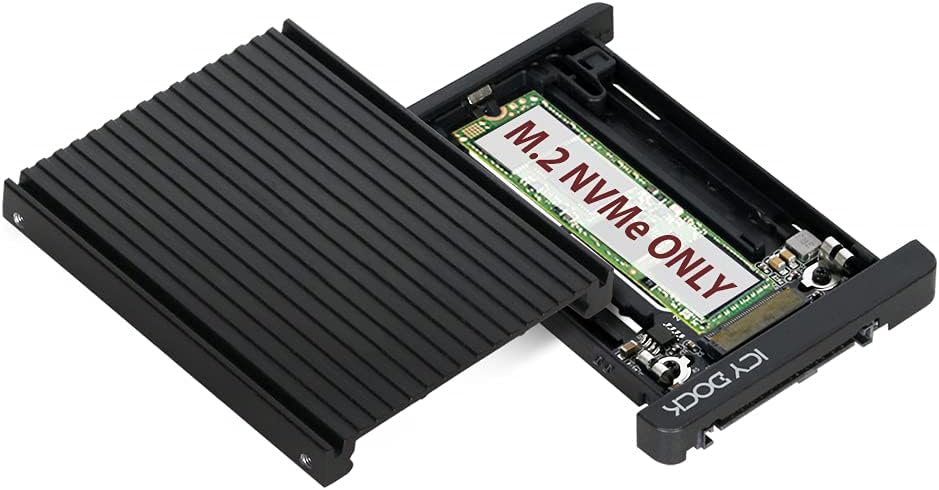
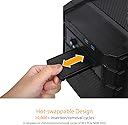
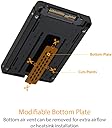
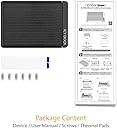
The ICY DOCK MB705M2P-B is a premium M.2 PCIe 3.0/4.0 NVMe SSD to 2.5” U.2 converter with a robust aluminum build and heatsink. It supports M.2 SSDs from 30mm to 80mm, delivers full 64Gbps NVMe bandwidth, and features a U.2 connector rated for 10,000 insertion cycles, making it ideal for professionals seeking high-performance, reliable storage upgrades.




| ASIN | B07T8LJY23 |
| Best Sellers Rank | #374 in Internal Hard Drives #5,516 in Computer Internal Components |
| Brand | ICY DOCK |
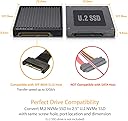
| Built-In Media | Convert your M.2 NVMe SSD into the 2.5” U.2 NVMe form factor with 9.5mm height) |
| Color | Black |
| Compatible Devices | Desktop |
| Connectivity Technology | SATA |
| Customer Reviews | 4.0 4.0 out of 5 stars (157) |
| Data Transfer Rate | 32 Gigabits Per Second |
| Enclosure Material | Aluminum |
| Global Trade Identification Number | 00884826508205 |
| Hard Disk Form Factor | 2.5 Inches |
| Hardware Interface | Solid State Drive |
| Hardware Platform | PC |
| Item Dimensions L x W x H | 3.97"L x 2.75"W x 0.37"H |
| Item Weight | 3.2 ounces |
| Manufacturer | ICYDOCK |
| Mfr Part Number | MB705M2P-B |
| Model Number | MB705M2P-B |
| Supported Devices Quantity | 1 |
| UPC | 884826508205 |
| Unit Count | 1.0 Count |
| Warranty Description | 1 year |
L**N
Works with Dell Precision 5820 Tower
The Icy Dock M.2 to U.2 worked successfully within my workstation's Flex Bay #1 slot. Pros - Excellent build quality with the heat sink - Excellent value - Compatible with the Dell Precision 5820 Tower Cons - Requires some effort to disable the Intel Volume Management Device (VMD) controller for Flex Bay #1 in the UEFI/BIOS settings - VMD enabled supports Raid configurations which is undesirable for my setup.
R**I
Want to boot an old system off an M.2 NVMe?
I can finally boot off of NVMe M.2 drives on my old workstation. I'm running Windows 10 on a SuperMicro X9DAi dual Xeon motherboard with no M.2 or U.2 slots. I've installed a Broadcom/LSI 9400-16i 16-port controller, two LSI Logic Cable P/N 05-50065-00 cables which support four x4 NVMe drives. I'm using these fantastic ICY DOCK Tool-Less M.2 to U.2 Adapters to mount four Samsung 970 EVO Plus NVMe Series 2TB M.2 PCI-Express 3.0 x4 Solid State Drives. I've currently testing using the SilverStone TP02-M2 Heatsink for M.2 SSDs. The old BIOS is set for UEFI boot mode and will detect the controller and NVMe drives. Windows 10 will boot from them out of the box using the stock driver without issues and no speed issues at all. I couldn't be happier with the combo. I just can't see upgrading my motherboard and Xeon CPUs until Intel moves to PCIe 4.0 and has a die shrink on their Xeons to 7nms. And no I'm not swapping to AMD and their no ECC junk. I'll wait for Intel and move to a 7nm Gold-something Xeon with PCIe 4.0 and full ECC support when the time comes! This bring new life to my old system running dated Intel SATA SSDs off an LSI 9200 series SAS controller. This is the best best upgrade I've done since install the nVidia 2080 TI card. I would highly recommend the combo to my geek friends!
T**E
This Handy Adapter Allows Full Use Of A Super-Fast M.2 NVMe SSD
With the fast approaching era of total solid state drives being the norm, this adapter provides an owner of a M.2 NVMe "stick of gum" SSD to achieve full use of that SSD in a conventional 2.5 hard drive bay. Although the SSD will only communicate at SATA II speeds (since it's not attached to an direct PCIe interface), it will, nevertheless, be a very speedy little devil, and never add any latency to the SATA II interface. This is a very good use for an earlier model M.2 SSD that you might have laying around, and is helpful to reuse that storage potential. Try it, you'll like it! Enjoy
S**R
Work well as an adapter, heat dissipation is on point.
These are super handy. Easily adapt NVME. They work great. They seem to dissipate heat well, and I didn’t see any throttling beyond what I already am accustomed to with my drives.
D**L
This is not an M.2 to SATA adaptor for SATA Drive Bays in your laptop.
I don't know what this M.2 to U.2 adaptor is for. This thing did not fit into my laptop. I recommend buying a 2.5 inch Solid State Drive from Western Digital or Seagate if you want your laptop to run faster.
P**T
Make your M.2 2280 removable
I put this in a Syba 2.5" U2 mobile rack using a 3.5 to 5.25 converter. I used the DiLinKer M.2 to U.2 cable to connect to the M.2 slot on my motherboard. Now we have a easily removable M2 2280. Worth noting is that the mobile rack requires the SATA power for the M2 to work, for me this was a bonus as I can then use my KingWin 6 port SATA power switch to turn it on or off. With the help of Y power cables, I am going to put one set of drives on a single switch and other sets on different switches, thus making it easy to switch OS and configuration - Love It. I have not done an official test of the speed, but it seems very fast, just as fast as when the M.2 was on the motherboard. My only con for this solution is the pricing of the U2 backplanes and mobile carriers is high. I used this hardward solution as I do not like using software based multi-boot.
G**H
Waste of time
Somewhat functional as m.2 to u.2 adapter. Does not support R740XD front 2.5 inch bays properly at least not with the mixed Crucial P3 and Inland Professional M.2 SSDs I tried to use. I could get 4 of them online for a brief time before PCIE training and downlink errors began to manifest. 2, regardless of brand, proved stable enough to get me through a few days until I could buy proper U.2 drives. I have no issues after replacing these with Micron 7450's. If you want u.2 just buy a proper drive.
E**N
Nice
I have several. Work well.
G**I
Otima qualidade! recomendo o produto.
L**O
Es una verdadera lástima que Amazon venda este tipo de productos. El cliente lo compra para poder instalar una unidad SSD nvme en una laptop y las entradas de conexión son diferentes. Terrible experiencia. En realidad así no vale ni 1 peso.
Trustpilot
3 weeks ago
1 month ago