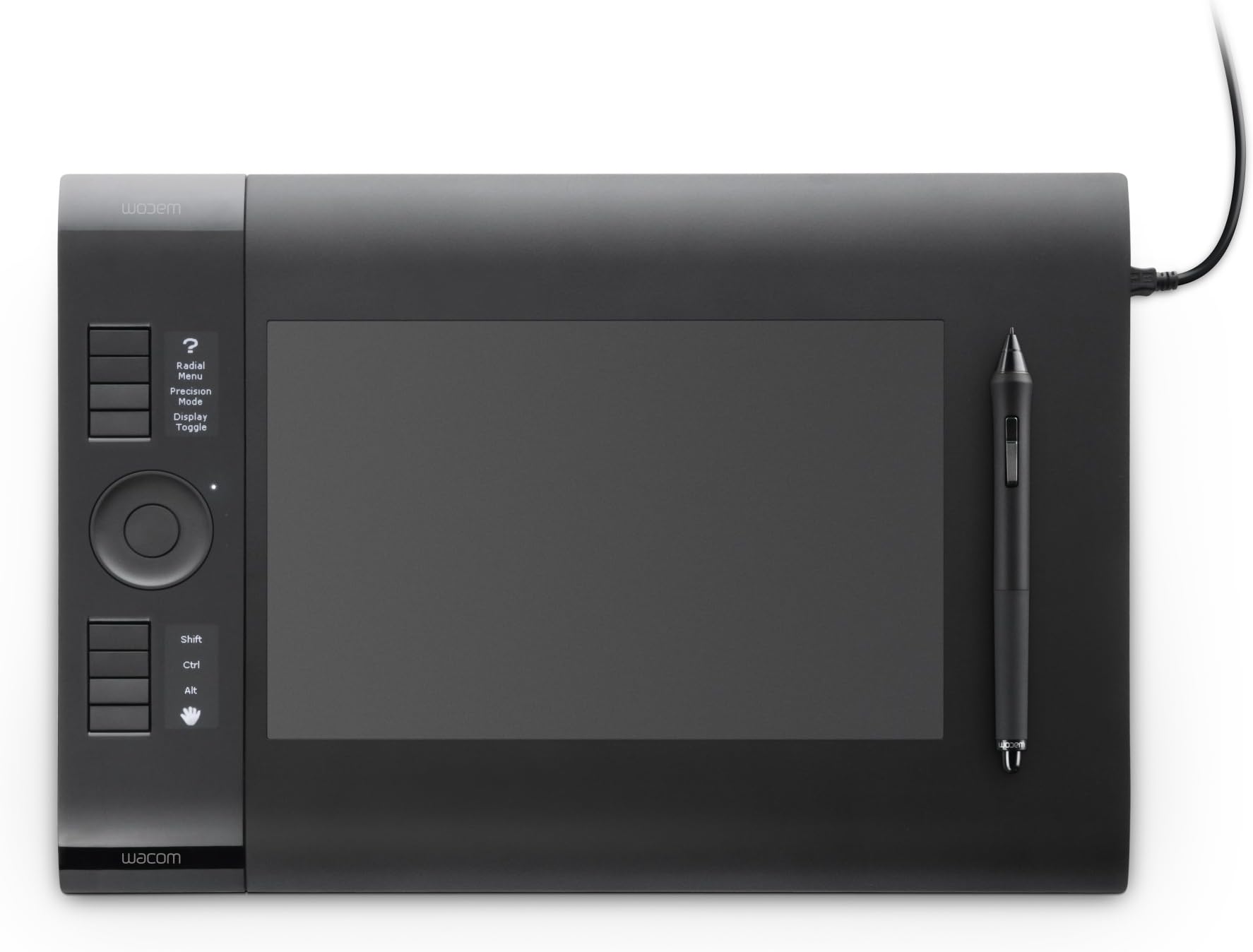
I have been a WACOM user for quite sometime... Recently WACOM announced the Intuos5, so I checked the Intuos4 and found a good price drop and I decided to order one.. Other WACOM I have around the house includes a Intuos3 Large, Bamboo Pen+Touch 2nd Gen, Intuos2 Medium, and my Toshiba Portege M750 TabletPC. The first Intuos4 Large I received from Amazon is DOA... The Tablet was brand new all sealed, but probably due to ground shipping, the tablet did not lit up after plugging it into my computer.. Also the tablet plastic housing seems to be loose and would make cracking noise from just lightly resting my wrist on the tablet.. At first I thought the Intuos4 has cheap built quality when compared to my beast brick Intuos3 The SECOND replacement Intuos4 Large came in last week, and plugging it in to my computer worked no problem. This replacement came via 1-day air UPS shipping rather than the defective ground shipping... (So maybe the ground shipping bump damaged the tablet?? I honestly do not know).. ALSO, the cracking and build quality issues were gone. The replacement tablet is solid, and no annoying creaking noises when resting my wrist on the tablet... (I feel the build is still not on-par with my Intuos3 though) First things first, I checked the serial number and realized that the Intuos4 Large I received was manufactured on October of 2011, so it is one of the last few batches before the new Intuos5 came out, and the Intuos4 as of now is discontinued and out of production. I unboxed the tablet, and the accessories.. First thing I liked was the pen holder being able to hold nibs, this is really nice as the pen holder now has dual functions rather than just holding your pen in two different positions. The included pen nibs are different types like the previous generation of the Intuos. It give the pen a different "feel" when drawing on the tablet. Some nibs give more rough, smooth, springy or rubbery feel. Just like the Bamboo, WACOM included the nib ejector tool in the box. I remember when I got my Intuos2 and Intuos3, you have to purchase the nib ejector tool separately in a accessory kit. Included in the box are also color coded pen identification rings. It is many for those who have multiple pens with different pen settings within the WACOM driver software. The other thing I noticed is that the pen of the Intuos4 is shorter than the rip pen from Intuos3. But also the Intuos4 pen is slightly fatter, and the ergonomics is just as good, if not better than the Intuos3 grip pen. Since I mentioned my tablet was manufactured in October of 2011, the surface sheet issue should be addressed.. I felt the surface sheet of the Intuos4, and it is slightly smoother than my Bamboo Pen+Touch 2nd Gen, but not nearly as smooth as my Intuos3. But the slight texture feels better when drawing compared to Intuos3. At this point, I was excited and wanted to plug it into the computer and try out my new tablet. I took out the mini-USB cable that came with the tablet and plugged it in. (NOTE: If you are going to use your own USB cable, make sure the mini USB end plastic part is smaller than the recessed port on the Intuos4. This is because the Intuos4's mini-USB ports are deeply recessed into the molded plastic housing. TAKE NOTE) Since I was using an Intuos3 on this computer before, there was no need to install the driver since the driver used here is the same. After plugging it in, the LED Express Keys labels lit up and the ring status LED lit up and the tablet was functioning. I really wished WACOM could update the driver software with an option to turn off these LED Express Key labels. When I work in the dark late at night, the LEDs sometimes disturbs me... During the daytime/lit room, it is no problem. I took the pen and start to use the tablet. I was firstly astonished by this pen of the Intuos4. That near 1g activation force is no joke, the pen register strokes even at EXTREMELY LIGHT pressures.... When compared to my Intuos3 (which took quite some force to activate the strokes, which makes lightly sketching almost impossible without change the brush size constantly), Intuos4's pen was amazing. Also the 2048 levels of pressure is bonus, but I think I am good with 1024 pressure levels. The drawback with the increase pressure levels for me at least is that since I have been so used to 1024 pressure levels, the extra sensitivity made me to change some of my program settings. In some cases, using the same forces from my hand with the pen, the pressure level of 80% on the Intuos3 will be only around 40-50% with the Intuos4. Which means some of the brush sizes I am so used to have to be adjusted..... These above factors goes the same with the eraser side of the pen on the Intuos4. Now with the mouse, it is a slight step backward. The sensor in the mouse is the same with the Intuos3 since mouse do not have pressure sensitivity. Both Intuos3 and Intuos4 mouse are 5080 lpi (Lines per Inch resolution) The main problem with mouse is the ergonomics. The size is more miniature when compared to the older model. Other than that, the mouse works great.. It is much more accurate than even a high dpi laser Gaming Mouse (I have G700)... The mouse works in mouse mode, rather than the pen's absolute mode (tablet surface corresponds with your screen edge to edge)... Gamers would probably not use this mouse since the only area it will be active is the tablet's active area. Some people might feel it is not portable, and some people might think the size of the track-able area is equal to the size of your tablet's active area... The bundled software is nothing to awe over. They are just a bunch of trials and lite version of popular software (Photoshop Elements, SketchBook Express etc.) Not to mention, it is a pain in the butt to register with WACOM to "Redeem" your FREE SOFTWARE BUNDLE... You have to get the product s/n of your tablet, AND you have to get your bundled software code which is on the CD sleeve of the in box outdated drivers disc... Overall, the positives outweighs the negatives.. The Intuos4 Large was a great purchase for me... Just the pen's 1g activation force (finally I can sketch lightly ^_^) was the main reason I upgraded from my Intuos3 Large.