Desertcart purchases this item on your behalf and handles shipping, customs, and support to Italy.
🚀 Supercharge your USB game — don’t get left behind!
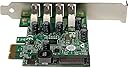
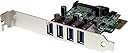
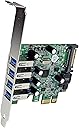
The StarTech.com 4-Port PCI Express USB 3.0 Controller Card (PEXUSB3S4V) upgrades any PCIe-enabled PC with four external USB 3.0 ports supporting up to 5 Gbps data transfer speeds. Enhanced with UASP technology, it delivers up to 70% faster transfers compared to standard USB 3.0, while its SATA power connector supplies up to 900mA per port for high-power devices. Its stacked port design fits low-profile systems, making it a versatile, high-performance expansion solution for professionals demanding speed and reliability.


| ASIN | B009AT5SVS |
| Best Sellers Rank | #69 in Internal USB Port Cards |
| Brand | StarTech.com |
| Compatible Devices | Laptop, Personal Computer |
| Customer Reviews | 4.2 out of 5 stars 255 Reviews |
| Global Trade Identification Number | 00065030848961, 00151903390030, 08713439184884 |
| Hardware Interface | Express Card, USB |
| Item Dimensions L x W x H | 3"L x 0.7"W x 2.7"H |
| Item Highlight | USB 3.0 Expansion Card with SATA Power, With UASP |
| Item Type Name | USB Adapter |
| Item Weight | 0.07 kg |
| Manufacturer | StarTech.com |
| Mfr Part Number | PEXUSB3S4V |
| Model Number | PEXUSB3S4V |
| Number of Items | 1 |
| Operating System | Windows 7 Windows 8 Windows Server 2012 Windows 10 Windows Server 2016 Windows Server 2019 |
| Product Dimensions | 3"L x 0.7"W x 2.7"H |
| Style | PCI Express |
| Style Name | PCI Express |
| UPC | 851975714306 768202233250 001910312863 738878173570 163120552122 758399115897 599039438729 088021339842 523160275762 799198172452 823019569708 800011198921 840371103722 731215283338 168141442049 031112765198 717011848872 809301939107 739197037277 065030802048 717011875816 172304230565 610373765385 045556024292 723856163025 332040047807 151903390030 041113763796 780411508219 807034903235 8051001559… |
| Unit Count | 1 Count |
| Warranty Description | 2-Year |
W**L
Finally a USB3 Card that really Performs!
Overall I went through a few USB3 cards and they just barely beat USB2 performance, when they worked at all. So it was a great pleasure when this just plugged in and worked after loading the drivers, which come supplied on a CD. This board is really fast and lets you get the most out of your USB3 drives, especially external SSD drives, they really scream on this interface card. Hard disks or SSD is about the only thing that will benefit from USB3, most other things are slower, like a keyboard or mouse, even a TV USB box does not even tax USB2, but no doubt you will get a major boost in performance if you have USB3 drives currently plugged into USB2 ports. Overall this is a great product that does exactly what is says it will do. I would not hesitate to suggest this to a friend and am very happy with this purchase. This cost about twice as much as many of them but well worth it, it works. Hardware Installation Rating = 5 The physical install is very easy, open your PC, find an empty slot and plug it in. You can optionally provide the card additional power by plugging in a spare SATA power cord in your PC. If you do not have a SATA type connection or no spare power cords in your PC you can get one from Amazon for under 10 bucks. (Older PC tend to have 4 pin Molex power connectors, if that is your case you can get a Molex to SATA adaptor here for under 10 bucks. The good news is that power cable is not required for the board to work unlike most of them, and if everything you plan to plug into it is powered itself then there is no need for the internal power. If you do plan to use the USB3 ports to power things you should hook up the extra power. Software Installation Rating = 5 As easy as it gets, pop in the supplied CD and run set-up, reboot, and that is it. The CD I got had the most current drivers which was nice. Performance Rating = 5 The real test was benchmarking it, with my original USB3 card I could not get more than about 90MB/s on a file copy, with this I am hitting 240 - 270MB/s, benchmarks and my USB3 SSD drive is insanely fast. With this card all of my USB3 drives are about twice as fast as with my old USB3 card. (the old one came with my PC and had an older chipset, it was faster than USB2 but not a lot.) Note: if you have USB2 drives this is not going to make them go faster unless you have an underperforming USB interface, which is unlikely) However if you have been using USB3 devices with USB2 you will be blown away how much faster they go. I also tried some old USB2 drives and they worked perfectly, albeit slower by nature than a USB3 drive, but it hit full USB2 speeds with USB2 drives. My system: HP Pavilion H8-1090t / Intel i7-990 Hex Core / 24GB RAM / 1xSSD internal SATA(500GB) / 2xSATA internal hard drives / 2xUSB3 2TB external drives (Seagate) / 1xUSB3 SSD (U32 Shadow)
W**T
Worth it to buy the Quality of StarTech.
Installing in a Dell Optiplex 990 SFF with 32GB DDR3 RAM Added. Its to replace a low budget one I bought recently with a Realtech Driver that survived only 6 days running Debian Forky Linux. I am using SATA Power from the onboard OEM PSU. I would never buy anything but StarTech for an older PC hereon out. The few more Dollars is a great investment for the long haul. Shipping came a day later due to a delay. Its January 4 when Ordered Post Holidays so was a bumpy shipping. Amazon apologized and got it to me the very next following day than promised originally. No biggie. Otherwise Shipping would have been swift!
P**.
Lots of ports in a little space
This is for the 4 external port version. Added this to a small server running Server 2012R2. The Renesas chipset drivers were already included in the OS, so it was true plug-and-play. This card was added for fast transfers to external backup drives, and did not disappoint. This was one of only a few solutions for fitting four parts in a low-profile board space. Some applications with dongles or thumb drives might have an issue with the tight spacing between ports, but my various cables plugged in without any problems. Transfers to the drives now take place at the maximum speed of the actual SATA drives inside the enclosures, shaving lots of time from a 2-3TB backup.
A**R
If I wasn't lazy, I'd return it. Don't bother with this one.
Figures it would take a negative experience for me to want to write a review. Firstly, the fact that the driver comes on a CD is ridiculous in 2026. I installed the USB port using an previously used SATA cable I had laying around. Given that I have a 1000W power supply and could just download the driver online, I expected there to be no issues. There were issues. From the moment I found the Renasas driver online, nothing went well. The USB card did not enumerate any of my peripherals no matter what I did. I confirmed that it was receiving power, so once it was installed in my tower, the issue had to be software-related. I literally downloaded a Media version of Win10 to create an ISO & did a fresh install of Win10 (kept apps and such), and even that didn't fix the issue of any of the USB ports recognizing my peripherals. Using a mobo from 2019 shouldn't be an issue and everything about my experience trying to use this card was an absolute nightmare. Getting the firmware was also useless and every solution referenced something complicated and technical for the average PC user. I literally wasted an entire day fighting in Device Manager and the $40 price for this trash is a travesty for a mostly unsupported USB card in 2026.
D**M
PCIe x1 StarTech 3.0 USB board
Installed this PCIe board in my HP Win7/64 system, installed the software, and it worked beautifully - for exactly 1 day. Now my system doesn't see the hard drives in the USB ports, nor does the board appear in Device Manager. Tried everything to get it back, but no dice. Looks like a defective board. Only getting one star because otherwise I couldn't post this. Grrrr! Tried tech support, but of course nobody home in the chat for the weekend. I can report the hard drives back to the 2.0 USBs, but will have to take the darned computer apart again to remove the bad board.On top of it, now my HP keeps installing and removing my hard drives, mouse and keyboard. Put everything back on 2.0; will see if it settles down. This board isn't cheap; I expected it to function as advertised. UPDATE! Contacted StarTech, they advised reseating the board in a different PCIe slot. I had moved out a smaller board to accommodate the 3.0 board. So took it apart again, put small board back where it was, did minor surgery on the case back, removing a flimsy piece of aluminum between the 3.0 and case back and reinstalled everything. 3.0 board now works perfectly, sees hard drives, etc. and the system has settled down to usual condition. The 3.0 is fast, well worth the money. The flimsy aluminum CPU piece, slightly heavier than foil, was probably either a static buffer or some kind of heat sink, but prevented the usb connector from seating into the board's slots properly by adding just enough of an additional layer of material. Update 10-21-15 All working just fine now, no problem whatsoever with board. Earlier problems were with my PC configuration totally, as the board has been working just fine with no glitches for months now. And Tech Support was very helpful. 2018 UPDATE: The board stopped working again, about two weeks after last update review. And I gave up. It's still in the PC, but I just tried it again and no life evident. This board was expensive, and the performance was definitely not what was advertised. Very disappointed in this product.
M**P
Worked on an EVGA board
I bought this for my EVGA X58 SLI Micro system board running Win10 Pro. Plugged into a PCIe II slot, I get between 2 and 2.5 X the speed of the USB2 ports. Not full USB 3 speeds, but the best the system board will do. No issues installing this card - it worked as soon as the software drivers were installed.
M**Z
Recomendadas para desahogar los puertos de la MB
Instaladas y funcionando perfectamente bien
A**A
Got REALLY tired of cheap cards. Just get this one!
I tried probably 3 "affordable" PCI express cards for my desktop to expand my USB ports as my ports on my motherboard felt like they were overloaded and wanted to disconnect randomly. Extremely annoying to the point where I decided I needed a dedicated and powered card. After dealing with multiple cheap crappy cards. I did what I should have done from the beginning and got a StarTech card. Works absolutely flawless and solved my cutting out issues with plenty of USB power and stability for connections. I cannot recommend StarTech cards enough. I have 2 in my case as the other card from them is a dedicated USB-C Card for VR. That card is also amazing.
G**D
Good device!!!
Quick delivery. After mounting the card, booting up the pc, then installing the drivers off the included cd, it worked instantly and perfectly. So when i need an expansion card i buy a Startech.
D**N
This USB controller on this item is better than most.
I ordered this specific item to try and obtain a low latency USB interface for audio. This is definitely better than most USB controllers available.
D**E
Great
This is the best one for my oculus rift. I have the inatek one and was struggling to get all the connections to USB 3.0 plugged this startek card in and working perfect, USB 3.0 for all my usbs.
R**R
Perfekte USB 3.0 Karte für Oculus Rift / VR Setups mit Lighthouse Tracking
Ich habe die StarTech 4 Port USB 3.0 Karte mit UASP SATA Stromanschluss als PCI Express Variante viele Jahre im Einsatz gehabt, um meinen damaligen alten PC mit genügend USB 3.0 Slots ausstatten zu können. Hauptsächlich habe ich die Karte für meine Oculus Quest eingesetzt, um die Lighthouse-Sensoren fürs Tracking ordentlich versorgen zu können. Die StarTech-Karte hat dabei immer genügend Ressourcen bereitgestellt, so dass ich keine Probleme wegen zu wenig Bandbreite oder hohe Latenzen hatte. Bei meinen Standard-USB-Ports gab's hingegen immer mal wieder Aussetzer und Fehlermeldungen, weil das Mainboard nicht genug Power bereitstellen konnte. Die StarTech-Karte lässt sich zusätzlich noch mit einem SATA-Stromkabel verbinden, wodurch alle USB-Geräte mit ausreichend Strom versorgt werden. Die Karte hat mich über 6 Jahre begleitet und wurde dann weiterverkauft - ich bin mir sicher, dass sie auch beim neuen Besitzer noch viele Jahre funktionieren wird. Treiber-Probleme gab es auch keine, entweder den OEM-Treiber von Windows nutzen oder auf der StarTech Seite eine Version herunterladen - ging bei mir beides ohne Probleme. Einziger kleiner Nachteil, der aber auch an meinem Gehäuse lag: Durch die querliegenden USB-Ports hatte ich minimal Probleme, die Geräte ordentlich einstecken zu können, weil das Gehäuse zuwenig Platz zwischen den Stegen gelassen hatte. Es hat zwar funktioniert, jedoch hatten die USB-Steckverbindungen dadurch immer Kontakt mit dem Metallgehäuse, was mir kein besonders gutes Gefühl vermittelt hat. Es gibt von StarTech aber auch eine Version mit längs liegenden USB-Steckern, daher ist das Thema eher mein Verschulden gewesen. Fazit: Ich kann die Karte vollstens Empfehlen - sie hat mich nie im Stich gelassen und mit der Oculus Rift perfekt harmoniert.
A**O
Good product
I give it 5 stars, I arrive fast and the product is as described and it works the best..I recommend it for those who have few usb ports in addition the transfer speed is better.
Trustpilot
1 week ago
1 month ago