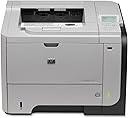
⚡ Power through your print jobs with HP LaserJet P3015dn – the office workhorse you can’t afford to miss!
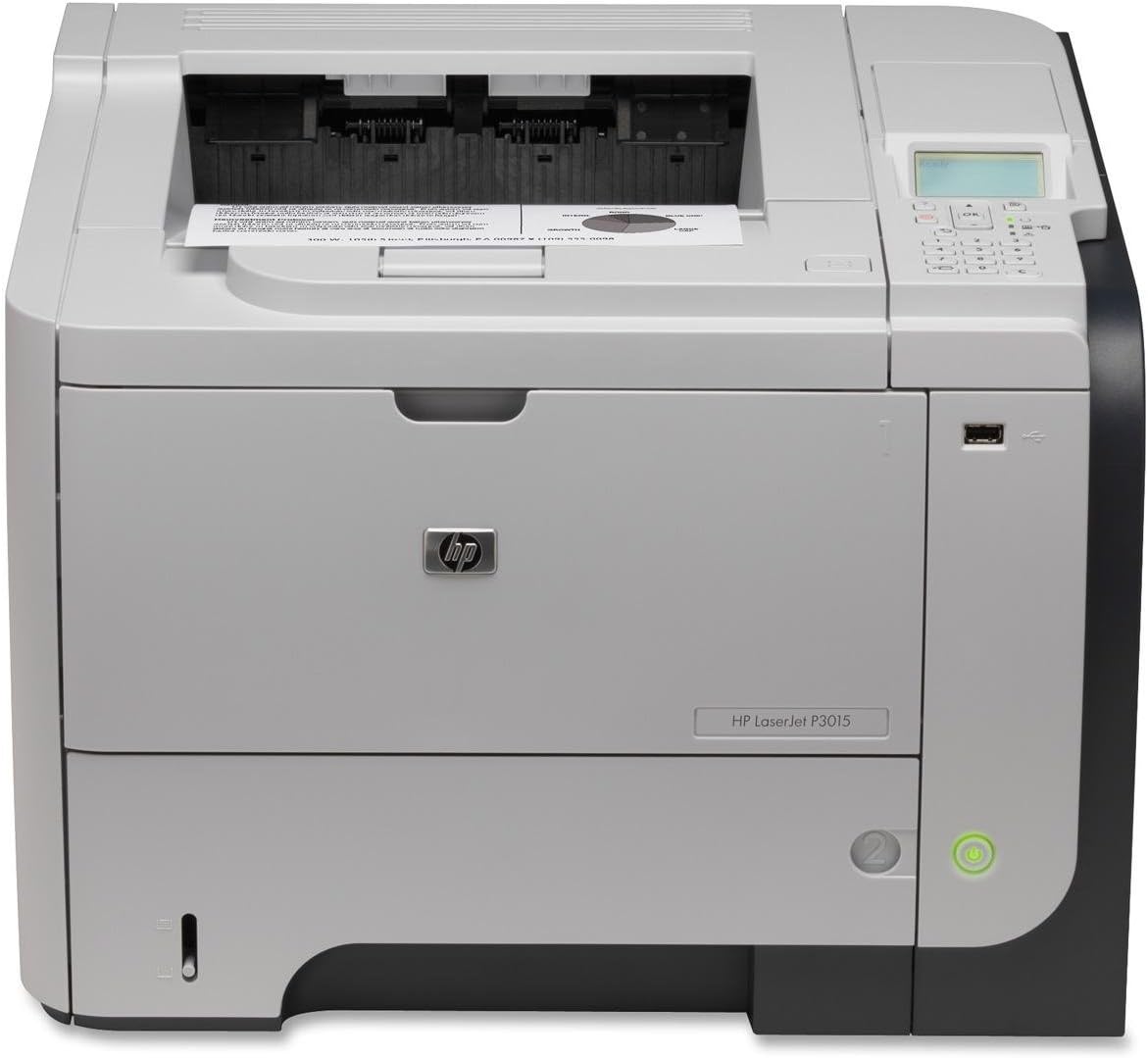
The HP LaserJet P3015dn is a commercial-grade monochrome laser printer designed for high-volume office environments. Featuring a 540 MHz processor, expandable memory up to 640 MB, and a maximum print speed of 42 pages per minute, it handles large workloads effortlessly. With a total input capacity of up to 1600 sheets across multiple trays and automatic duplex printing, it maximizes efficiency while minimizing downtime. Built for durability and easy maintenance, this printer delivers professional-quality text output and long-term reliability, making it a smart investment for busy managerial professionals.
| Additional Printer Functions | Print Only |
| Asin | B002JE7FBW |
| B W Pages Per Minute | 42 ppm |
| Brand | HP |
| Built In Media | Printer |
| Color | black |
| Color Depth | 1 bits_per_pixel |
| Control Method | Touch |
| Customer Reviews | 4.2 4.2 out of 5 stars (179) 4.2 out of 5 stars |
| Display Type | LCD |
| Dual Sided Printing | Yes |
| Duplex | Automatic |
| Global Trade Identification Number | 00884420455479, 05053460945423 |
| Hardware Interface | USB 2.0 |
| Ink Color | Black |
| Item Weight | 35 Pounds |
| Manufacturer | HP |
| Maximum Copy Resolution Black And White | 600 dpi |
| Maximum Copy Speed Black And White | 42 ppm |
| Maximum Media Size | 3 x 5 inch |
| Maximum Print Resolution Black And White | 600 dpi |
| Maximum Sheet Capacity | 1600 |
| Model Name | CE528A |
| Model Number | CE528A |
| Model Series | Laserjet |
| Number Of Trays | 3 |
| Other Special Features Of The Product | Monochrome |
| Output Sheet Capacity | 250 |
| Paper Size | 3 inches |
| Power Consumption | 780 Watts |
| Print Media | Envelopes, Labels, Paper (plain), Transparencies |
| Printer Connectivity Type | Wireless;USB |
| Printer Output Type | Monochrome |
| Printer Type | Laser |
| Processor Count | 1 |
| Resolution | 600 x 600 |
| Scanner Type | Sheetfed |
| Specific Uses For Product | Office |
| Total Usb 2 0 Ports | 1 |
| Total Usb Ports | 1 |
| Unit Count | 1.0 Count |
| Upc | 884962101803 884420455417 807027553331 884420455479 884962229446 884420455431 |
| Warranty Type | limited warranty |
| Wattage | 780 watts |
User
This is a commercial-grade printer, not homeowner
I think HP's printers can be divided into "home" printers and "commercial" printers. The home printers are built for occasional use and are expected to fail and be thrown away after printing maybe 10,000 pages. The commercial printers are built to work forever and be repaired when they have a problem. A commercial printer's lifetime page count is measured in the hundreds of thousands.This is a commercial printer. It works. It can be repaired -- you can find a service manual for it online. You can order parts for it. One toner cartridge costs around $200, but it can printer something like 12,000 pages. Given that a full set of ink cartridges for my previous inkjet printer cost in excess of $75 and always seemed to be running out, the toner cartridge at $200 is a bargain.I particularly like the manual-feed option for printing envelopes. The front flips open, you slide in an envelope (or sheet of special paper, or whatever), the printer senses the envelope or paper, and chooses it instead of the main paper tray, which incidentally holds a full package (500 sheets) of paper.My only complaint was with the seller. I bought a used printer from one of the sellers listed. The seller advertised the printer as "like new." If you check, Amazon has very specific requirements for an item described as "like new." When the printer arrived, it did not meet Amazon's "like new" criteria. I got into the printer's service mode, which had preserved the printer's operating statistics, and discovered that the lifetime page count for the printer was over 90,000 pages. Hardly "like new." I wrote to Amazon, and Amazon immediately offered to replace the printer or give a partial refund. Since the printer did in fact look "like new" and worked flawlessly, I opted for the partial refund. The printer continues to perform perfectly, and my experience confirms, I think, the quality of these printers. After over 90,000 pages, it shows no sign of its age. (Presumably the seller did some amount of refurbishing prior to sale.)Amazon support was great, and the printer --- even though it was more used than the description indicated --- was a great value for the price.[Edit: three years later]It Just Works. I'm still totally satisfied with it. In three years I've printed (it says) 16,442 pages. There have been virtually zero problems. The only (minor) problem I've had was some streaking that showed up a few weeks ago. I wiped out the paper path as much as I could and ran a couple of cleaning cycles, and it's fine.[Edit: Feb 2024]After eight years, it's still going strong. Works great.
User
Great Quality that restored my faith in HP
I am a small business owner and have owned several HP products through the years. The HP Laserjets have always been workhorses. My LaserJet 4050 has been faithfully standing by even with the wee bit of cardboard that was necessary to keep the printer from pulling more than one page - or set of checks - through the manual feed. BUT along comes technology and with the upgrade of my computer - the serial port vs UBS fight began. Using two different adapters I attempted to keep old faithful going - but the speed often was reduced to just plain pitiful. So time value became more important, and read reviews on this product - the HP LaserJet P3015dn Printer, and it sounded as if I found a machine with the same old fashioned quality I had come to love in my better HP printers. (I have two other big HP's but won't discuss those....)Several weeks now have passed, and I can say the performance has been excellent. My only gripe is in using QuickBooks for my check printing - 3 to a page. When I have only 1 check to print, life becomes more challenging and a "jam" will occur. The fix is to open the back to allow the check to pass and not "jam" the machine. But if you don't use these types of checks for your business, there would not be one single complaint.A work horse remains - and I remain happy.BTW don't waste your money on the cheaper HP versions that they sell at the big box stores. I made that mistake and you will just be wasting your money. Hope this review is helpful!
User
Hardware Is Fine But Experiencing Driver Issues
I ordered this printer to replace my HP 2420d printer that has served me reliably for many years. This printer is faster, smaller, and has better text output quality than my previous printer. Also, the price and features list for this printer new is better than HP's current M601DN that costs over $700. I did consider the M601DN, but PC Mag stated that the text output of the newer more expensive printer was not as good as this cheaper one. Also, this printer includes the duplex unit and is roughly the same speed.When I received my printer, I downloaded HP's firmware update and also their latest universal drivers. I updated the firmware first followed by installing the latest drivers. I have zero issues with printing, and the text output looks fantastic (much better than my previous 2420d printer). Note that I only use HP's Premium Choice heavy weight laser printer paper (the 32lb pack of 500 sheets).I ordered the 512 memory upgrade DIMM for this printer that I will install as soon as I get it (this was under $50 that will upgrade the memory to 640MB). My only observation with this printer is that the plastic used on my previous 2420d was sturdier and more durable. This plastic body feels weaker and cheaper. As long as the printer does not get knocked over, it should be fine.Additional notes:After using this printer for a couple weeks and adding two upgrades to it (more memory and the added 500 sheet tray slot), I have found what appears to be an issue with HP's latest universal print drivers. I have reproduced the issue using both the PS and PCL6 drivers. The problem is that text in a MS Word document appears consistently incorrect for the same page(s) printed. I have reproduced this issue with two different versions of HP's universal printer drives: upd-ps-x64-5.8.0.17508.exe and upd-ps-x64-5.7.0.16448.exe. I have an older version of the universal print drivers that do not share this issue: upd-ps-x64-5.3.1.10527.exe. Additionally, the consistently distorted fonts for the same Word document do not appear using the latest drivers if I first print to a PDF file followed by printing the PDF to the printer. This was what led me to believe this is a driver issue.My work-around for the distorted text is to use the older drivers I stated above setting the print quality to printer default. I then configure the printer to print at its highest quality on the front panel. The text printing issue is resolved when I do this. However, all recent HP universal printer drivers that allow a setting of 1200 prores will share this consistent distorted text output.Unfortunately, HP does not make older versions of their universal print drivers available for download. I just happen to have saved older copies on my network storage.
User
fast duplex, ordering and purchase suggestions
This prints at basically the same speed as the more expensive LaserJet P4010 series. The CNET review of this product suggests text quality is slightly subpar. I noticed this when printing a test page using 10pt, however 12pt and higher looks perfect, and I don't normally print any smaller than 12pt. If you are concerned about this, it might be worth moving up to the P4010 series, which will be another $200-300 but have slightly lower ink costs in the long run.What I am most impressed with is the duplex function. It is *much* faster than any other printer I've used in this size and price range. No more trade off between saving paper and speed.Using Amazon Prime + $3.99 resulted in a successful 1-day shipping from "Stop and Shop." It was brand new in the sealed OEM box, as I expected but sometimes does not happen, and shipped by air from Indiana. It was worth paying the extra $40 rather than deal with a shady Brooklyn vendor who would have put the poor printer on a truck for a week and would have fought returns if it was damaged in shipping.I also noticed that I could have purchased this directly from HP for $699 rather than $619, but come out ahead by using the HP trade-in program which will give you a credit for up to $175 for an old laser printer. In the end the small savings wasn't worth it because I needed a new printer ASAP, but something to consider if you have the patience. HP sends you a shipping label for your old printer and you can arrange pick-up, so it isn't that onerous.I'm somewhat cheap and it is painful to part with $625 for a printer, however I've discovered over the years that with printers you get what you pay for, and cheap laser printers work poorly and break quickly. On the other hand, it isn't unusual to see more expensive 12-year-old HP laserjets still being used in offices on a daily basis.
User
The Printernator
This printer is a real badass. The feeder drawer holds an entire ream of paper which is really cool and convenient. And you will need it, I timed the pages and it gets something pretty close to the rated 42 ppm. It is a bit noisy but if you are prepared to give up a little speed you can switch to quiet mode.I had to put in a couple calls to tech support to get some things configured properly and they were prompt, courteous, efficient and effective. I was on hold for less than a minute both times once I got the correct 800 number. And they even followed up by phone and email to be sure my issues were resolved (when's the last time that happened to you).The specs tell you this unit is not wireless ready but my network administrator buddy was able to get on the phone and walk me through the steps to "hack" the thing into printing wirelessly by simply connecting it to my wireless router with an Ethernet cable. How cool is that? With this cool new undocumented feature engaged anyone at our tax office (--[...]) who is on our wireless internet and has the proper print driver installed can print wirelesly. It was pretty simple to do if you know what you are doing but I don't recommend you try this at home kids unless you have adult supervision.Update: As an added bonus, because the printer is connected to the wireless network I can use the HP app that came with my Galaxy 4 phone to print directly from my phone as long as the phone is on the same wireless network. Sweet!Update to the Update: Samsung put out a software "Upgrade" and screwed up several things on my phone, including the ability to print wirelessly to this printer from my smartphone. Thank you Samsung, thank you very much.
User
Hewlett Packard P3015dn best used for an anchor
I bought this printer with great expectations. Although many previous reviewers complained about a phantom error, I thought that by updating the firmware and using the latest driver it would function as advertised. When I ordered the printer, immediately I purchased Kingston memory and maxed it out. There is one thing about this printer that I have not found a workaround for on the menus or on line and that is that every time a job is sent, the printer goes through a "checking" cycle. This slows down printing and it's quite annoying. We went along for about a six months with nary a care other than the "checking" cycle and then "WHAM!!" the phantom errors began. The display announces a NON-EXISTENT paper jam and indicates to open the lower tray and then the toner cover. People this happens on small or large jobs. The number of pages is immaterial. so much so, that sometimes on a 30 page job, the dog and pony show has to be performed 2/3 times. The driver is the latest as is the firmware and no respite for the weary, same crap. A call was placed to tech support and you know where they answered right? Some place in India by a tech, that could barely be understood and who provided a bunch of troubleshooting that was an insult to any one with a little of computer experience. I know, I was an ITer for 20 yrs and ran large user networks. The crux is that the P3015dn is a royal pc of sh.. So, soon this device will be donated to some boat owning, ocean going friend that could use it for an anchor. While on the HP subject, we also have an HP computer on which we have changed the power supply 3 times. HP is definitely not what it used to be and has dragged down the Compaq quality. I'm going back to Lenovo, which used to be IBM for our boxes and look at other brands for our printers. HP gear is crap and no, I would not recommend HP to my worse enemy.
User
fast and easy to use
My previous printer (HP 1300n) did quite well, and I was happy with it. But this one blows it away. It prints really fast. It can print double sided (the previous printer could only do that manually, with me reversing all the pages and running them through again, then reversing them back to be in the right order). It has printed envelopes and two sizes of labels very easily. Even better, I can put the labels into the sheet feeder tray in a batch and print them that way. The previous printer tended to grab the thick labels a little crookedly, and I had to feed them one by one. This one has handled various thicknesses and textures with no problem. Plus, I love that it holds a lot of paper, so no need to keep refilling. It is quite loud, I think. But a small price to pay for the speed and ease of use.
User
After reading the reviews on this guy I had my doubts
But we have now used this printer for over 5 months now. Granted we only use this printer for pinting MICR checks but so far we have not had any issues with it.My gripes about it are this:1. The think is noiser than the pit of Hades. Upon warm up, opening closing the tray, and while printing the thing makes this dull yet irritating noise.2. The printer is huge. Its like having an old 27" CRT or Tube television.The only reason I bought this printer because it was one of the only ones that wasnt extremely expensive and was compatible with the custom software and MS Great Plains we are running with it.
User
Four Stars
Great printer
User
Ce n'est pas un reconditionnement, c'est une imprimante en défaut qui a été reconditionnée.
L'imprimante ne fonctionne pas en mode paysage, elle tronque la gauche de la feuille sur 2 cm.Je présume que c'est pour cela quelle a été reconditionnée.
User
Arrivata rotta ed inutilizzabile
Stampa ta non funzionante
User
Nice Rugged printer, Good shipping.
Good printer, Duplex is not enabled by default, Also P3015 is the label and DN is not printed. this will make people feel it is a wrong printer. fter checking the product code and going over this procedure, Duplex printing is working. [...]
User
parts don't match original
Trustpilot
3 days ago
4 days ago