We remain fully operational. Our teams are working around the clock to ensure your deliveries continue safely.

DOWNLOAD THE APP


Copyright © 2025 Desertcart Holdings Limited
DOWNLOAD THE APP


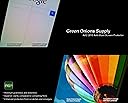
👀 See Clearly, Work Smart!
The Green Onions Supply AG2-2013 Anti-Glare Screen Protector is designed specifically for the 15-inch MacBook Pro with Retina Display. It features a glare-reduction coating for enhanced visibility, superior clarity compared to other films, and robust protection against scratches and smudges. This slim, touch-screen compatible film is also removable, reusable, and residue-free, making it a practical choice for professionals on the go.
| ASIN | B00FE1ZKPA |
| Brand Name | Green Onions Supply |
| Compatible Devices | Laptop |
| Customer Reviews | 3.1 3.1 out of 5 stars (109) |
| Finish Type | Matte |
| Global Trade Identification Number | 00872621003759 |
| Item Weight | 0.3 Pounds |
| Manufacturer | Green Onions Supply |
| Material | Silicone |
| Model Number | RT-SPMBPR1502 |
| Number of Items | 1 |
| Part Number | RT-SPMBPR1502 |
| Screen Size | 15 Inches |
| Screen Surface Description | Glossy, Matte |
| Special Features | Anti Glare |
| UPC | 872621004077 872621003759 |
| Unit Count | 1.0 Count |
A**N
Do Not Purchase This Item
Prior to this purchase I had only purchased screen protectors for an Android phone, iPods, iPhones and and an iPad. I've had a variety of experiences applying them, but never any significant trouble. They generally stop sticking over time or start gathering lint/dust around the edges, but that's why I buy from Zagg with their lifetime warranty. I purchased this product because I now sit with my back to a wall of windows and on a sunny day it can be nearly impossible to see past the glare of my screen that sometimes gives me a headache. The promise of an anti-glare screen protector (one of the few I could find) seemed very appealing. The package comes with a cloth to remove dust, a dust cover to remove more dust and the screen protector. After you wipe down your screen the instructions say to apply the dust cover to remove any remaining dust. Then, with only two hands, you are somehow supposed to roll back the incredibly sticky dust cover (so sticky that you only get one try because once you've rolled it onto itself you will never get it unstuck) just enough to then cover the screen with the protector. Only those with the best of luck, coordination and four hands will manage to keep the screen protector backing from getting stuck to the dust cover thereby forcing an untangling exercise. I ended up removing the entire dust cover after a couple frustrating attempts, and then came the real fun. I lined up the protector to the left edge of the laptop as instructed and peeled the protector backing off while covering the rest of the screen to the right. This left me with more bubbles and creases than I ever remember seeing when applying any screen protector before. But not to worry because you can always smooth it out using something with a stiff, straight edge, right? Not this screen protector. I tried with my hand first because it seemed very thin and they did not provide anything to smooth it so I wanted to see what would happen. Just using my fingers was clear that this thing wouldn't hold up from a credit card so I peeled if off and tried again, and again, and again. There is just no way to get it smooth. When I went for the fifth attempt I noticed that the corners and edges were no longer sticking well, so even though it wasn't smooth I decided that peeling it off yet again would probably start to render it totally useless. I did the best I could to smooth it out by hand which still left my laptop virtually unusable and let it sit over night to see if the bubbles would go away over time like they do with the Zagg covers. When I opened it over 12 hours later the corner was already starting to peel off and there were no fewer bubbles than there had been 12 hours earlier. Do not purchase the Green Onions Supply AG2 Anti-Glare Screen Protector for Apple Macbook Pro.
E**U
Worth the money!!
The glossy screen on the Macbook Pro is blinding under a well light room or the sun which forced me to find an anti-glare screen protector. Many anti-glare sheets reduce the picture quality of the screen. I find this surprisingly untrue for this particular screen protector. After installing, I was angry for a moment thinking that they packaged a regular, glossy coat protector because of how clear the picture is with this sheet of plastic on. I later found out after using a flashlight that this is the correct screen guard and it does reduce glare. This is a very high quality screen guard. It took a long time for me to install, but Green Onions did their best to try to attenuate the installation time. I also expect perfection knowing that I will have this on my computer for as long as it will last. It included what is best described as a giant piece of scotch tape the size of your Macbook screen to rid the surface of any dust and to use (confusing at first): peel back the tape while simultaneously applying the protector. This took me more than a few times to finally have the protector perfectly aligned and also dust free without air bubbles. If you have previous experience applying screen guards to anything, this may be slightly easier. It is still difficult because of the size. I'm used to putting on screen guards for small, handheld devices like the iPhone. I've come to a point where I can install a piece of screen guard in a couple minutes having it perfectly set and even despite the experience, this installation was a struggle. Take your time and I find that before you clean the screen or peel back the backing of anything, align the piece of protector to see roughly where to apply. Take mental note of things like how far the sheet is from the edges and the eyesight camera. After you know the estimate placement, clean your screen and start installing. Good luck, this is a very high quality screen guard; be careful!
M**B
Excellent product if carefully installed
This is a good product, and reduces the glare on a MacBook Pro with a high-gloss screen. It doesn't work as good as a MacBook Pro with anti-glare glass, but it's not possible to match the quality of that option so that is an unfair comparison. I had an anti-glare screen on a previous MacBook Pro, and I am happy with how this product performs on my current high gloss display. As a benefit, the film also protects the glass from smudges, scratches. As you have probably learned from other reviews, your satisfaction with this film will depend on your ability to install it correctly. Green Onions does a good job with the instructions, and has several videos online about how to be successful with the install, and how to remove dust if a couple specs get in there. Watch them. Do the installation when you have 15 minutes of uninterrupted time. If you are not good at this sort of DIY thing, get someone who is good with their hands to do it with you. After my install, I had a couple pieces of dust and was able to remove them using the method demonstrated on the Green Onions web site.
C**R
Waste of Money
Waste of $35 dollars. Included instructions for ipad installation instead of the much larger screened 15" macbook pro. Proper screen application is impossible due to dust bubbles and the anti-glare screen being 1-2 millimeters too big; I had to trim the corners just to get it to fit. Even after all of that struggle the anti-glare effect was less than impressive. The screen is just as reflective as before, but just slightly fuzzier (I could still read the text being reflected from my t-shirt). Better off sticking with the standard glass screen, or upgrading to the $150 higher resolution, anti-glare screen from Apple upon initial purchase of the computer.
S**O
Montaggio facile facile e senza bolle, ottimo. Vediamo con l'uso se scherma la gamma del blu a sufficienza oppure no.
D**D
This product does not fit newer MAC Book Pros and there is nothing that would advise it on the product description.
K**E
Il est parfait fonctionne à merveille je ne pense plus du tout à ces soucis de lumière sur mon ordi par contre je ne trouvais pas à la bonne taille donc j'ai pris plus grand et j'ai retaillé.
Trustpilot
3 days ago
1 week ago